
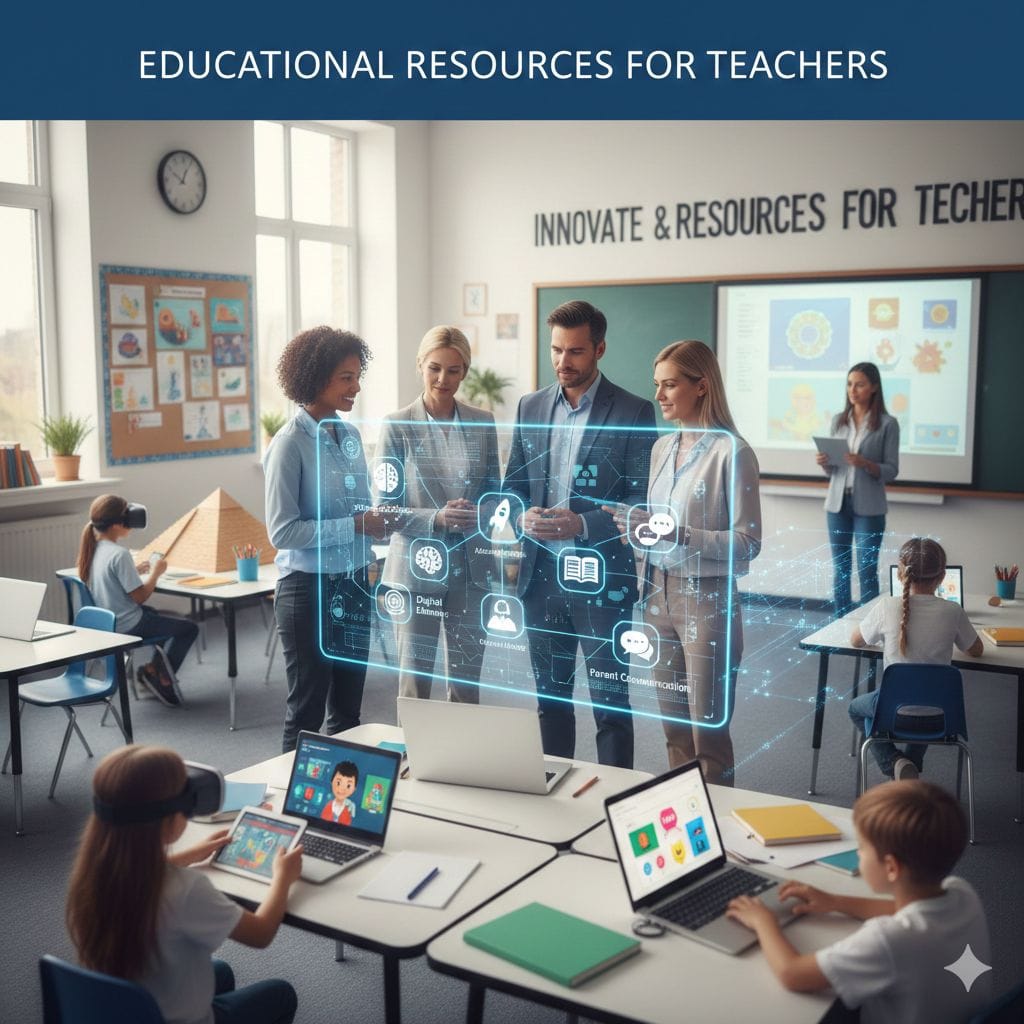
Best educational resources for teachers in 2026 include: (1) AI tools – ChatGPT for Education, MagicSchool AI for lesson planning (saves 10+ hours weekly), (2) Interactive platforms – Kahoot, Nearpod, Blooket for engagement, (3) Content hubs – Khan Academy (free), Teachers Pay Teachers (peer-created materials), (4) Classroom management – ClassDojo, Google Classroom, (5) AR/VR experiences – Google Expeditions, Immersive Reader. Most offer free educator accounts. Prioritize tools addressing specific teaching challenges, ensure FERPA/COPPA compliance, and integrate gradually to avoid overwhelming students.
Why Every Teacher Needs a Modern Digital Toolkit
Teaching in 2026 looks dramatically different than it did even five years ago. The red pen and overhead projector have given way to AI lesson assistants, virtual reality field trips, and adaptive learning platforms that personalize instruction for each student.
I’ve spent the past year testing dozens of educational technology tools and resources, documenting which ones actually save time versus which just add complexity. This guide presents only resources that solve real teaching challenges—not just flashy technology for its own sake.
The right digital resources accomplish three critical goals:
- Reduce administrative burden so you can focus on actual teaching
- Differentiate instruction to meet diverse student needs simultaneously
- Increase engagement in an era of competing digital distractions
Let me show you the resources that accomplished these goals most effectively in my own teaching practice and those of colleagues nationwide.
AI-Powered Planning and Content Creation Tools
Artificial intelligence has transformed from experimental novelty to essential teaching assistant. These tools handle the time-consuming preparation work that used to consume your evenings and weekends.
Top AI Teaching Assistants
| Tool Name | Primary Function | Key Features | Cost |
|---|---|---|---|
| ChatGPT for Educators | Lesson planning, content creation, differentiation | Generates unit plans, creates rubrics, adapts content to reading levels, produces assessment questions | $20/month (Plus) or free basic |
| MagicSchool AI | Comprehensive teacher toolkit with 60+ specialized AI tools | IEP goal writers, email drafters, text complexity adjusters, quiz generators, accommodation suggestions | $99/year individual |
| Diffit | Reading level adaptation | Transforms any article/video into differentiated materials with summaries, vocabulary, comprehension questions tailored to student levels | Free for teachers |
| Curipod | AI slide creation with built-in formative assessment | Generates interactive presentations from topics or standards, includes polls, drawing responses, word clouds | Free basic, $8/month premium |
Real-world impact: Teachers using AI planning tools report saving 8-12 hours weekly on lesson preparation. That’s an entire work day returned to your life each week.
Best practices for AI integration:
- Always review AI-generated content for accuracy before using with students
- Use AI for first drafts, then add your personal teaching style and examples
- Start with one tool, master it, then gradually add others
- Maintain transparency with students about when content is AI-generated
Similar to how building smart microlearning systems requires careful design thinking, integrating AI tools effectively demands thoughtful implementation rather than simply deploying every available technology.
Interactive Learning and Gamification Platforms
Student engagement remains teaching’s perennial challenge. These platforms transform passive content consumption into active participation through game mechanics and interactive features.
Proven Engagement Boosters
| Platform | Best Used For | What Makes It Work | Pricing |
|---|---|---|---|
| Kahoot! | Quick knowledge checks, review games, competitive quizzes | AI now generates quizzes from topics automatically; leaderboard creates healthy competition; works on any device | Free basic, $8/month Pro |
| Blooket | Vocabulary practice, math facts, repetitive skill building | Multiple game modes (Tower Defense, Racing) make drill-and-practice addictive; student avatars and rewards system | Free for teachers |
| Nearpod | Interactive presentations with embedded formative assessment | Teachers control pacing; includes VR field trips, 3D objects, collaborative boards; real-time student response data | Free basic, $10/month premium |
| Prodigy Math | Math skill practice aligned to standards | Fantasy RPG where students battle monsters by solving math problems; adaptive difficulty; curriculum-aligned | Free for teachers |
| Quizizz | Homework and asynchronous review | Self-paced gameplay; memes and music keep it lighthearted; detailed analytics show exactly where students struggle | Free for teachers |
Implementation tip: Rotate between platforms to maintain novelty. Using the same tool every Friday creates anticipation, but using only one tool all year causes engagement fatigue.
When gamification works best:
- Reviewing previously taught material
- Building fluency with foundational skills
- Creating low-stakes formative assessments
- Re-engaging students after lunch or long lectures
When to skip it:
- Introducing complex new concepts requiring deep focus
- Teaching content requiring sustained attention spans
- Working with students who find competitive formats stressful
High-Quality Content and Curriculum Resources
Sometimes creating original materials from scratch wastes time when excellent resources already exist. These repositories offer vetted, standards-aligned content ready for immediate classroom use.
Essential Content Libraries
| Resource | Strength | Content Focus | Access Model |
|---|---|---|---|
| Khan Academy | Mastery-based instruction with practice problems and video tutorials | Math, science, economics, computing, test prep | Completely free |
| Teachers Pay Teachers | Teacher-created, classroom-tested materials from practicing educators | Every subject, every grade—extremely specific niche topics | Individual purchases or subscription |
| CommonLit | High-quality reading passages with built-in assessments | Fiction and nonfiction texts with comprehension questions, discussion guides | Free with premium option |
| PhET Interactive Simulations | Interactive science and math simulations developed by University of Colorado | Physics, chemistry, biology, earth science, math visualizations | Completely free |
| OpenStax | College-level open-source textbooks | AP courses, higher education—particularly strong in STEM | Completely free |
| Edutopia | Research-based teaching strategies and professional development | Pedagogy, classroom management, social-emotional learning | Completely free |
Quality evaluation criteria when selecting content:
✓ Standards alignment – Explicitly matches your curriculum requirements
✓ Student accessibility – Appropriate reading level and cultural responsiveness
✓ Teacher support included – Answer keys, pacing guides, extension activities provided
✓ Regular updates – Content stays current rather than becoming outdated
✓ Positive user reviews – Other teachers report effectiveness
Budget-conscious approach: Start with free resources. Khan Academy, PhET, and CommonLit provide professional-quality materials without cost. Invest in paid resources only for highly specific needs free tools don’t address.
Immersive Learning: AR, VR, and 3D Experiences
Extended reality technology has become affordable enough for mainstream classroom adoption. These tools bring experiences into your classroom that would otherwise be impossible or prohibitively expensive.
Accessible Immersive Experiences
| Technology | Experience Type | Educational Application | Requirements |
|---|---|---|---|
| Google Arts & Culture | Virtual museum tours, historical site exploration | Art history, world cultures, historical context | Just a web browser—works on Chromebooks |
| Google Expeditions | 360° immersive field trips | Geography, history, science—explore locations and time periods | Smartphone or computer, free app |
| Merge Cube | Augmented reality 3D objects students can hold and manipulate | Science models (atoms, cells, solar system), geometric shapes, historical artifacts | $15 cube plus smartphone or tablet |
| Microsoft Immersive Reader | Text-to-speech with visual support | Reading comprehension support, language learning, accessibility | Built into Microsoft tools at no cost |
| Labster | Virtual science laboratory experiments | High school and college lab experiences without expensive equipment or safety concerns | Subscription required |
Practical implementation:
For schools without VR headsets: Google Expeditions works excellently on regular computers or smartphones. Students view 360° environments by clicking and dragging—no special equipment needed.
For maximizing impact: Don’t just show immersive content—build learning around it. Before the experience, give students specific things to observe. After, facilitate discussion connecting the experience to curriculum concepts.
Accessibility bonus: Many immersive tools include built-in accommodations like text-to-speech, adjustable text size, and translation features that support diverse learners automatically.
Understanding how learning record stores track student interactions across digital platforms helps you leverage analytics from these immersive experiences to inform instruction.
Classroom Management and Communication Tools
The best instruction fails without effective classroom management and strong school-home communication. These platforms handle logistics so you can focus on teaching.
Management and Communication Essentials
| Tool | Core Purpose | Standout Features | Best For |
|---|---|---|---|
| Google Classroom | Assignment distribution and collection | Integrates seamlessly with Google Workspace; auto-grading for certain question types; works offline | Schools using Google ecosystem |
| ClassDojo | Behavior tracking and parent communication | Positive reinforcement system; instant translation in 35+ languages; digital portfolio features | Elementary and middle school |
| Remind | Quick parent-teacher messaging | SMS text messaging without revealing phone numbers; scheduled messages; two-way conversations | All grade levels |
| Seesaw | Student digital portfolios | Students document learning through photos, videos, drawings; easy parent access; reflection prompts | Elementary school |
| Padlet | Collaborative digital bulletin boards | Students post simultaneously; supports text, images, video, links; beautiful visual layouts | All grade levels for collaboration |
Communication best practices:
Set boundaries early: Establish when you’ll respond to messages (e.g., “I check messages by 5pm weekdays; no weekend responses”) to prevent burnout.
Use tools strategically:
- Urgent, simple messages → Remind
- Behavior updates and celebrations → ClassDojo
- Detailed academic updates → Email
- Student work documentation → Seesaw or Google Classroom
Maintain consistency: Choose one primary communication channel and stick with it. Parents struggle when asked to monitor multiple platforms simultaneously.
Subject-Specific Specialized Resources
While general platforms work across subjects, specialized tools often provide superior experiences for specific content areas.
Math Resources
| Resource | Focus | Why Teachers Love It |
|---|---|---|
| Desmos | Graphing calculator and activities | Beautiful visualizations; free; activity builder for exploration |
| IXL Math | Adaptive practice | Comprehensive standards coverage; detailed progress tracking |
| Mathigon | Interactive lessons and courses | Engaging visual approach; focuses on mathematical thinking |
Literacy Resources
| Resource | Focus | Why Teachers Love It |
|---|---|---|
| Newsela | Current events at multiple reading levels | Same article differentiated 5 ways; built-in comprehension quizzes |
| Epic! | Digital library for elementary | 40,000+ books; read-alouds; badges and rewards for reading |
| NoRedInk | Grammar and writing practice | Adapts to student interests; makes grammar engaging |
Science Resources
| Resource | Focus | Why Teachers Love It |
|---|---|---|
| CK-12 | Free science textbooks and simulations | Customizable textbooks; practice problems; simulations |
| BrainPOP | Animated videos and quizzes | Covers all science topics; different levels (Jr., standard, ELL) |
| Mystery Science | Hands-on elementary science | Complete lesson plans; uses everyday materials |
Social Studies Resources
| Resource | Focus | Why Teachers Love It |
|---|---|---|
| iCivics | Civics education through games | Founded by Supreme Court Justice; engaging; standards-aligned |
| Crash Course | Video content across history topics | John Green’s engaging delivery; comprehensive coverage |
| Facing History | Social justice and historical thinking | Deep, meaningful curriculum; professional development included |
The teaching techniques you develop through micro teaching practice become even more effective when combined with these high-quality subject-specific resources.
Creative and Design Tools for Students
Helping students create rather than just consume content requires accessible creation tools.
Student Creation Platforms
| Tool | Creation Type | Educational Value | Cost |
|---|---|---|---|
| Canva for Education | Graphic design, presentations, videos | Professional-quality designs; templates for educational projects; free for verified teachers | Free for teachers |
| Book Creator | Digital books and comics | Multimedia storytelling; voice recording; publishing capabilities | Free basic, premium available |
| Scratch | Block-based coding | Introduction to programming; creative project-based learning | Completely free |
| Soundtrap | Music and podcast creation | Audio editing; collaboration features; music production tools | Free for verified educators |
| Flipgrid | Short video responses | Student voice and choice; builds presentation skills; peer interaction | Free (owned by Microsoft) |
Why creation tools matter: Students demonstrate deeper understanding when they create original content rather than simply consuming information or filling in worksheets. Creation requires synthesis, application, and evaluation—the highest levels of learning.
Assessment and Analytics Tools
Effective teaching requires understanding what students actually learned. These tools make assessment more efficient and insightful.
Data-Driven Instruction Resources
| Tool | Assessment Type | Key Advantage | Pricing |
|---|---|---|---|
| Formative | Quick formative checks | Real-time results during instruction; easily embedded in lessons | Free for teachers |
| Edulastic | Standards-based assessments | Auto-grading for various question types; standards tracking | Free for teachers |
| Socrative | Exit tickets and quick quizzes | Space Race competition mode; immediate feedback; simple interface | Free basic version |
| Classkick | In-class work monitoring | See every student’s work in real-time; provide instant feedback | Free basic version |
Assessment strategy: Balance formative (frequent, low-stakes) and summative (end-of-unit, high-stakes) assessment. The tools above excel at formative assessment—checking understanding during learning rather than only after.
Professional Development and Teacher Support
Your growth as an educator matters as much as your students’ growth. These resources support ongoing professional learning.
Continuous Learning for Educators
| Resource | Focus | Format | Access |
|---|---|---|---|
| Edutopia | Evidence-based teaching strategies | Articles, videos, case studies | Free |
| ASCD | Educational leadership and curriculum | Articles, webinars, books | Free and paid options |
| Teaching Channel | Video examples of excellent teaching | Classroom video library with analysis | Free registration |
| TeachThought | Innovative pedagogy | Blog posts, resources, frameworks | Free |
For comprehensive professional development covering modern educational approaches, visit Edutopia for research-based strategies and the International Society for Technology in Education for technology integration guidance.
Essential Selection Criteria for New Tools
Before adopting any new resource, evaluate it against these critical factors:
The Resource Evaluation Framework
| Criterion | Questions to Ask | Red Flags |
|---|---|---|
| Pedagogical Value | Does this solve a real teaching problem? Does it improve learning outcomes? | Tool is flashy but doesn’t address actual need; gimmicky rather than substantive |
| Student Privacy | Is it FERPA/COPPA compliant? How is student data used? | Unclear privacy policy; excessive data collection; advertising to students |
| Ease of Use | Can I implement this without 10 hours of training? Will students navigate it independently? | Overly complex interface; requires constant teacher troubleshooting |
| Accessibility | Does it work for students with disabilities? Are accommodations built in? | No text-to-speech; poor color contrast; keyboard navigation impossible |
| Reliability | Does it work consistently? Is support available when problems arise? | Frequent crashes; no customer support; abandoned by developers |
| Cost Sustainability | Can my school/district afford this long-term? Are there hidden costs? | Free trial then expensive required subscription; feature restrictions in free version make it unusable |
Implementation wisdom: Start small. Pilot one new tool at a time, master it, then add another. Teachers who adopt five tools simultaneously often abandon all five due to overwhelm.
Addressing Common Resource Concerns
“I don’t have time to learn new tools.”
Start with tools that save more time than they require learning. AI lesson planners and auto-grading platforms quickly pay back your learning investment. Once comfortable, gradually add tools that enhance rather than just streamline instruction.
“My students will misuse technology.”
Establish clear expectations and teach digital citizenship explicitly. Most platforms include teacher monitoring features. Start with more structured tools, then gradually allow more student autonomy as they demonstrate responsibility.
“We don’t have enough devices.”
Many excellent resources work with limited technology:
- Whole-class participation: Kahoot works with one teacher device and student response cards
- Station rotation: Rotate students through digital activities while others work offline
- BYOD (Bring Your Own Device): Many secondary students have smartphones
- Printable versions: Tools like CommonLit offer PDF downloads
“How do I know if a resource is actually working?”
Track metrics that matter:
- Student engagement (participation rates, time on task)
- Learning outcomes (assessment results, work quality)
- Time savings (hours saved on planning/grading)
- Student feedback (do they find it helpful?)
If a tool doesn’t positively impact these areas after 4-6 weeks, discontinue it and try something else.
Staying Current as Resources Evolve
Educational technology changes rapidly. What’s cutting-edge today may be obsolete in two years.
Strategies for staying current:
Follow education technology leaders on social media: Many educators share their experiences testing new tools on Twitter (X), Instagram, and YouTube.
Join educator communities: Facebook groups, Reddit’s r/Teachers, and subject-specific forums provide peer recommendations and honest reviews.
Attend EdTech conferences: ISTE, FETC, and regional educational technology conferences showcase emerging tools and best practices.
Read release notes: When tools you use update features, review the changes—you might discover capabilities you didn’t know existed.
Survey your colleagues: Your building likely has teachers successfully using resources you haven’t discovered yet.
Frequently Asked Questions
What are the best completely free resources for teachers with zero budget?
Khan Academy (comprehensive math and science), Google Workspace for Education (productivity and classroom management), CommonLit (reading materials), PhET Simulations (interactive science), Desmos (math), Edutopia (teaching strategies), and most major platforms offer free teacher accounts with robust features. You can build an effective digital toolkit spending nothing.
How many tools should I use simultaneously?
Quality over quantity. 3-5 core tools used well outperforms 20 tools used sporadically. Choose one for each major need: lesson planning, content delivery, formative assessment, student creation, and parent communication. Master these before adding specialized tools.
Is AI actually helpful or just hype?
AI genuinely saves time on specific tasks—lesson planning, differentiation, content adaptation, email drafting, assessment creation. However, AI can’t replace teacher judgment, relationship building, or instructional expertise. Use AI for efficiency, not as autopilot. Always review AI-generated content before using it with students.
How do I get my school to pay for premium tools?
Build your case with data: document time saved, show improved student outcomes, calculate cost-per-student compared to traditional materials, and demonstrate how the tool addresses specific school/district goals. Start with free versions to prove value, then request budget for premium features.
What about student data privacy and safety?
Verify any tool is FERPA and COPPA compliant before use. Check your district’s approved vendor list. Read privacy policies (look for how data is used, whether it’s sold to third parties, and retention policies). When in doubt, consult your school’s technology coordinator or administrator.
Should I use the same resources as my colleagues?
Consistency within grade levels or departments helps students—they don’t need to learn new platforms in every class. However, your teaching style and student needs should guide choices. Coordinate major tools with colleagues, but don’t force tools that don’t match your pedagogy.
How quickly should I expect to see results from new resources?
Allow 4-6 weeks for students to learn new platforms and for you to optimize implementation. Some benefits (time savings from AI planning) appear immediately. Others (improved student outcomes) require sustained use. If you see no positive impact after two months of consistent use, the resource may not fit your situation.
Building Your Personal Resource Toolkit
Start building your comprehensive educational resource collection systematically:
Month 1: Core Infrastructure
- Set up Google Classroom or your LMS
- Choose parent communication tool
- Add one AI planning assistant
Month 2: Content and Engagement
- Explore subject-specific content libraries
- Test one gamification platform
- Bookmark 5 go-to curriculum resources
Month 3: Assessment and Differentiation
- Add formative assessment tool
- Implement text leveling resource
- Start using student creation platform
Month 4: Refinement
- Evaluate what’s working; discontinue what isn’t
- Add specialized tools for specific needs
- Train students on responsible, independent tool use
Ongoing: Professional Growth
- Subscribe to educational technology newsletters
- Allocate 30 minutes monthly exploring new resources
- Share discoveries with colleagues
The Future of Educational Resources
Looking ahead, expect these developments:
Increased AI integration: Tools will become more personalized, adapting content in real-time based on individual student responses.
Better interoperability: Resources will work together more seamlessly, sharing data and reducing the need for multiple logins.
Enhanced accessibility: Universal design for learning will become standard, not optional, with built-in accommodations.
Immersive experiences: AR and VR will continue becoming more accessible and curriculum-integrated.
Teacher agency: The best resources will empower teacher decision-making rather than replacing teacher judgment with algorithms.
The constant in education remains the teacher-student relationship. Resources are tools that enhance your teaching—they never replace the human connection, inspiration, and guidance only you provide.
Choose your tools wisely, implement them thoughtfully, and never stop learning alongside your students.
