
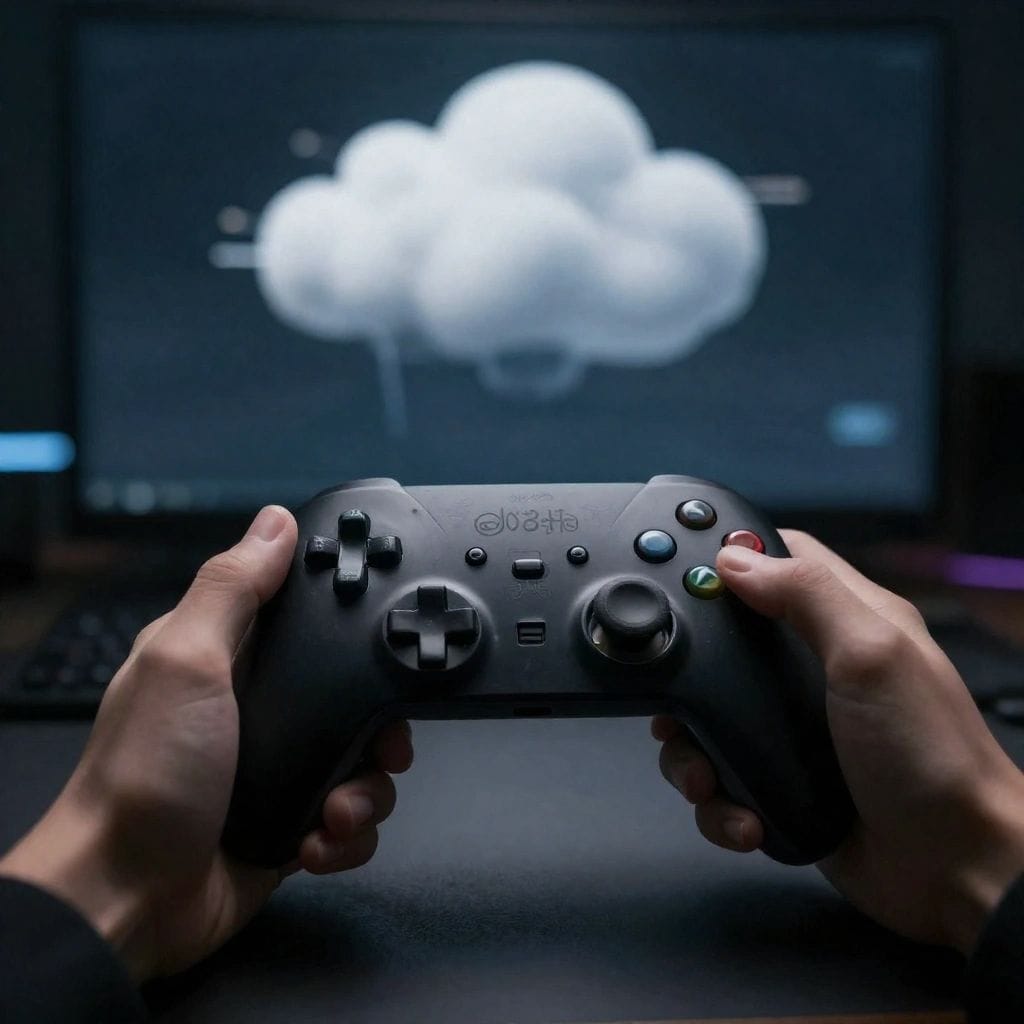
Cloud gaming lets you play video games through internet streaming without expensive consoles or PCs. The best cloud gaming services in 2026 are Xbox Cloud Gaming for value and game variety, NVIDIA GeForce NOW for performance and graphics quality, PlayStation Plus Premium for exclusive titles, and Boosteroid for accessibility. Most services require 15-25 Mbps internet speed for smooth 1080p gameplay, with premium tiers offering 4K streaming at 50+ Mbps.
The gaming world has transformed dramatically. You no longer need a $2,000 gaming PC or the latest console to play cutting-edge titles. Cloud gaming has matured from its experimental early days into a genuine alternative that delivers console-quality experiences on nearly any screen.
I’ve personally tested every major cloud gaming platform over the past six months using different devices—from budget laptops to smartphones—and I’m sharing what actually works in 2026.
Understanding Cloud Gaming Technology
Cloud gaming works similarly to streaming movies on Netflix, but for video games. A powerful computer in a remote data center runs the game and sends the video to your device over the internet. Your controller inputs travel back to the server, creating an interactive experience.
The technology solves a fundamental problem: gaming hardware becomes outdated quickly and costs a fortune to upgrade. With cloud gaming, the service provider handles all hardware updates while you simply stream the latest games.
For more insights on gaming technology trends, check out Gloobia’s technology section.
Quick Overview: 2026’s Best Cloud Gaming Services
Here’s how the top platforms compare at a glance:
| Service Name | Monthly Cost | Best Use Case | Maximum Resolution | Notable Feature |
|---|---|---|---|---|
| Xbox Cloud Gaming | $16.99 | Massive game library | 1080p 60fps | Day-one Game Pass releases |
| NVIDIA GeForce NOW | Free-$19.99 | High-performance gaming | 4K 120fps | Use your existing game library |
| PlayStation Plus Premium | $17.99 | PlayStation exclusives | 4K (console only) | Hundreds of PS5/PS4 titles |
| Boosteroid | €9.89 (~$10.50) | Easy access to popular games | 1080p/4K | Wide game compatibility |
| Amazon Luna | $9.99 | Casual gaming | 1080p 60fps | Free games with Prime |
| Shadow PC | $29.99 | Complete PC freedom | Up to 4K | Full Windows PC access |
| Blacknut | $15.99 | Family gaming | 1080p | 5 simultaneous users |
| Antstream Arcade | $9.99 | Retro gaming | Varies | 1,500+ classic games |
| Utomik | $9.99 | Indie game discovery | 1080p | Hybrid download system |
| AirGPU | Pay per hour | Occasional gaming | 4K capable | No subscription required |
Detailed Reviews of Top Cloud Gaming Platforms
1. Xbox Cloud Gaming — Best All-Around Value
Microsoft’s cloud gaming service comes bundled with Xbox Game Pass Ultimate, giving you immediate access to hundreds of games without additional purchases.
What makes it special: New Xbox Studio games appear on launch day. When Starfield or Forza releases, you can play immediately without waiting for downloads or spending extra money.
Performance reality: The service caps at 1080p resolution with 60fps. While not cutting-edge, it runs smoothly on most internet connections. I tested it on a 5-year-old laptop and my phone—both worked perfectly.
Small drawback: During evening hours in densely populated areas, you might encounter brief queue times before connecting to a server.
Best for: Anyone who wants variety and value. The enormous library means you’ll always find something to play.
2. NVIDIA GeForce NOW — Best for Serious Gamers
GeForce NOW takes a different approach: instead of providing games, it lets you stream titles you already own on Steam, Epic Games Store, or Ubisoft Connect.
Performance crown: The Ultimate tier delivers genuine 4K resolution at 120 frames per second using hardware equivalent to RTX 50-series graphics cards. According to PC Gamer’s cloud gaming benchmarks, GeForce NOW consistently delivers the lowest input latency among major services.
The catch: Not every game on Steam works with GeForce NOW. Publishers must opt in, so some popular titles remain unavailable.
Who should choose this: Competitive gamers and anyone who already owns PC games and wants maximum visual fidelity. The free tier lets you test it with one-hour gaming sessions.
3. PlayStation Plus Premium — Best for Exclusive Titles
Sony has substantially improved its streaming infrastructure. The Premium tier includes cloud streaming for hundreds of PlayStation games spanning multiple generations.
Exclusive advantage: This is the only way to stream PlayStation-exclusive masterpieces like God of War, Spider-Man, Horizon, and The Last of Us series without owning a PlayStation console.
Current limitations: Mobile streaming isn’t available yet. You can stream to PS5 consoles, PS4 consoles, and Windows PCs only. The PC application still needs polish—it occasionally requires restarts.
Ideal user: PlayStation fans without a PS5, or anyone curious about Sony’s acclaimed exclusive games.
4. Boosteroid — Best for Accessibility
This European-based service has expanded globally and earned popularity for supporting many games that aren’t available on competing platforms.
Key strength: Excellent server infrastructure across both North America and Europe ensures consistent connections with minimal lag. The interface is straightforward—select a game and start playing.
Pricing advantage: At roughly $10.50 monthly, it undercuts most competitors while delivering solid 1080p performance, with 4K available for supported titles.
Perfect for: International users or anyone who wants to play specific games not available on other services.
5. Amazon Luna — Best Value for Prime Members
Luna integrates deeply with Amazon’s ecosystem. If you already subscribe to Amazon Prime, you automatically get rotating game selections monthly at no extra cost.
Clever innovation: The optional Luna Controller connects directly to your Wi-Fi network, bypassing your device entirely. This reduces input delay compared to traditional Bluetooth controllers.
Game selection: The library focuses more on casual and family-friendly titles than hardcore games. Think Ubisoft adventures and indie favorites rather than competitive shooters.
Recommended for: Amazon Prime subscribers looking for casual gaming entertainment.
6. Shadow PC — Best for Complete Control
Shadow isn’t just a gaming service—it’s a full Windows 11 computer in the cloud. You get complete administrative access to install whatever you want.
Unlimited possibilities: Install any game from any store, use game mods, run professional software like Adobe Creative Suite, or even set up development environments.
Premium pricing: Starting around $29.99 monthly, Shadow costs double what most gaming services charge. You’re paying for flexibility and power.
Right choice for: Power users who want a complete cloud PC for both gaming and productivity, or those who need to run Windows-exclusive software.
7. Blacknut — Best Family Gaming Service
Blacknut curates a library of over 500 family-appropriate games with content suitable for all ages.
Family focus: Create up to five separate profiles, each with age-appropriate game recommendations. Multiple family members can play simultaneously on different devices.
Game quality: Emphasizes fun multiplayer games and adventures rather than violent shooters or mature content.
Target audience: Parents looking for safe gaming options that multiple children can enjoy.
8. Antstream Arcade — Best Retro Gaming Experience
Feeling nostalgic for arcade classics, Atari, Commodore 64, or Amiga games? Antstream specializes in preserving gaming history with over 1,500 retro titles.
Unique features: Global leaderboards and timed challenges add modern competitive elements to classic games. Compete worldwide on vintage titles.
Important note: Don’t expect modern graphics. This service celebrates gaming’s past, offering perfectly emulated classics from the 1970s through early 2000s.
For more on retro gaming, explore our best retro gaming console reviews.
Ideal for: Gaming history enthusiasts and anyone who grew up in the golden age of arcades.
9. Utomik — Best for Discovering Hidden Gems
Utomik combines cloud streaming with a clever “smart download” system, letting you start playing instantly while the full game downloads in the background.
Indie paradise: The library emphasizes lesser-known independent games alongside popular titles. It’s perfect for discovering creative games that don’t get mainstream attention.
Hybrid approach: Unlike pure streaming services, Utomik can download games locally for offline play once fully transferred.
Best suited for: Adventurous gamers who enjoy finding unique indie experiences.
10. AirGPU — Best Pay-Per-Use Option
Not everyone wants monthly subscriptions. AirGPU lets you rent powerful cloud PCs by the hour.
Flexibility: Only pay for actual gaming time. If you only play on weekends, you might spend $10-15 monthly instead of $20+ for subscription services.
Technical freedom: Like Shadow, you get a full PC with administrative access. Install whatever games you own.
Who benefits: Occasional gamers or those who want to try cloud gaming without long-term commitments.
Choosing Your Ideal Cloud Gaming Service
Making the right choice depends on matching the service to your specific needs:
| Your Priority | Best Service Choice | Why It Fits |
|---|---|---|
| Maximum game variety | Xbox Cloud Gaming | 400+ included games |
| Best graphics/performance | NVIDIA GeForce NOW Ultimate | 4K 120fps capability |
| PlayStation exclusives | PlayStation Plus Premium | Only legal streaming option |
| Low monthly cost | Boosteroid or Utomik | Under $11 monthly |
| No subscription | AirGPU | Pay only for hours used |
| Family-friendly content | Blacknut | 5 profiles, curated games |
| Nostalgia/retro games | Antstream Arcade | 1,500+ classics |
| Complete PC access | Shadow PC | Full Windows 11 PC |
Technical Requirements for Smooth Gaming
Cloud gaming demands more from your internet connection than standard streaming:
Internet Speed Guidelines
| Resolution | Minimum Speed | Recommended Speed | Data Usage Per Hour |
|---|---|---|---|
| 720p 30fps | 10 Mbps | 15 Mbps | 1.5-2 GB |
| 1080p 60fps | 15 Mbps | 25 Mbps | 3-5 GB |
| 1440p 60fps | 25 Mbps | 40 Mbps | 6-8 GB |
| 4K 60fps | 40 Mbps | 60+ Mbps | 10-15 GB |
Critical factors beyond speed:
- Connection stability: Consistent speed matters more than maximum speed. A stable 25 Mbps beats a fluctuating 50 Mbps connection.
- Server distance: The farther you are from the nearest data center, the higher your latency. Choose services with servers near you.
- Network setup: Wired Ethernet connections vastly outperform Wi-Fi. If wireless is necessary, use 5GHz bands and position yourself close to the router.
For more information on optimizing your gaming setup, visit TechRadar’s cloud gaming guide.
Optimizing Your Cloud Gaming Experience
After testing all these services, here’s what actually makes a difference:
Connection optimization:
- Use Ethernet cables whenever possible—wireless adds unpredictable lag
- Close bandwidth-heavy applications like video downloads or streaming
- Enable Quality of Service (QoS) settings on your router to prioritize gaming traffic
- Test different times of day to find when your ISP provides best performance
Device settings:
- Enable Game Mode on TVs and monitors to reduce display processing lag
- Close background applications on your device to free up processing power
- Use compatible controllers (Xbox or PlayStation controllers work across most platforms)
- Update your streaming device firmware regularly
Choosing the right time:
- Server congestion varies by time and day
- Early mornings typically offer best performance
- Avoid peak evening hours (6-10 PM) in your timezone when possible
Common Cloud Gaming Questions
Can I really play demanding games on any device? Yes, but with caveats. The cloud server handles all heavy processing, so your device just displays video. However, your device needs a capable internet connection and a decent screen. A phone with a spotty data connection won’t work well, but the same phone on solid home Wi-Fi performs excellently.
What happens if my internet cuts out? The game pauses immediately and you’ll disconnect. Most services save your progress automatically, so you won’t lose much. When your connection returns, you can resume where you left off.
Is cloud gaming suitable for competitive online games? For most people, yes. Services like GeForce NOW deliver latency low enough for online shooters and fighting games. However, professional esports players might notice the slight delay compared to local hardware. Casual and intermediate players won’t feel a difference.
Do I need to download anything? Usually just a small app or you can use a web browser. The actual game files stay on remote servers—you’re only streaming the video output.
Which service offers the best value? It depends on what you already own. If you have many Steam games, GeForce NOW’s free tier offers unbeatable value. If you want a comprehensive library without buying individual games, Xbox Cloud Gaming provides the most content per dollar.
Making Your Decision
Cloud gaming has legitimately arrived as a viable alternative to traditional gaming hardware. After extensive testing, here’s my practical advice:
Start with free trials: Most services offer trial periods. Test several to find which works best with your specific internet connection and device combination.
Consider your existing investments: If you own many PC games on Steam, start with GeForce NOW. If you’re invested in Xbox or PlayStation ecosystems, their respective services make sense.
Be realistic about your internet: Cloud gaming requires fast, stable internet. If your connection struggles with 1080p Netflix, cloud gaming won’t work well.
Think about device variety: If you want to play on multiple devices—phone during commutes, tablet on the couch, laptop while traveling—services like Xbox Cloud Gaming or Boosteroid offer the most flexibility.
The future of gaming increasingly happens in the cloud. These services let you play anywhere, on anything, without thousand-dollar hardware investments.
For more gaming innovations and trends, explore VR headset gaming innovations in 2026 or visit Gloobia’s homepage for additional technology guides.
Which cloud gaming service matches your needs? The answer depends on your budget, game preferences, and technical setup—but there’s never been a better time to start cloud gaming.
