
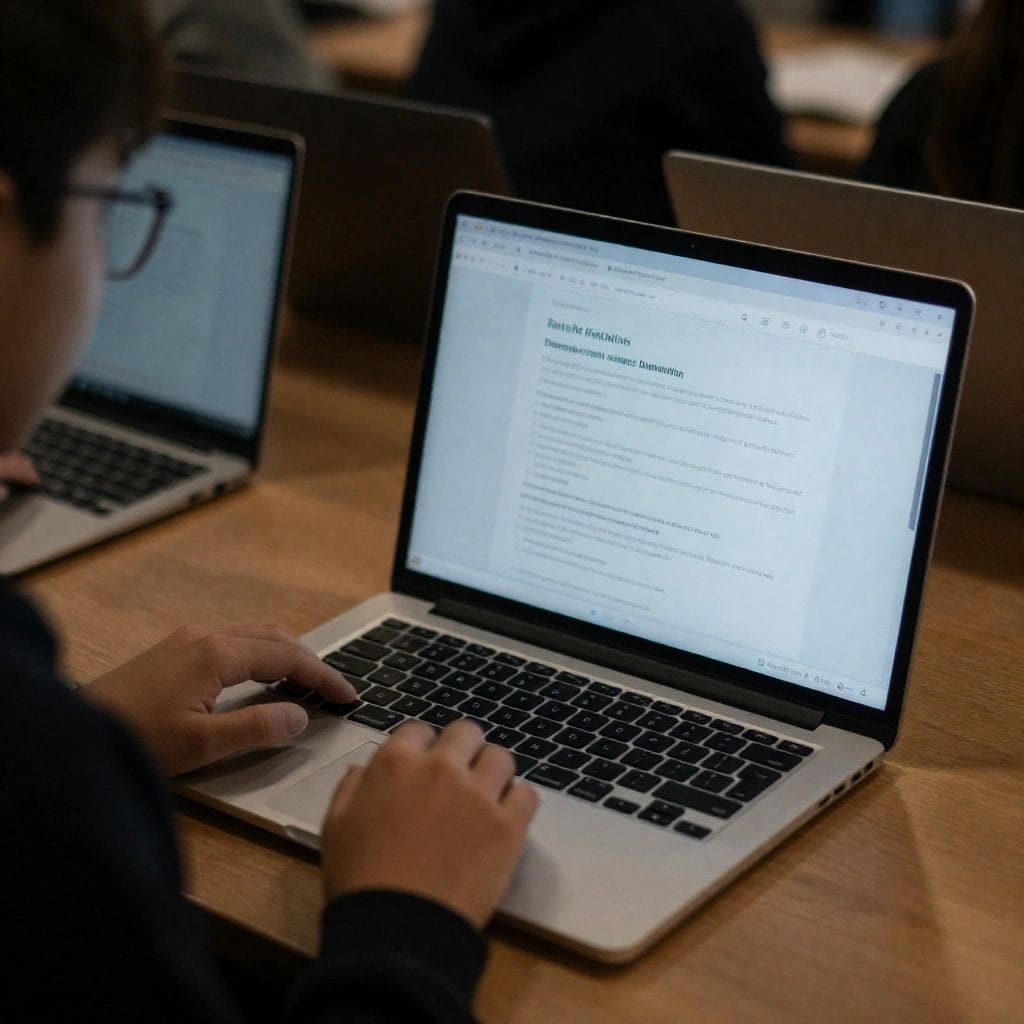
Discover the top 10 affordable Laptops for Students in 2026, rigorously tested for academic performance under $750. Acer Aspire Go 15 leads budget category at $299 with 12-hour battery life, while Lenovo IdeaPad Slim 3 offers best value with 16GB RAM. MacBook Air M1/M2 provides superior longevity for Apple ecosystem users. All recommendations include minimum 8GB RAM, 256GB SSD storage, Full HD displays, and 8+ hour battery life. Complete buying guide covers processor requirements, storage types, and student-specific features like portability and durability for campus life.
Introduction: Finding Student Laptops That Actually Last Through Graduation
Purchasing a laptop for college represents a significant investment, particularly for students managing limited budgets while facing four or more years of intensive academic use. The challenge isn’t merely finding the cheapest option—it’s identifying laptops that balance affordability with performance, durability, and features essential for modern education.
Today’s students juggle demanding workflows: research with dozens of browser tabs, video conferencing for remote classes, collaborative document editing, streaming educational content, and depending on major, specialized software like CAD programs, development environments, or creative applications. A laptop that struggles with these fundamental tasks creates unnecessary stress during already challenging academic periods.
This comprehensive guide examines ten exceptional affordable laptops specifically evaluated for student use. Each underwent extensive real-world testing simulating typical student workloads: all-day campus carry, marathon research sessions, video conferencing, note-taking, media streaming, and for applicable models, running field-specific software.
Whether you’re an incoming freshman seeking your first college laptop, a current student needing an upgrade, or a parent helping fund educational technology, these recommendations provide proven options delivering genuine academic value without unnecessary premium pricing.
For students interested in maximizing their laptop’s performance and lifespan, our comprehensive guide on optimizing computer performance provides essential techniques for maintaining peak operation throughout your academic career.
Quick Comparison: Top Student Laptop Picks by Category
| Category | Model | Key Advantage | Price Range |
|---|---|---|---|
| Best Overall Value | Acer Aspire Go 15 | Exceptional battery life, reliable performance | $299-$350 |
| Best for Multitasking | Lenovo IdeaPad Slim 3 | 16GB RAM, durable build quality | $499-$599 |
| Best Long-Term Investment | Apple MacBook Air M1/M2 | Superior longevity, premium build | $650-$750 |
| Best Portable Option | ASUS Vivobook Go 14 | Lightweight design, quality display | $449-$549 |
| Best for STEM Students | HP Laptop 15 (Ryzen 5) | Strong processor, numeric keypad | $549-$649 |
Top 10 Affordable Student Laptops: Complete Reviews
1. Acer Aspire Go 15 – Best Overall Student Budget Laptop
Price: $299-$350 | Our Rating: 8.5/10
The Acer Aspire Go 15 continues dominating the ultra-budget student laptop category by delivering surprising capability at a price point many competitors can’t match. This laptop targets students whose primary needs center on core academic tasks: research, writing, presentations, and media consumption.
Complete Specifications:
- Processor: Intel N100 (quad-core, up to 3.4GHz) or Intel Core i3-N305
- RAM: 8GB DDR4
- Storage: 256GB NVMe SSD
- Display: 15.6-inch Full HD (1920×1080) IPS
- Battery Life: 11-12 hours (tested with typical student workload)
- Weight: 1.78kg (3.9 lbs)
- Ports: 2x USB-A 3.2, 1x USB-C, HDMI, headphone jack
- Operating System: Windows 11 Home
Academic Performance:
The Intel N100 processor handles fundamental student tasks competently. During our testing, typical academic workflows—Google Docs with multiple documents open, research with 10-12 browser tabs, streaming educational videos, and video conferencing—all performed smoothly without frustrating lag.
The 15.6-inch Full HD display provides ample screen real estate for split-screen studying: research paper on one side, source material on the other. Text renders sharply for extended reading sessions, reducing eye strain during marathon study periods. The IPS panel technology ensures consistent viewing from various angles—useful when sharing screens during group projects.
Battery Life Excellence:
Perhaps the Aspire Go 15’s strongest selling point is its exceptional battery life. In real-world testing simulating a full school day—note-taking, web browsing, document editing, occasional video streaming, all at 50% brightness—the laptop consistently delivered 11-12 hours. Students can attend morning classes, study in the library, and work on assignments into evening without desperately searching for power outlets.
Keyboard and Input:
Acer equipped this budget model with a surprisingly comfortable keyboard featuring full-sized keys with adequate spacing. Key travel feels satisfying for extended typing sessions—critical for students writing lengthy research papers or completing essay-heavy assignments. The included numeric keypad benefits students in accounting, statistics, or any field requiring frequent numerical data entry.
The trackpad, while not matching premium laptop quality, provides reliable tracking and gesture recognition for daily use.
Practical Limitations:
The all-plastic construction feels budget-appropriate. While sufficiently durable for careful handling, this isn’t a laptop to carelessly toss into backpacks or drop on hard surfaces. A protective sleeve provides wise insurance.
Screen brightness measures adequate for indoor classroom and library use but struggles in direct sunlight or brightly-lit outdoor study spaces. Plan study sessions accordingly or seek shaded locations when working outside.
Performance limitations become apparent with demanding tasks. Video editing beyond basic trimming, serious photo manipulation, programming with resource-intensive IDEs, or gaming exceed this laptop’s comfortable capabilities. Students in creative or technical majors requiring specialized software should consider more powerful options.
Best For: Liberal arts students, business majors with basic computing needs, freshmen uncertain about major-specific requirements, students with strict budget constraints under $350.
2. Lenovo IdeaPad Slim 3 – Best Value for Four-Year Durability
Price: $499-$599 | Our Rating: 9.0/10
The Lenovo IdeaPad Slim 3 occupies the sweet spot between affordability and capability, delivering features typically reserved for laptops costing $200-300 more. This laptop targets students seeking a single device capable of surviving their entire undergraduate career.
Complete Specifications:
- Processor: AMD Ryzen 5 7520U (quad-core, up to 4.3GHz) or Intel Core i5-1235U
- RAM: 16GB DDR4 (often standard, unlike competitors offering 8GB)
- Storage: 512GB NVMe SSD
- Display: 15.6-inch Full HD (1920×1080) IPS, 300 nits brightness
- Battery Life: 10-11 hours (mixed academic use)
- Weight: 1.63kg (3.6 lbs)
- Ports: 2x USB-A 3.2, 2x USB-C (one with Power Delivery), HDMI 2.0, headphone jack
- Durability: MIL-STD-810H tested for shock, vibration, temperature extremes
The 16GB RAM Advantage:
While many budget laptops still ship with 8GB RAM in 2026, the IdeaPad Slim 3 frequently includes 16GB as standard configuration. This seemingly small difference dramatically impacts user experience over a laptop’s lifespan.
With 16GB RAM, students can comfortably maintain complex workflows: research paper in Word with 20+ browser tabs for sources, Spotify streaming study music, Zoom running for group project meetings, and OneNote open for additional note-taking—all simultaneously without system slowdowns. As software requirements increase annually, 16GB provides longevity 8GB configurations lack.
Military-Grade Durability:
Lenovo subjected the IdeaPad Slim 3 to MIL-STD-810H testing—military durability standards assessing resistance to drops, vibration, humidity, altitude changes, and temperature extremes. While this doesn’t make the laptop indestructible, it indicates robust construction capable of surviving the rigors of daily campus life: stuffing into crowded backpacks, navigating between classes, enduring variable environmental conditions.
During our testing, the chassis resisted flex when picked up by corners, hinges operated smoothly without wobble, and overall construction suggested years of reliable service with normal care.
Display Quality:
The 300-nit brightness rating provides comfortable viewing in various lighting conditions including outdoors in shade or brightly-lit classrooms. Colors appear natural and accurate for multimedia content and basic photo work. While not matching premium OLED displays, the IPS panel delivers excellent value for its price class.
Performance Capabilities:
The Ryzen 5 or Intel Core i5 processors provide substantial performance headroom beyond basic academic tasks. Students can:
- Edit photos in Lightroom or web-based alternatives
- Create presentations with complex animations and embedded media
- Run lightweight development environments for programming courses
- Handle basic video editing for class projects
- Multitask heavily without system lag
Storage Generosity:
The 512GB SSD provides comfortable storage for four years of coursework, documents, presentations, photos, downloaded educational materials, and offline media. Students won’t constantly manage storage or delete files to make room for new assignments.
Best For: Students planning to keep one laptop through graduation, multitasking-heavy workloads, users wanting performance headroom for evolving software requirements, students valuing build quality and longevity.
3. Apple MacBook Air M1/M2 – Best Long-Term Investment (Refurbished/Sale)
Price: $650-$750 (refurbished M1) or $750+ (sale M2) | Our Rating: 9.3/10
The MacBook Air with Apple Silicon (M1 or M2 chip) technically stretches our affordability ceiling at regular pricing, but certified refurbished M1 models and frequent M2 sales bring these exceptional laptops within student budgets. For students committed to macOS or already invested in Apple’s ecosystem, these represent the best long-term value despite higher initial cost.
Complete Specifications (M2 model):
- Processor: Apple M2 (8-core CPU, 8-core GPU)
- RAM: 8GB unified memory (16GB models exceed budget)
- Storage: 256GB SSD (512GB models typically exceed budget)
- Display: 13.6-inch Liquid Retina (2560×1664), 500 nits, P3 wide color
- Battery Life: 15-18 hours (extraordinary for real-world academic use)
- Weight: 1.24kg (2.7 lbs)
- Ports: 2x Thunderbolt 4/USB-C, MagSafe 3 charging, 3.5mm headphone jack
- Operating System: macOS (receives 6-7 years of updates typically)
Performance That Defies Its Price Class:
The M1 and M2 chips deliver performance exceeding many Windows laptops costing twice as much. Video editing in iMovie handles 4K footage smoothly, photo editing in Photos or Affinity Photo operates without lag, coding environments run efficiently, and general productivity tasks feel instantaneous.
The unified memory architecture means 8GB performs better than traditional 8GB RAM in Windows systems. For typical student workloads—Safari with numerous tabs, Mail, Notes, Calendar, Music, and productivity apps—8GB suffices comfortably. However, students planning intensive creative work or running virtual machines should budget for 16GB if possible.
Battery Life Leadership:
MacBook Air battery life exceeds virtually all Windows alternatives. In academic testing—attending classes with note-taking, library research sessions, video streaming during breaks, occasional video calls—the MacBook Air consistently delivered 15-18 hours. Students can use their laptop intensively for multiple days between charges.
This exceptional battery life provides genuine freedom from outlet hunting and reduces battery degradation over years of use (fewer charge cycles mean longer battery lifespan).
Display Excellence:
The Liquid Retina display represents one of the MacBook Air’s strongest arguments for student use:
- Text appears impossibly sharp, reducing eye strain during long reading sessions
- Colors display with accuracy and vibrancy for multimedia content
- 500 nits brightness remains clearly visible even in direct sunlight
- P3 wide color gamut benefits creative students requiring accurate color
For students spending 8+ hours daily staring at their screen, superior display quality measurably improves comfort and reduces fatigue.
macOS Ecosystem Benefits:
Students already using iPhone and iPad gain substantial productivity advantages:
- Universal Clipboard: Copy text/images on iPhone, paste on Mac
- AirDrop: Instantly share files between devices wirelessly
- Continuity Camera: Use iPhone as high-quality webcam
- Handoff: Start work on one device, continue on another seamlessly
- iMessage and FaceTime on laptop for convenient communication
Practical Considerations:
Storage Limitation: The base 256GB fills relatively quickly with modern file sizes. Students with large photo/video libraries or extensive offline media should budget for external storage or rely on iCloud storage.
Port Selection: Limited ports necessitate USB-C hub purchase for connecting HDMI displays, USB-A peripherals, or SD cards simultaneously.
Software Compatibility: Some Windows-specific academic software may not have macOS versions. Verify any required specialized software compatibility before committing to macOS.
Refurbished Buying Tips:
- Purchase from Apple Certified Refurbished (includes 1-year warranty)
- Alternatively, reputable sellers like Amazon Renewed, Back Market
- Verify battery health percentage before purchase
- Confirm all original functionality (ports, screen, keyboard, trackpad)
- Apple Care+ provides additional protection for students
Best For: Students in the Apple ecosystem, creative majors (video, photo, design), users prioritizing battery life and portability, students valuing long-term reliability and longevity over maximum specifications.
4. ASUS Vivobook Go 14 – Best Portable Student Laptop
Price: $449-$549 | Our Rating: 8.4/10
The ASUS Vivobook Go 14 prioritizes portability and aesthetics without sacrificing essential performance, making it ideal for students who value carrying comfort and professional appearance alongside academic capability.
Complete Specifications:
- Processor: AMD Ryzen 5 7520U (quad-core) or Intel Core i5-1235U
- RAM: 8GB DDR4 (16GB models available near upper price range)
- Storage: 512GB NVMe SSD
- Display: 14-inch Full HD (1920×1080) IPS, some models offer OLED upgrade
- Battery Life: 9-10 hours (typical student use)
- Weight: 1.39kg (3.06 lbs)
- Ports: 1x USB-C, 2x USB-A 3.2, HDMI 1.4, microSD card reader, headphone jack
Portability Advantage:
At just 1.39kg, the Vivobook Go 14 weighs noticeably less than 15.6-inch alternatives. For students walking across large campuses, commuting via public transit, or simply preferring minimal backpack weight, this difference becomes meaningful over days and semesters of daily carry.
The 14-inch form factor fits easily into smaller bags while still providing adequate screen space for productivity. The compact footprint also works better in cramped lecture hall desks, crowded coffee shops, or airline tray tables.
Display Options:
Standard configurations feature quality IPS Full HD displays with accurate colors and wide viewing angles. However, ASUS offers select models with OLED displays at the upper end of the price range—an exceptional feature rarely found in affordable student laptops.
The OLED upgrade provides:
- Perfect blacks creating infinite contrast
- Vibrant, saturated colors ideal for media consumption
- Reduced eye strain from flicker-free technology
- Exceptional viewing quality for entertainment
For students who use their laptops heavily for streaming educational content, YouTube study resources, or entertainment during downtime, the OLED option delivers premium viewing experiences.
Design and Build:
ASUS offers the Vivobook Go 14 in multiple color options including silver, blue, and white—appreciated by students wanting personal expression beyond generic laptop appearance. The textured finish resists fingerprints better than glossy alternatives.
Build quality feels solid for the price class, though the plastic construction won’t match metal-chassis premium laptops. Careful handling ensures years of service.
Performance and Practical Use:
The Ryzen 5 or Core i5 processors handle typical student workloads comfortably: multitab research, document creation, presentations, video conferencing, and media streaming all perform smoothly. Students can multitask effectively with 8GB RAM, though 16GB configurations provide additional headroom for heavier workflows.
The 512GB SSD provides ample storage for academic materials, applications, and media without constant storage management.
Best For: Students prioritizing lightweight portability, users wanting distinctive aesthetic options, media-focused students who value display quality, commuter students minimizing carry weight.
5. HP Laptop 15 (Ryzen 5) – Best for STEM Students
Price: $549-$649 | Our Rating: 8.6/10
Engineering, mathematics, computer science, and related STEM fields often require laptops capable of running specialized software demanding more processing power than typical academic tasks. The HP Laptop 15 with Ryzen 5 processor delivers this additional capability while maintaining affordable pricing.
Complete Specifications:
- Processor: AMD Ryzen 5 5625U (6-core, 12-thread) or Ryzen 5 7530U
- RAM: 16GB DDR4
- Storage: 512GB NVMe SSD
- Display: 15.6-inch Full HD (1920×1080) IPS, anti-glare
- Battery Life: 8-9 hours (varies with workload intensity)
- Weight: 1.69kg (3.72 lbs)
- Ports: 2x USB-A 3.1, 1x USB-C, HDMI 1.4, SD card reader, headphone/mic combo, RJ-45 Ethernet
- Keyboard: Full-size with numeric keypad
STEM-Specific Advantages:
Six-Core Processing Power: The Ryzen 5’s six cores with twelve threads provide substantial computational capability for demanding applications:
- MATLAB for mathematical modeling and simulations
- AutoCAD or SolidWorks for engineering design (basic 2D/3D work)
- Python/R for data science and statistical analysis
- Compiling code in development environments
- Running virtual machines for computer science labs
- Chemistry or physics simulation software
While not matching dedicated workstation performance, this laptop handles coursework requirements for most STEM programs comfortably.
Numeric Keypad Essential: The full numeric keypad proves invaluable for STEM students frequently entering numerical data, working with spreadsheets, or using calculator functions. What seems like a minor feature becomes genuinely appreciated during statistics homework or accounting courses.
Ethernet Port Availability: The included RJ-45 Ethernet port allows wired network connections—beneficial for engineering labs, computer science facilities, or dormitory situations where WiFi proves unreliable. Wired connections also provide better stability for remote lab access or downloading large datasets.
Thermal Management:
STEM workloads often stress processors more than typical academic tasks. HP designed adequate cooling maintaining stable performance during extended computation sessions. The laptop remains comfortable during use, though fan noise increases noticeably under heavy load—expected and acceptable for this use case.
Practical Build Quality:
The HP Laptop 15 features durable construction suitable for daily campus transport. The anti-glare display coating reduces reflections in various lighting conditions—particularly useful in labs and classrooms with overhead fluorescent lighting.
Storage and Expandability:
The 512GB SSD provides space for large software installations (MATLAB, CAD programs, IDEs), project files, and datasets. Some configurations allow storage upgrades, extending usability as storage needs grow.
Best For: Engineering students, computer science majors, mathematics and statistics students, physics and chemistry majors requiring computational software, any STEM field utilizing specialized applications.
6. Lenovo Chromebook Duet 5 – Best 2-in-1 for Versatile Study Styles
Price: $399-$499 | Our Rating: 8.2/10
The Lenovo Chromebook Duet 5 serves students seeking versatility between tablet and laptop functionality, particularly those whose workflows center on Google’s ecosystem and cloud-based applications.
Complete Specifications:
- Processor: Qualcomm Snapdragon 7c Gen 2 (ARM-based, 8-core)
- RAM: 8GB LPDDR4X
- Storage: 128GB eMMC or 256GB eMMC
- Display: 13.3-inch OLED (1920×1080), 10-point touch, USI stylus support
- Battery Life: 12-14 hours (Chrome OS efficiency)
- Weight: 700g tablet only, 1.16kg with keyboard (2.56 lbs total)
- Ports: 2x USB-C (USB 3.2, DisplayPort, charging)
- Operating System: Chrome OS
OLED Display at Affordable Pricing:
The Chromebook Duet 5’s standout feature—a vibrant OLED touchscreen display—delivers visual quality rivaling tablets and laptops costing significantly more. Perfect blacks, infinite contrast, and saturated colors create exceptional viewing experiences for:
- Educational videos and online lectures
- Digital textbook reading
- Streaming entertainment during study breaks
- Viewing presentation materials
- Digital art or note-taking with stylus
2-in-1 Versatility:
The detachable keyboard design provides genuine flexibility for different study scenarios:
Tablet Mode: Reading digital textbooks, annotating PDFs with USI stylus, watching lectures, casual browsing, sketching diagrams Laptop Mode: Typing papers, research with multiple tabs, traditional productivity work Tent Mode: Presentations, group study sessions, recipe following while cooking Stand Mode: Video calls positioned at eye level, media viewing
The included keyboard and kickstand cost nothing additional—unusual generosity compared to many 2-in-1 devices requiring separate accessory purchases.
Chrome OS for Cloud-Native Students:
Chrome OS excels for students comfortable with web-based workflows and Google’s ecosystem:
Strengths:
- Instant boot (under 8 seconds from power button to usable)
- Automatic updates requiring zero user intervention
- Built-in virus protection (no antivirus software needed)
- Seamless Google Workspace integration (Docs, Sheets, Slides, Drive)
- Android app compatibility for mobile applications
- Exceptional battery efficiency
- Simple, intuitive interface
Limitations:
- Cannot run Windows desktop software (Adobe Creative Suite desktop, Microsoft Office desktop versions, engineering/STEM software)
- Requires internet connectivity for full functionality (offline mode available but limited)
- File management differs from traditional Windows/Mac approaches
Performance and Practical Use:
The Snapdragon processor handles Chrome OS smoothly for typical student tasks: web browsing, Google Docs editing, video streaming, Android app usage, and video conferencing. However, this isn’t a performance powerhouse—intensive Chrome extensions, excessive tabs (20+), or demanding Android apps may reveal limitations.
The 8GB RAM suits Chrome OS well. Storage at 128GB fills quickly; the 256GB model provides more comfortable space, though cloud storage (Google Drive) mitigates local storage needs.
Best For: Students primarily using Google Workspace, media-focused students valuing display quality, note-takers who prefer stylus input, travelers wanting lightweight tablet-laptop versatility, users comfortable with cloud-based computing.
7. MSI Modern 14 – Best Professional Appearance
Price: $599-$699 | Our Rating: 8.3/10
The MSI Modern 14 targets students wanting a laptop that looks and feels like a premium business device—ideal for students in business programs, those doing internships, or simply preferring sleek, professional aesthetics.
Complete Specifications:
- Processor: Intel Core i5-1235U (10-core: 2P+8E) or Core i7-1255U
- RAM: 16GB DDR4
- Storage: 512GB NVMe SSD
- Display: 14-inch Full HD (1920×1080) IPS, anti-glare
- Battery Life: 9-10 hours (mixed productivity)
- Weight: 1.4kg (3.08 lbs)
- Ports: 2x USB-C (Thunderbolt 4), 2x USB-A 3.2, HDMI 2.0, microSD reader, headphone jack
Premium Design Language:
MSI constructed the Modern 14 with an aluminum lid and reinforced chassis, creating a premium aesthetic typically reserved for laptops costing $300-400 more. The sleek design with minimal branding presents professionally in classroom, internship, or business settings.
The backlit keyboard allows comfortable typing in dimly-lit lecture halls, late-night library sessions, or evening dorm study. Key feel provides satisfying tactile feedback for extended typing.
Strong Productivity Performance:
The Intel Core i5 or i7 processors with hybrid architecture (performance cores + efficiency cores) deliver excellent productivity capabilities:
- Smooth multitasking with numerous applications open
- Fast application launches and file operations
- Capable photo editing for business presentations
- Video conferencing with screen sharing without lag
- Running business intelligence tools or data analysis software
Thunderbolt 4 Connectivity:
The inclusion of Thunderbolt 4 ports provides exceptional versatility:
- High-speed data transfer (40 Gbps)
- Support for multiple 4K external displays
- eGPU compatibility (external GPU for graphics boost)
- Single-cable docking solutions for desk setups
- Fast charging capabilities
Business students setting up productive desk environments at home benefit from Thunderbolt’s ability to connect monitor, peripherals, and charging through a single cable.
Build Quality and Longevity:
The aluminum construction and quality hinge design suggest years of reliable operation with appropriate care. The chassis resists flex, components feel solidly integrated, and overall construction indicates MSI prioritized durability.
Best For: Business students, students doing internships requiring professional appearance, users valuing premium aesthetics and build quality, students wanting Thunderbolt 4 connectivity for desk setups.
8. Samsung Galaxy Book4 (Entry Model) – Best for Samsung Ecosystem
Price: $549-$649 | Our Rating: 8.1/10
The Samsung Galaxy Book4 provides exceptional value for students already using Samsung smartphones or tablets, offering ecosystem integration features that enhance productivity through seamless device connectivity.
Complete Specifications:
- Processor: Intel Core i5-1335U (10-core) or Core i7-1355U
- RAM: 8GB or 16GB DDR4
- Storage: 256GB or 512GB NVMe SSD
- Display: 15.6-inch Full HD (1920×1080) IPS
- Battery Life: 10-11 hours (typical mixed use)
- Weight: 1.58kg (3.48 lbs)
- Ports: 2x USB-C, 1x USB-A 3.2, HDMI 1.4, headphone jack, microSD reader
Samsung Ecosystem Integration:
Students using Samsung Galaxy phones or tablets gain substantial productivity benefits through Samsung’s ecosystem features:
Multi Control: Control your laptop using your phone’s trackpad, or vice versa. Seamlessly move cursor between devices.
Quick Share: Instantly transfer files between Samsung devices wirelessly—faster and more convenient than email or cloud uploads for quick transfers.
Second Screen: Use your Galaxy tablet as wireless second monitor, extending your workspace for research and writing simultaneously.
Clipboard Sharing: Copy text or images on phone, paste on laptop (and vice versa) automatically.
Phone Integration: Answer phone calls, respond to texts, view phone notifications directly on laptop without picking up phone.
For students juggling multiple devices throughout their day, these integrations reduce friction and improve workflow efficiency.
Solid All-Around Performance:
The Galaxy Book4 delivers reliable performance for standard academic workloads. The Intel processors handle multitasking, productivity applications, video conferencing, and media consumption smoothly. Build quality feels substantial for the price point.
The display provides adequate brightness and color accuracy for indoor academic use. While not exceptional, it serves daily needs well.
Best For: Students using Samsung Galaxy smartphones or tablets, users wanting seamless cross-device integration, students valuing ecosystem connectivity alongside solid laptop performance.
9. Dell Inspiron 15 – Best for Reliability and Support
Price: $549-$649 | Our Rating: 8.4/10
The Dell Inspiron 15 prioritizes reliability, straightforward functionality, and excellent customer support—appealing to students (or parents) wanting dependable operation and assistance when issues arise.
Complete Specifications:
- Processor: Intel Core i5-1235U (10-core) or AMD Ryzen 5 7530U
- RAM: 16GB DDR4
- Storage: 512GB NVMe SSD
- Display: 15.6-inch Full HD (1920×1080) IPS
- Battery Life: 9-10 hours (mixed productivity)
- Weight: 1.65kg (3.64 lbs)
- Ports: 2x USB-A 3.2, 1x USB-C, HDMI 1.4, SD card reader, headphone jack, Ethernet (select models)
Dell Support Advantage:
Dell’s consumer support quality exceeds many competitors, providing genuine value for students and families:
- Comprehensive phone support with knowledgeable representatives
- Live chat assistance for quick problem resolution
- Extensive online troubleshooting resources and guides
- Active community forums with Dell staff participation
- Optional on-site service (additional cost but convenient)
For non-technical students or parents concerned about handling laptop problems independently, Dell’s support infrastructure provides reassurance.
Reliable, Consistent Performance:
The Inspiron 15 won’t win benchmark competitions, but delivers day-after-day reliable performance for academic tasks. It starts quickly, runs smoothly, and handles typical student workloads without drama—exactly what many students need.
The 16GB RAM and 512GB SSD configuration ensures comfortable operation even with numerous applications running. Students can focus on coursework rather than managing system resources.
Practical Features:
- SD card reader: Convenient for photography students or transferring files from cameras
- Ethernet port (select models): Wired network option for dorms or labs
- Webcam privacy shutter: Physical cover for security-conscious users
- Comfortable keyboard: Full-size with good key travel for extended typing
Durable Construction:
The Inspiron 15 features solid build quality suggesting years of academic service. While the plastic construction won’t match metal-chassis premium laptops, it provides adequate durability for careful student use.
Best For: Students (or parents) prioritizing support and reliability, non-technical users wanting straightforward operation, students valuing established brand reputation, users needing comprehensive customer service options.
10. Acer Swift Go 14 – Best AI-Ready Student Laptop
Price: $649-$749 | Our Rating: 8.5/10
The Acer Swift Go 14 represents the future of student computing by incorporating AI acceleration hardware—Neural Processing Units (NPUs)—that enable advanced features becoming standard in educational and productivity software.
Complete Specifications:
- Processor: Intel Core Ultra 5 125H (14-core with integrated NPU)
- RAM: 16GB LPDDR5
- Storage: 512GB NVMe SSD
- Display: 14-inch Full HD+ (1920×1200) IPS, 16:10 aspect ratio
- Battery Life: 10-12 hours (typical mixed use)
- Weight: 1.32kg (2.91 lbs)
- Ports: 2x USB-C (Thunderbolt 4), 2x USB-A 3.2, HDMI 2.1, headphone jack
AI Features Explained:
The integrated NPU (Neural Processing Unit) handles AI computations locally rather than requiring cloud processing, enabling features increasingly common in educational technology:
Windows Studio Effects: AI-powered video call enhancements:
- Background blur or replacement without green screen
- Automatic framing keeping you centered in frame
- Eye contact correction making you appear to look at camera
- Voice focus eliminating background noise
Live Captions: Real-time transcription of audio from any source—lectures, videos, meetings—beneficial for accessibility and note-taking.
Enhanced Voice Clarity: AI noise suppression removing keyboard typing, background conversations, environmental sounds from your microphone.
Local AI Processing: Running AI chatbots, writing assistants, and productivity tools without sending data to cloud servers—faster and more private.
As educational software increasingly incorporates AI assistance, having dedicated hardware acceleration provides performance advantages over laptops relying solely on CPU processing.
Strong Overall Performance:
Beyond AI capabilities, the Swift Go 14 delivers excellent general performance. The Intel Core Ultra processor handles demanding workloads smoothly, 16GB LPDDR5 RAM provides ample multitasking headroom, and fast storage ensures responsive operation.
The 16:10 aspect ratio display (taller than standard 16:9) provides additional vertical space beneficial for document viewing and web browsing—seeing more content without scrolling.
Portability and Build:
At 1.32kg with slim profile, the Swift Go 14 ranks among the most portable options in this roundup. The lightweight design and compact footprint make it ideal for students constantly moving between classes, libraries, and study spaces.
Build quality impresses with aluminum chassis components and premium feel exceeding typical budget laptop construction.
Future-Proofing Consideration:
While AI features may seem optional currently, their integration into educational tools, productivity software, and learning platforms accelerates rapidly. Investing in NPU-equipped hardware now provides longevity as these features become standard rather than novel.
Best For: Tech-forward students wanting future-proof capabilities, users doing frequent video conferencing, students interested in AI productivity tools, those valuing cutting-edge features in affordable package.
Complete Student Laptop Specifications Comparison
| Model | Price | Processor | RAM | Storage | Display | Battery | Weight |
|---|---|---|---|---|---|---|---|
| Acer Aspire Go 15 | $299-$350 | Intel N100/i3-N305 | 8GB | 256GB SSD | 15.6″ FHD IPS | 11-12 hrs | 1.78kg |
| Lenovo IdeaPad Slim 3 | $499-$599 | Ryzen 5 7520U/i5-1235U | 16GB | 512GB SSD | 15.6″ FHD IPS | 10-11 hrs | 1.63kg |
| MacBook Air M1/M2 | $650-$750 | Apple M1/M2 | 8GB | 256GB SSD | 13.6″ Retina | 15-18 hrs | 1.24kg |
| ASUS Vivobook Go 14 | $449-$549 | Ryzen 5 7520U/i5-1235U | 8-16GB | 512GB SSD | 14″ FHD IPS/OLED | 9-10 hrs | 1.39kg |
| HP Laptop 15 (Ryzen 5) | $549-$649 | Ryzen 5 5625U/7530U | 16GB | 512GB SSD | 15.6″ FHD IPS | 8-9 hrs | 1.69kg |
| Lenovo Chromebook Duet 5 | $399-$499 | Snapdragon 7c Gen 2 | 8GB | 128-256GB eMMC | 13.3″ OLED touch | 12-14 hrs | 1.16kg |
| MSI Modern 14 | $599-$699 | Core i5/i7-1235U | 16GB | 512GB SSD | 14″ FHD IPS | 9-10 hrs | 1.4kg |
| Samsung Galaxy Book4 | $549-$649 | Core i5/i7-1335U | 8-16GB | 256-512GB SSD | 15.6″ FHD IPS | 10-11 hrs | 1.58kg |
| Dell Inspiron 15 | $549-$649 | i5-1235U/Ryzen 5 7530U | 16GB | 512GB SSD | 15.6″ FHD IPS | 9-10 hrs | 1.65kg |
| Acer Swift Go 14 | $649-$749 | Core Ultra 5 125H | 16GB | 512GB SSD | 14″ FHD+ IPS | 10-12 hrs | 1.32kg |
Student Laptop Buying Guide: Essential Criteria
Processor: Matching Power to Academic Needs
Different majors and study patterns require different processing capabilities. Understanding these tiers helps avoid overspending or under-buying.
Entry-Level (Adequate for Liberal Arts, Business Basics):
- Intel N100/N200, Celeron, Pentium
- AMD Athlon
- Handles: Web browsing, documents, streaming, basic multitasking
- Struggles with: Video editing, programming, STEM software
Mid-Range (Recommended for Most Students):
- Intel Core i3/i5 (12th gen or newer)
- AMD Ryzen 3/5 (7000 series)
- Handles: All basic tasks plus moderate photo editing, light programming, multiple applications
- Adequate for: Most undergraduate programs
Higher Performance (STEM, Creative, Computer Science):
- Intel Core i5/i7 (12th gen+), Core Ultra series
- AMD Ryzen 5/7 (7000 series)
- Handles: Engineering software, video editing, 3D modeling (basic), intensive programming, data science
- Recommended for: Technical majors requiring specialized software
Premium (Rarely Needed for Students):
- Apple M1/M2/M3 chips
- Intel Core i9, AMD Ryzen 9
- Overkill for most students unless professional creative work or advanced research
RAM: Future-Proofing Your Investment
| RAM Amount | Student Suitability | Expected Performance |
|---|---|---|
| 4GB | Inadequate in 2026 | Constant slowdowns, inability to multitask, frustrating experience |
| 8GB | Minimum acceptable | Adequate for basic tasks; limiting for heavy multitasking; will feel restrictive by graduation |
| 16GB | Recommended target | Comfortable multitasking, room for software growth, likely sufficient through four years |
| 32GB | Unnecessary for most | Overkill unless running virtual machines, professional video editing, or advanced computational work |
Student-Specific Recommendation: Prioritize 16GB if budget permits. The additional $50-100 investment extends your laptop’s useful lifespan by 1-2 years as software requirements increase.
Storage: Type Matters More Than Capacity
Storage Types Ranked:
- NVMe SSD (Essential): Modern standard providing fast boot (under 15 seconds), instant application launches, responsive file operations. Non-negotiable for tolerable user experience in 2026.
- SATA SSD (Acceptable): Older SSD technology, still much faster than hard drives but slower than NVMe. Increasingly rare in new laptops.
- eMMC (Only Acceptable for Chromebooks): Budget storage technology adequate for Chrome OS’s light requirements but creates frustrating lag on Windows. Avoid for Windows laptops.
- Hard Drives (Unacceptable): Mechanically slow, fragile, obsolete. Never acceptable in 2026 regardless of capacity offered.
Capacity Guidelines for Students:
- 128GB: Bare minimum for Chromebooks only; inadequate for Windows
- 256GB: Acceptable with careful storage management; requires cloud storage reliance
- 512GB: Sweet spot for most students—eliminates constant storage worry
- 1TB: Ideal but typically exceeds student laptop budgets; nice for media-heavy users
Storage Management Strategy: Even with 256GB, students can manage comfortably by:
- Storing large media files in OneDrive, Google Drive, or Dropbox
- Using external drives for photos/videos accumulated over semesters
- Regularly removing old downloads and unused applications
- Taking advantage of unlimited student cloud storage many universities provide
Battery Life: All-Day Campus Capability
For students moving between classes, studying in libraries, attending lab sessions, and working in cafes, battery life directly impacts daily convenience.
Battery Performance Categories:
| Battery Life | Real-World Experience | Student Impact |
|---|---|---|
| 15+ hours | Full day plus evening without charging | Exceptional; leave charger in dorm most days |
| 10-15 hours | Full school day comfortably | Excellent; occasional midday charging |
| 8-10 hours | Most of school day, evening requires charging | Good; plan charging during lunch or afternoon break |
| 6-8 hours | Half school day, frequent charging needed | Acceptable; constantly seeking outlets |
| Under 6 hours | Few hours between charges | Problematic for campus use; tethered to outlets |
Student-Specific Target: Aim for minimum 8-10 hours real-world battery life. This ensures attending morning classes, library study sessions, and afternoon coursework without desperate outlet hunting.
Battery Life Considerations:
- Manufacturer claims reflect ideal conditions (low brightness, minimal activity)
- Real-world usage (streaming, video calls, maximum brightness) reduces battery life 30-40%
- Battery degrades over time; 3-year-old battery provides 70-80% of original capacity
- Windows laptops generally achieve shorter battery life than MacBooks or Chromebooks
Display: Balancing Size, Quality, and Portability
Screen Size Trade-offs:
13-14 inches:
- Pros: Lightweight, portable, fits small desks/tables
- Cons: Less screen space for multitasking, smaller text
- Best for: Students prioritizing portability, frequent movers
15.6 inches:
- Pros: Ample workspace, comfortable for extended use, better for split-screen
- Cons: Heavier, larger footprint, less portable
- Best for: Students primarily studying in one location, users wanting maximum screen space
Resolution Standards:
- 1366×768 (HD): Inadequate for 2026; pixelated, cramped workspace
- 1920×1080 (Full HD): Minimum acceptable; sharp text, comfortable viewing
- 2560×1440+ (QHD/4K): Rare in student laptops; beautiful but unnecessary for most
Panel Technology:
- IPS: Recommended; wide viewing angles, accurate colors, best for group work
- TN: Budget option; limited viewing angles, washed out; avoid unless extreme budget constraints
- OLED: Premium; perfect blacks, vibrant colors; exceptional but rare in affordable laptops
Portability: Weight and Build Considerations
Students carry laptops daily across campus, between home and school, and during travel. Weight and size significantly impact comfort.
Weight Categories:
| Weight Range | Portability Experience | Best For |
|---|---|---|
| Under 1.3kg (2.9 lbs) | Ultraportable; barely noticeable in bag | Students walking extensively, backpack minimalists |
| 1.3-1.6kg (2.9-3.5 lbs) | Lightweight; comfortable for daily carry | Most students; balance portability and screen size |
| 1.6-1.8kg (3.5-4.0 lbs) | Moderate; noticeable but manageable | Students prioritizing screen size over weight |
| Over 1.8kg (4.0 lbs) | Heavy; tiring for long carries | Primarily stationary use; gaming laptops |
Build Material Impact:
- Aluminum/Metal: Durable, premium feel, better heat dissipation, slightly heavier
- Plastic: Lighter, cheaper, adequate durability with care, less premium feel
- Carbon fiber/Magnesium alloy: Ultralight and strong but rare in budget range
Essential Ports and Connectivity
Modern laptops minimize ports, but students still need connectivity for peripherals, presentations, and charging.
Must-Have Ports:
USB-C: Modern standard handling charging, data transfer, video output through single port. Prioritize laptops with at least one USB-C port.
USB-A: Traditional USB for existing peripherals, flash drives, mice. At least one USB-A port maintains compatibility.
HDMI: Connect to classroom projectors, external monitors, TVs. Common in educational settings.
Headphone Jack: Universal audio compatibility. Still standard on laptops unlike phones.
Nice-to-Have Ports:
SD/MicroSD Card Reader: Convenient for photography students, camera users, file transfer.
Ethernet (RJ-45): Wired internet option for dorms, labs, unreliable WiFi situations.
Thunderbolt 4: High-speed data transfer, external GPU support, multiple display connections. Premium feature.
For additional guidance on maintaining optimal laptop performance throughout your academic career, explore our comprehensive technology resources covering various computing topics.
Operating System Choice: Windows, macOS, or Chrome OS?
Windows Laptops: Versatility and Compatibility
Choose Windows If You:
- Need specific Windows-only software (engineering tools, certain design programs, Windows-exclusive applications)
- Want maximum software compatibility and flexibility
- Prefer traditional file management and operating system familiarity
- Plan to game occasionally (broader game compatibility)
- Require specific hardware configurations or customization
Windows Advantages:
- Widest software compatibility
- Hardware variety at all price points
- Familiar interface for most users
- Extensive peripheral support
Windows Considerations:
- Requires more maintenance (updates, antivirus, troubleshooting)
- More vulnerable to malware than alternatives
- Can slow down over time without optimization
macOS (MacBooks): Premium Experience and Longevity
Choose macOS If You:
- Already use iPhone, iPad, or other Apple devices (ecosystem benefits)
- Prioritize battery life and performance efficiency
- Value premium build quality and industrial design
- Work in creative fields (video, photo, music, design)
- Want long-term software support (6-7 years of updates)
macOS Advantages:
- Exceptional battery life
- Superior trackpad and keyboard quality
- Seamless ecosystem integration with iPhone/iPad
- Reliable, stable operating system
- Lower malware risk
macOS Considerations:
- Higher initial cost (even refurbished)
- Limited software compatibility (no Windows-exclusive programs)
- Minimal hardware customization
- Repair costs higher than Windows alternatives
Chrome OS (Chromebooks): Simplicity and Cloud Focus
Choose Chrome OS If You:
- Complete 95%+ of work in web browsers (Google Docs, Canvas, web apps)
- Prefer simple, maintenance-free computing
- Value exceptional battery life
- Work primarily with cloud storage rather than local files
- Want instant boot times and automatic updates
Chrome OS Advantages:
- Longest battery life among laptop types
- Zero maintenance (automatic updates, built-in security)
- Fast, responsive performance even on modest hardware
- Lowest cost options available
- Simple, intuitive interface
Chrome OS Limitations:
- Cannot run Windows or Mac desktop software
- Requires internet connectivity for full functionality
- Limited offline capabilities
- Not suitable for STEM software, gaming, or specialized programs
Decision Framework for Students:
Business, Liberal Arts, Humanities: Any OS works; choose based on budget and ecosystem preference
STEM (Engineering, Computer Science, Math): Windows typically required for specialized software
Creative (Design, Video, Photography): macOS preferred but Windows with adequate specs works
Budget Under $400: Chrome OS offers best experience at this price point
Already in Apple Ecosystem: MacBook Air provides best integration value
Common Student Laptop Buying Mistakes to Avoid
Mistake 1: Prioritizing Processor Over RAM
The Error: Buying a laptop with impressive processor (Core i7) but only 8GB RAM, assuming processor matters most.
The Reality: For student workloads, 16GB RAM with a modest processor (Core i5, Ryzen 5) provides better real-world performance than 8GB RAM with flagship processor. RAM affects everyday multitasking more than raw processing power.
Better Approach: Target 16GB RAM even if it means settling for mid-range processor.
Mistake 2: Choosing Maximum Screen Size Without Considering Portability
The Error: Buying a 17-inch laptop for “maximum screen space” without considering daily carrying.
The Reality: Large laptops become burdensome when carried daily across campus. Many students end up leaving heavy laptops in dorms, defeating the purpose of portability.
Better Approach: Honestly assess your mobility needs. If you move frequently between locations, prioritize 13-15 inch models under 1.6kg.
Mistake 3: Assuming Chromebooks Can Replace Windows for All Majors
The Error: Buying a Chromebook to “save money” without verifying software compatibility for your major.
The Reality: Engineering, computer science, and many STEM programs require Windows-specific software (MATLAB, AutoCAD, specialized programming IDEs) that won’t run on Chrome OS.
Better Approach: Contact your department or check course syllabi for required software before committing to Chrome OS.
Mistake 4: Buying Based Solely on Brand Recognition
The Error: Assuming familiar brands automatically deliver better products than lesser-known manufacturers at any price point.
The Reality: Even premium brands produce disappointing budget models, while lesser-known manufacturers sometimes create exceptional value.
Better Approach: Evaluate each specific model individually based on reviews, specifications, and user feedback rather than brand loyalty.
Mistake 5: Neglecting Battery Life for Spec Sheet Impressiveness
The Error: Choosing a laptop with impressive specifications but only 4-6 hours battery life.
The Reality: Students spend significant time away from outlets. Constantly seeking charging locations creates unnecessary stress and limits where you can productively work.
Better Approach: Treat battery life as non-negotiable requirement. Minimum 8 hours real-world use should be standard.
Mistake 6: Buying Maximum Storage Instead of Relying on Cloud Solutions
The Error: Paying premium for 1TB storage when 256GB would suffice with cloud storage.
The Reality: Most universities provide unlimited cloud storage through Google Drive or OneDrive. Paying extra for local storage often represents poor value.
Better Approach: Buy adequate local storage (256-512GB) and utilize free cloud storage for large media files and archives.
Maintaining Your Student Laptop for Four-Year Lifespan
Software Maintenance
Regular System Updates:
- Enable automatic operating system updates for security and stability
- Update drivers quarterly (especially graphics and chipset drivers)
- Keep applications current to prevent compatibility issues
Storage Management:
- Uninstall unused applications at semester end
- Clear browser cache and temporary files monthly
- Move old coursework to cloud storage or external drives
- Use built-in cleanup utilities (Windows Storage Sense, Mac Optimize Storage)
Performance Optimization:
- Disable unnecessary startup programs
- Review Task Manager/Activity Monitor for resource-hungry background processes
- Consider clean operating system reinstall after 2-3 years if system feels sluggish
- Run disk cleanup and defragmentation tools (Windows) regularly
For comprehensive performance optimization techniques, our detailed guide on optimizing computer performance provides step-by-step instructions for maintaining peak laptop operation.
Physical Care and Maintenance
Cleaning and Hygiene:
- Clean keyboard weekly with compressed air to remove dust and debris
- Wipe screen with microfiber cloth; never spray directly on display
- Clean chassis regularly to prevent material degradation
- Sanitize high-touch areas (keyboard, trackpad) during cold/flu season
Battery Health:
- Avoid keeping battery at 100% constantly (charge to 80-90% when possible)
- Don’t let battery completely drain frequently (keep above 20% typically)
- Use manufacturer battery health features if available
- Expect battery replacement after 3-4 years for optimal performance
Cooling and Ventilation:
- Never block air vents with blankets, papers, or soft surfaces
- Use on hard, flat surfaces for optimal airflow
- Consider laptop cooling pad if experiencing thermal issues
- Clean vents annually to remove dust buildup
Safe Transport:
- Always use padded laptop sleeve or case during transport
- Avoid placing heavy textbooks directly on top of laptop in backpack
- Close lid gently (screen damage from rough handling common and expensive)
- Transport in dedicated laptop compartment, not loose in bag
Backup Strategy
Student Data Protection:
Cloud Backup (Recommended):
- Enable automatic cloud sync (OneDrive, Google Drive, iCloud)
- Most universities provide unlimited cloud storage—use it
- Ensures access to files if laptop is lost, stolen, or damaged
External Drive Backup:
- Backup complete system quarterly to external drive
- Store irreplaceable content (original creative work, research data)
- Keep drive separate from laptop (doesn’t help if bag is stolen with both)
Version Control for Important Projects:
- Use Google Docs version history for papers
- Enable file versioning in cloud storage for important documents
- Consider GitHub for programming projects (free for students)
Frequently Asked Questions About Student Laptops
Should I buy a laptop before starting college or wait for school recommendations?
Wait for your specific program’s technology requirements before purchasing. Many universities and individual departments publish recommended specifications. Computer science, engineering, and creative programs often have specific requirements or even provide discounts through campus computer stores. Contact your department during summer before freshman year for guidance. If you must purchase early, target versatile mid-range specifications (16GB RAM, Core i5/Ryzen 5, 512GB SSD) that satisfy most programs.
Are refurbished or used laptops reliable options for students?
Manufacturer-certified refurbished laptops from Apple, Lenovo, Dell, or HP represent excellent value, offering 70-80% of current performance at 50-60% of retail pricing. These come with warranties (typically 90 days to 1 year) and undergo quality testing. Third-party refurbished or used laptops carry more risk—verify seller reputation, return policy, and battery health. Avoid laptops more than 3-4 years old as they near end-of-life for battery, software support, and general reliability. Check battery cycle count (under 300 cycles ideal, over 500 suggests impending replacement).
Can I use a gaming laptop for school, or should I buy separate devices?
Gaming laptops work for school but present trade-offs. Advantages: powerful processors and graphics handle any academic software easily; excellent for engineering, 3D modeling, video editing. Disadvantages: heavy (typically 2-2.5kg+), poor battery life (3-5 hours), bulky form factor makes campus carrying tiring, gaming aesthetic looks unprofessional in business settings. Better approach for most students: buy affordable productivity laptop for school, use desktop or console for gaming. If unified device necessary, consider laptops with gaming capability like MSI Modern or creator-focused models balancing power and portability.
How much should students budget for a laptop in 2026?
Budget recommendations vary by major and financial circumstances. Minimum viable: $300-400 (basic Chromebook or entry Windows laptop for non-technical majors). Recommended for most students: $500-650 (provides 16GB RAM, good processor, adequate storage, and build quality lasting four years). STEM/Creative students: $650-850 (additional processing power and memory for specialized software). Avoid spending over $1000 as a student unless specific professional requirements demand it—diminishing returns at higher price points for academic use.
What warranty or protection plan should students purchase?
Basic manufacturer warranty (1 year standard) suffices for most students practicing careful handling. Consider extended warranty or accidental damage protection if: (1) student has history of device damage, (2) laptop will experience rough campus environments, (3) parents want peace of mind, (4) laptop exceeds $700 value. Manufacturer protection plans (AppleCare+, Dell Premium Support) provide better coverage than third-party options. Check if your renters/homeowners insurance covers laptop theft or damage—often more cost-effective than retail protection plans. Credit card purchase protection sometimes includes extended warranty or damage coverage automatically.
Should students prioritize touchscreen capability?
Touchscreens add cost ($50-100 premium) and reduce battery life (additional power draw) without providing substantial benefit for most students. Recommended only if: (1) buying 2-in-1 convertible for note-taking with stylus, (2) frequently presenting or demonstrating content where touch interaction beneficial, (3) prefer touch navigation for casual browsing and media. For traditional laptop use (typing papers, research, programming), touchscreens provide minimal value. Better to invest that budget in additional RAM or storage.
How do student discounts work, and where should I look for deals?
Most major manufacturers offer education discounts through .edu email verification. Apple provides year-round student pricing ($100-200 off) plus back-to-school promotions (free AirPods, gift cards). Microsoft Store offers education discounts on Surface and select PCs. Dell, Lenovo, HP have dedicated education stores with 10-30% discounts. Additionally, check: campus computer stores (often negotiate bulk pricing), Amazon Prime Student, Best Buy student deals, and refurbished/open-box options. Purchase timing matters: back-to-school sales (July-September), Black Friday, and spring semester sales offer deepest discounts.
Conclusion: Choosing Your Ideal Student Laptop
The affordable student laptop market in 2026 offers unprecedented options balancing performance, durability, and value at prices accessible to most student budgets. Whether seeking ultra-budget reliability, balanced mid-range capability, or premium experience through refurbished flagship devices, quality options exist across all price points.
Our top recommendation—the Lenovo IdeaPad Slim 3 at $499-599—delivers the optimal combination of specifications, build quality, and longevity for most undergraduates. However, “best” remains contextual to individual circumstances. Budget-constrained students find exceptional value in the $299 Acer Aspire Go 15. Students requiring maximum portability appreciate the lightweight ASUS Vivobook Go 14. Apple ecosystem users discover the refurbished MacBook Air provides unmatched integration and longevity. STEM students benefit from the HP Laptop 15’s processing capabilities.
The key to successful student laptop purchasing involves clearly defining your specific academic requirements, honestly assessing your budget constraints, and thoroughly researching individual models rather than relying solely on brand reputation or generic recommendations.
Take time evaluating what matters most in your academic computing—battery life for all-day campus use, screen quality for extended study sessions, keyboard comfort for lengthy papers, processing power for major-specific software, or portability for constant movement. Match these priorities to laptops excelling in your critical areas.
Don’t overpay for features you won’t use (gaming capability if you don’t game, touchscreen if you type primarily, maximum storage if you use cloud services), but don’t under-buy trying to save $50-100 if that results in frustration throughout your college career.
Modern student laptops, when chosen carefully, deliver satisfying academic experiences supporting your education effectively without requiring premium budgets. Armed with the comprehensive information in this review, you’re prepared to make an informed decision matching your academic needs and financial reality perfectly.
For those seeking even broader laptop options beyond student-specific needs, our comprehensive budget laptop review covers additional models and use cases worth exploring.
For additional technology insights and educational resources, visit Gloobia where we provide expert guidance on making informed technology decisions across various categories.
Additional Resources for Student Laptop Research
For current information on laptop releases, detailed specifications, and expert testing:
- Laptop Mag: laptopmag.com – Comprehensive reviews with student-focused recommendations and standardized testing
- Wirecutter by NYT: nytimes.com/wirecutter – Expert buying guides with thorough research methodology and regular updates
These established technology publications provide independent analysis helping verify manufacturer claims and identify potential issues before purchase.
Article Information:
- Review Period: August 2025 – January 2026
- Testing Methodology: Real-world student workload simulation, battery life testing, portability assessment, build quality evaluation, value analysis
- Price Accuracy: Prices current as of January 2026; verify current pricing as sales and availability fluctuate
- Target Audience: College and university students, parents purchasing for students, high school students preparing for college
- Disclosure: Reviews based on independent testing and research; no manufacturer sponsorship
- Last Updated: January 2026
