
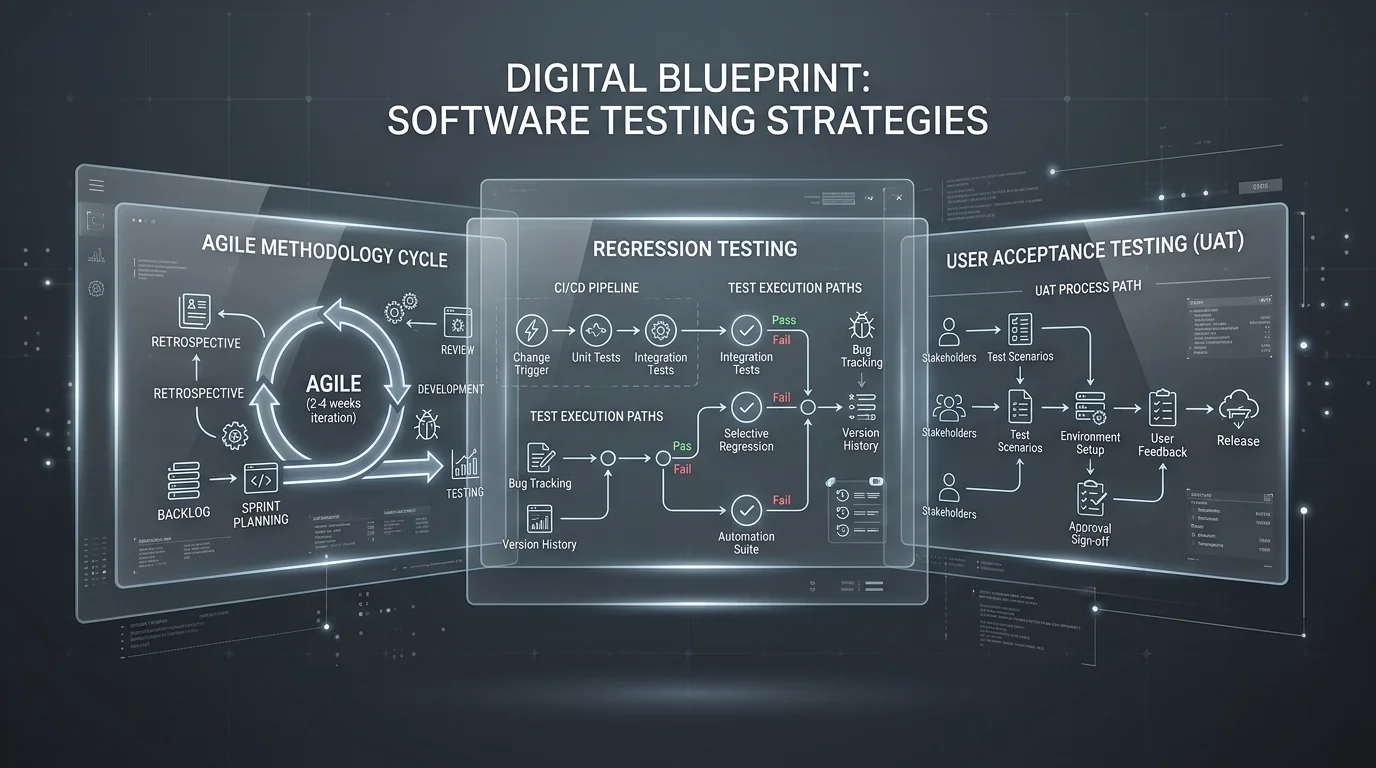
Most teams don’t have a testing problem when their app is small. They have a testing problem the moment it isn’t — once there are multiple environments, a growing codebase, several teams shipping in parallel, and data pipelines that need to behave the same way every single time. That’s when strategies that worked fine for a five-person startup start quietly falling apart.
This guide walks through seven software testing strategies that genuinely hold up as systems grow, not just ones that sound good on a slide. Each one includes what it actually solves, who it’s best suited for, and the tools teams commonly reach for. If your systems involve heavier data workflows, it’s also worth pairing this with our guide on best data science projects, since data-heavy applications tend to need a slightly different testing approach than typical web apps.
Why Most Testing Approaches Stop Scaling
Before getting into the strategies themselves, it helps to understand why testing breaks down as systems grow:
- Manual testing doesn’t grow linearly with the codebase. Every new feature adds more surface area to check, but the number of humans available to check it doesn’t grow at the same rate.
- Release speed and test thoroughness pull in opposite directions. Teams shipping multiple times a day can’t wait for a two-day manual test cycle.
- Environments multiply. Staging, production, multiple regions, multiple device types — each one is a place a bug can hide that a single test pass won’t catch.
- Data-heavy systems need reproducibility, not just correctness. A test that passes on one dataset but fails on a slightly different one isn’t actually testing anything reliable.
The seven strategies below address these problems directly, rather than just adding more tests on top of a process that was never built to scale.
The 7 Software Testing Strategies That Scale
1. Automated Regression Testing
The core idea is simple: every time new code ships, a suite of automated tests re-checks that existing functionality still works. Instead of a human re-clicking through the app after every change, the same checks run automatically, every time.
- Best for: Large codebases with frequent releases, where manually re-testing old features isn’t realistic
- Common tools: Selenium, Cypress, Playwright
The scaling benefit here isn’t just speed — it’s consistency. A human tester might skip a step when tired or rushed; an automated suite runs the exact same checks every time.
2. Continuous Integration Testing
This means wiring tests directly into your CI/CD pipeline, so every code change is automatically tested before it merges or deploys. Instead of testing happening as a separate phase at the end, it happens continuously, in the background, as part of the normal development flow.
- Best for: Agile teams shipping frequently, especially with multiple contributors
- Common tools: Jenkins, GitHub Actions, GitLab CI
The real payoff at scale is feedback speed — a broken change gets flagged in minutes instead of being discovered days later by someone else’s unrelated work.
3. Test Data Management (TDM)
As systems grow, the data used to test them becomes its own problem. Test Data Management is about deliberately managing realistic (sometimes synthetic) datasets so tests stay reproducible, safe, and representative of real-world conditions — without exposing sensitive production data.
- Best for: Data-heavy applications and data science projects, where results depend heavily on input data quality
- Common tools: Delphix, Mockaroo
This strategy matters more than most teams realize. A model or pipeline that “passes” on a clean sample dataset can behave completely differently on messier real-world data — TDM exists specifically to catch that gap early.
4. Performance and Load Testing
This strategy simulates real-world traffic and usage patterns to see how a system behaves under stress — not just whether it works, but whether it keeps working when thousands of people use it at once.
- Best for: Web and mobile applications expecting real user traffic, especially around growth spikes or launches
- Common tools: JMeter, Locust, k6
Load testing is often the strategy teams skip until something breaks in production. Building it in earlier means finding the breaking point on your own terms, not your users’ terms.
5. Shift-Left Testing
“Shifting left” means moving testing earlier in the development process — checking code quality, style, and basic correctness as it’s written, rather than waiting until a formal testing phase at the end.
- Best for: Agile and DevOps teams that want to catch problems before they become expensive to fix
- Common tools: SonarQube, ESLint
The scaling logic is straightforward: a bug caught while a developer is still writing the code costs a few minutes to fix. The same bug caught after deployment can cost hours or days, plus the reputational cost of a live issue.
6. AI-Assisted Test Coverage
Newer testing tools use AI techniques to help identify which parts of an application are most likely to break, and to flag visual or functional differences between versions automatically — reducing the manual effort of deciding what to test and how thoroughly.
- Best for: Complex systems, especially those with frequent UI changes or many edge cases to track
- Common tools: Testim, Applitools
This isn’t a replacement for the other six strategies — it’s a way of making them smarter, by helping teams prioritize where limited testing time and resources actually go.
7. Security Testing at Scale
As systems grow, so does their attack surface. Automated vulnerability scanning, dependency checks, and penetration-testing practices help catch security issues systematically, rather than relying on occasional manual audits.
- Best for: Applications handling sensitive data, especially in fintech, healthcare, and any regulated industry
- Common tools: OWASP ZAP, Burp Suite
Security testing is one strategy that genuinely can’t be an afterthought at scale — the cost of finding a vulnerability after a breach is almost always far higher than finding it during testing.
Comparison Table: Traditional Testing vs. Scalable Testing
| Aspect | Traditional Testing | Scalable Testing Approach |
|---|---|---|
| Execution | Mostly manual, tester-dependent | Largely automated, running continuously |
| Feedback Speed | Hours to days | Minutes, often within the same commit cycle |
| Coverage | Limited by available tester time | Broader, supported by automation and AI-assisted prioritization |
| Consistency | Varies by tester and time pressure | Consistent — same checks run every time |
| Cost Over Time | Grows linearly with headcount needed | Higher upfront investment, lower marginal cost per release |
| Best Fit | Small, low-frequency-release projects | Large, fast-moving, multi-team systems |
How These Strategies Work Together
None of these seven strategies are meant to be used in isolation. In practice, most mature engineering teams layer them:
- Shift-left testing catches issues as code is written.
- Continuous integration testing catches issues the moment code is merged.
- Automated regression testing confirms nothing old broke.
- Test data management ensures the data behind those tests is trustworthy.
- Performance and load testing confirms the system holds up under real usage.
- AI-assisted test coverage helps prioritize where the above four should focus their effort.
- Security testing runs continuously alongside all of the above, not as a separate final gate.
Trying to adopt all seven at once is usually a mistake. Most teams get the best return by starting with shift-left testing and CI integration first, since they’re the cheapest to set up and immediately reduce the number of bugs reaching later stages.
Pros and Cons of Scalable Testing Strategies
Pros
- Faster release cycles. Automated checks remove the bottleneck of waiting on manual testers for every release.
- Broader coverage. Automation and AI-assisted tools can check far more scenarios than a manual team could realistically cover in the same time.
- Consistency across environments. The same automated checks run identically whether it’s a Tuesday afternoon or a rushed Friday deploy.
- Earlier bug detection. Shift-left and CI-based approaches catch problems while they’re still cheap to fix.
Cons
- Upfront investment is real. Setting up automation, pipelines, and test data infrastructure takes real time and budget before it starts paying off.
- Teams need to adapt. Developers used to manual QA handoffs need to learn to write and maintain their own automated tests.
- Tool dependency. Relying on third-party testing platforms means accounting for their pricing, reliability, and learning curve.
- Automation isn’t infallible. A poorly written automated test can pass incorrectly just as easily as a human can miss a bug — automation reduces risk, it doesn’t eliminate it.
Frequently Asked Questions
What are scalable software testing strategies? They’re testing approaches — like automated regression testing, CI/CD integration, test data management, and security testing — specifically designed to hold up as systems, teams, and release frequency grow.
Why is automated regression testing important? It ensures that new code changes don’t quietly break existing features, which becomes increasingly likely — and increasingly expensive to catch manually — as a codebase grows.
Which tools are commonly used for scalable testing? Common choices include Selenium and Playwright for automation, JMeter and k6 for performance testing, GitHub Actions for CI/CD, and OWASP ZAP for security testing.
Does scalable testing actually reduce costs? Over time, yes. The upfront setup cost is real, but automation significantly lowers the marginal cost of testing each new release compared to repeating manual effort every time.
Where should a team start if they’re testing manually today? Shift-left practices and basic CI integration are typically the easiest and cheapest first steps, since they catch a large share of bugs early without requiring a full testing overhaul.
Related Reading
- If your systems involve data pipelines or ML models, see our guide on best data science projects for related project and testing considerations.
- For a comprehensive framework on security testing practices, see the OWASP Testing Guide.
- For hands-on performance testing setup, see the official Apache JMeter documentation.
- For background on how content like this gets crawled and ranked, see how Bing delivers search results.
Conclusion
Scalable software testing isn’t about adopting every strategy at once — it’s about layering the right combination for where your system actually is today. Start with shift-left practices and CI integration if you’re testing manually now, add regression automation and test data management as your codebase and data grow, and treat performance, AI-assisted coverage, and security testing as ongoing disciplines rather than one-time projects. Teams that build this layered approach early spend far less time firefighting later.