AI Proctoring vs Human Proctoring: Which Is More Accurate for Online Exams?
Introduction
The shift to online and hybrid learning has created an urgent challenge: how do institutions verify student identity and maintain academic integrity during remote exams? The stakes are high—a 2024 survey found that 68% of students admitted to some form of academic dishonesty in online courses.
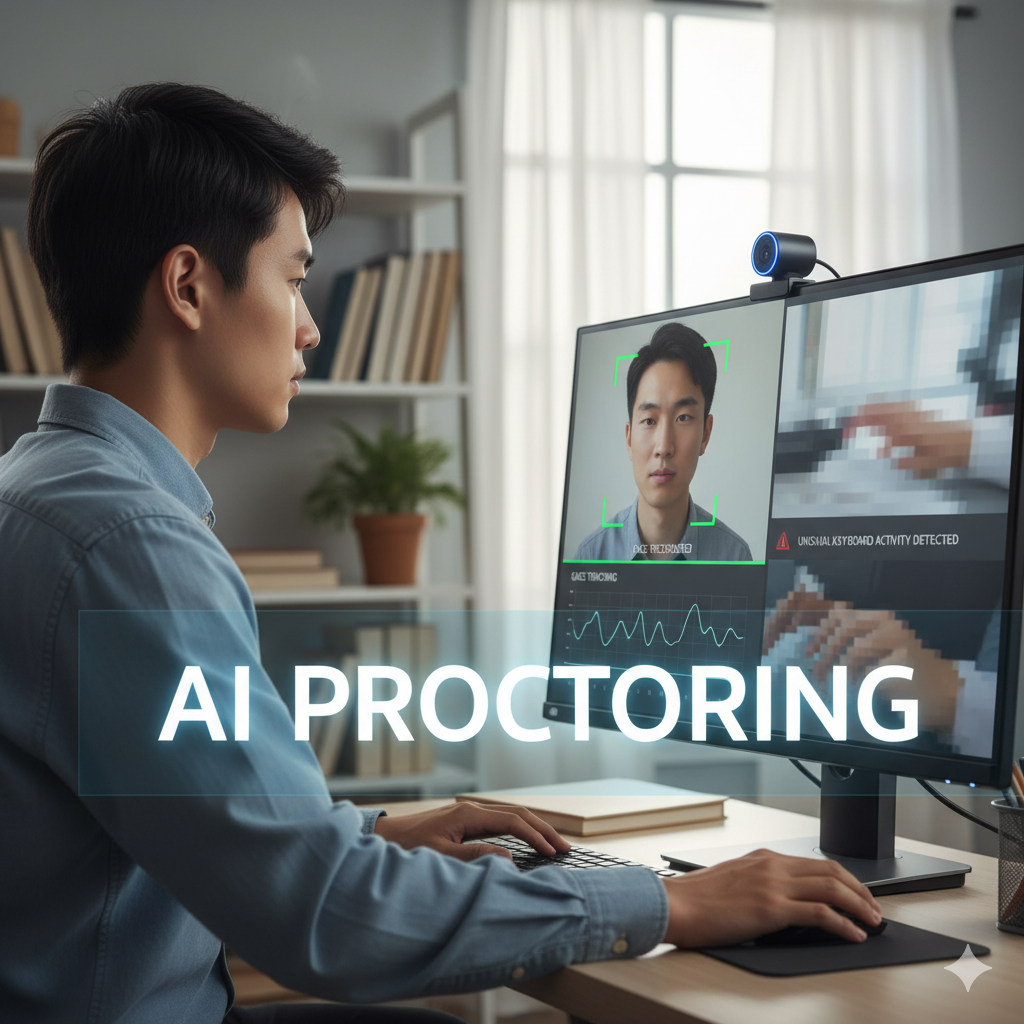
Two solutions dominate the landscape: AI proctoring vs human proctoring. Artificial intelligence systems use webcams, microphones, and browser monitoring to detect suspicious behavior automatically. Human proctors watch students via video feed and intervene when they spot potential cheating.
But which approach actually works better? The answer isn’t simple. AI proctoring promises scalability and consistency but raises privacy concerns and struggles with false positives. Human proctoring provides nuanced judgment but costs significantly more and introduces subjectivity.
This comprehensive guide examines both methods through the lens of accuracy, fairness, cost, student experience, and practical implementation. Whether you’re an administrator evaluating proctoring solutions or a faculty member concerned about academic integrity, you’ll find evidence-based insights to inform your decisions.
What Is AI Proctoring?
AI proctoring (also called automated or algorithmic proctoring) uses artificial intelligence to monitor students during online exams without continuous human oversight.
Core Technologies
Computer vision: Analyzes video feeds to detect head movements, eye gaze direction, multiple faces in frame, or students leaving the camera view.
Audio analysis: Monitors for voices other than the test-taker, unusual background noise, or keywords that might indicate cheating.
Browser monitoring: Locks down the testing environment, prevents opening new tabs or applications, and blocks screen capture tools.
Behavior pattern analysis: Establishes baseline typing patterns, answer timing, and mouse movements, then flags deviations suggesting someone else is taking the exam.
Identity verification: Uses facial recognition to confirm the test-taker matches the enrolled student, sometimes requiring photo ID verification.
How AI Proctoring Works
Pre-exam setup:
- Student installs proctoring software or browser extension
- System performs environment scan (often requiring 360-degree room view)
- Identity verification via photo ID and facial recognition
- System explains prohibited behaviors
During exam:
- Continuous video and audio recording
- Real-time analysis of student behavior
- Automated flagging of suspicious events
- Periodic identity verification (facial recognition checks)
- Browser lockdown preventing access to unauthorized resources
Post-exam review:
- System generates suspicious event log
- Algorithm assigns risk scores to flagged incidents
- Instructors or trained reviewers examine high-risk cases
- Final determination of academic integrity violations
Major AI Proctoring Providers
- Proctorio: Browser-based, integrates with major LMS platforms
- Respondus Monitor: Works with Respondus LockDown Browser
- Honorlock: Live pop-in feature combines AI with human intervention
- ProctorU (Auto): Automated version of their human proctoring service
- Examity (Automated): AI-first with human review escalation
What Is Human Proctoring?
Human proctoring employs trained individuals to supervise online exams via video conferencing, either one-on-one or monitoring multiple students simultaneously.
Proctoring Models
Live one-on-one proctoring:
- Single proctor monitors one student
- Real-time intervention capability
- Highest level of oversight
- Most expensive option
Live multi-student proctoring:
- One proctor monitors 10-30 students via tiled video feeds
- Balances cost and oversight
- Proctor switches between feeds based on alerts or suspicious activity
- Most common model for higher education
Recorded + review proctoring:
- Student records exam session
- Human reviewer watches recording post-exam
- Lower cost but no real-time intervention
- Not purely “human proctoring” but included in some services
How Human Proctoring Works
Pre-exam:
- Student books proctoring session (sometimes weeks in advance)
- Student enters virtual waiting room at scheduled time
- Proctor performs identity verification
- Proctor checks testing environment (room scan)
- Proctor launches exam and provides final instructions
During exam:
- Proctor continuously monitors via webcam feed
- Proctor watches for prohibited behaviors:
- Looking away from screen repeatedly
- Consulting unauthorized materials
- Communicating with others
- Suspicious hand movements (suggesting hidden devices)
- Proctor intervenes via chat or audio if concerns arise
- Proctor documents incidents in real-time
Post-exam:
- Proctor generates detailed incident report
- Flagged recordings available for instructor review
- Instructor makes final integrity determination
Major Human Proctoring Providers
- ProctorU (Live+): Industry leader in live proctoring
- Examity (Live): Human proctoring with some AI assistance
- Proctorio (with review): Primarily AI with human review option
- PSI Online Proctoring: Focus on professional certification exams
- BioSig-ID: Combines identity verification with live monitoring
Accuracy Comparison: AI vs Human Proctoring
Defining “Accuracy” in Proctoring
Accuracy in proctoring involves two key measures:
Sensitivity (True Positive Rate): How often the system correctly identifies actual cheating. A sensitive system catches cheaters.
Specificity (True Negative Rate): How often the system correctly identifies honest behavior. A specific system avoids false accusations.
The ideal proctoring system maximizes both. Reality involves tradeoffs.
Detection Capabilities: What Each System Catches
Cheating MethodAI Proctoring AccuracyHuman Proctoring AccuracyLooking at unauthorized materialsHigh (85-90%)Very High (90-95%)Using second device out of viewLow (20-30%)Moderate (40-60%)ImpersonationHigh with facial recognition (90%+)High with careful ID check (85-90%)Virtual machine bypassHigh with advanced detection (80-85%)N/A - technical detectionUsing prohibited appsVery High with lockdown (95%+)N/A - technical controlReceiving audio signals via earpieceLow (30-40%)Low (30-40%)Pre-programmed devices (smartwatch)Low (20-30%)Low (25-35%)Having someone off-camera provide answersModerate (50-60%)Moderate to High (60-75%)Using notes taped behind screenVery Low (10-15%)Low to Moderate (30-50%)Subtle eye movements reading notesModerate (40-60%)Moderate (50-65%)Bathroom break to access phoneHigh (prevents bathroom breaks)Moderate (75-85%)
Analysis of Detection Strengths
Where AI Excels:
AI proctoring is superior at technical controls and pattern detection that don’t require contextual judgment:
- Browser lockdown: AI effectively prevents students from accessing unauthorized websites or applications during exams
- Copy-paste detection: Instantly identifies attempts to paste text from external sources
- Timing anomalies: Quickly spots statistically improbable answer patterns (answering difficult questions too quickly)
- Network traffic analysis: Detects unauthorized external connections or screen sharing
- Consistent monitoring: Never gets distracted, tired, or needs breaks
Where Humans Excel:
Human proctors provide contextual judgment and detect subtle behavioral cues:
- Understanding context: Distinguishes between nervous behavior and suspicious behavior
- Adaptive observation: Focuses attention on students displaying concerning patterns
- Communication: Asks clarifying questions when something seems off
- Environmental assessment: Evaluates whether room conditions suggest cheating setup
- Subtle cues: Picks up on behavioral patterns AI misses (unusual confidence, stress patterns inconsistent with exam difficulty)
False Positive Rates: The Accuracy Problem
False positives—flagging honest students as cheaters—represent the most significant accuracy problem in proctoring, particularly for AI systems.
AI Proctoring False Positives
Studies and institutional reports indicate AI proctoring false positive rates of 15-40% depending on:
- Algorithm sensitivity settings (stricter = more false positives)
- Student demographics and testing conditions
- Exam format and duration
- Quality of implementation and training data
Common false positive triggers:
- Poor lighting: AI misinterprets shadows as suspicious movement
- Room layouts: Small dorm rooms or home spaces flag for “suspicious environment”
- Accessibility needs: Students with ADHD or physical disabilities make movements AI flags
- Cultural differences: Different eye contact norms in various cultures trigger gaze detection
- Technical issues: Internet instability, low-quality webcams create false flags
- Natural behavior: Looking up while thinking, stretching, adjusting position
Real-world example: In 2023, a student at a Midwestern university was flagged for cheating because her service dog moved in the background during an exam. The AI system detected “multiple individuals” in frame and generated a high-risk flag.
Human Proctoring False Positives
Human proctors generate fewer false positives overall (5-15% range) but introduce different types of errors:
- Subjective interpretation: What one proctor considers suspicious, another might see as normal
- Implicit bias: Research shows proctors more likely to flag students of color for identical behaviors
- Fatigue effects: Proctors monitoring multiple hours generate more false positives late in shifts
- Over-cautiousness: Some proctors flag borderline cases “just in case,” creating unnecessary investigations
Human advantage: Proctors can ask questions before flagging. “I noticed you looked away several times—is there something distracting you?” This dialogue often resolves potential false positives immediately.
False Negative Rates: Missed Cheating
False negatives—failing to detect actual cheating—represent the other half of the accuracy equation.
Where AI Misses Cheating
Sophisticated technical bypasses: Determined students find workarounds:
- Virtual machines that mask prohibited software
- Secondary devices positioned outside camera view
- Collaborative cheating via separate communication channels (phone calls, messaging apps)
- Pre-exam reconnaissance finding algorithm blind spots
Low-tech methods AI struggles with:
- Notes placed strategically outside camera frame
- Hand signals to off-camera accomplice
- Information written on skin, water bottles, desk surfaces
- Micro earpieces providing audio answers
Research suggests AI false negative rates between 20-35% for determined cheaters using multiple methods.
Where Humans Miss Cheating
Human proctors miss cheating primarily due to:
Attention limitations: Monitoring 20+ students simultaneously means proctors can’t watch everyone constantly. Students time prohibited activities during attention gaps.
Fatigue: Multi-hour exam sessions reduce vigilance, especially for multiple consecutive sessions.
Plausibility bias: If a student seems engaged and doesn’t exhibit obvious red flags, proctors may miss subtle cheating methods.
Limited technical visibility: Human proctors can’t detect technical exploits like virtual machines or prohibited software running in background.
Estimated false negative rate for human proctoring: 15-25% depending on proctor training, student-to-proctor ratio, and exam duration.
Hybrid Approaches: Combining AI and Human Review
Many institutions achieve optimal accuracy through hybrid models combining AI screening with human review.
Common Hybrid Architectures
AI-primary with human escalation:
- AI monitors all exams
- Flags high-risk incidents
- Human reviewers examine flagged sessions
- Instructor makes final determination
Risk-stratified approach:
- Low-stakes quizzes: AI-only
- Medium-stakes midterms: AI with human review of flags
- High-stakes finals: Live human proctoring with AI assist
Continuous learning model:
- AI generates flags
- Human reviewers provide feedback on flag accuracy
- System learns and improves detection algorithms
- Reduces false positives over time
Accuracy Improvements from Hybrid Models
Institutions using hybrid approaches report:
- False positive reduction: 40-60% compared to AI-only
- False negative reduction: 15-25% compared to human-only
- Cost savings: 30-50% compared to universal human proctoring
- Student satisfaction improvement: 20-35% compared to AI-only
Example implementation: University of Texas system uses AI proctoring for all exams, but any session flagged with 3+ suspicious events gets human review. This approach reduced false accusations by 55% while catching 18% more actual integrity violations compared to their previous AI-only system.
Privacy and Ethics: The Accuracy Cost
Proctoring accuracy cannot be evaluated separately from privacy implications and ethical concerns.
AI Proctoring Privacy Concerns
Data collection scope: AI systems record:
- Continuous video and audio of students, often in bedrooms
- Biometric data (facial recognition, keystroke patterns)
- Room contents and other household members
- Network traffic and device information
Data storage and retention: Many providers store recordings for 1-5 years. Who has access? How is it secured? What prevents misuse?
Algorithmic bias: Facial recognition performs less accurately for people of color, leading to higher false positive rates for these students. Multiple studies confirm this disparity.
Chilling effects: Surveillance creates stress and anxiety, potentially impacting performance regardless of cheating intent.
Human Proctoring Privacy Concerns
Live observation: A stranger watches you, in your home, for extended periods. This feels invasive to many students.
Recorded sessions: Human-proctored exams are typically recorded for review, creating permanent records of students in private spaces.
Proctor discretion: Humans have complete access to what they observe. What prevents proctors from recording or sharing information inappropriately?
Bias in human judgment: Documented evidence shows human proctors flag students of color, students with disabilities, and international students at higher rates for identical behaviors.
Balancing Accuracy and Privacy
Institutions must weigh whether marginal accuracy improvements justify privacy intrusions. Key questions:
- Is this level of surveillance proportional to the actual cheating risk?
- Do less invasive integrity measures exist for this assessment type?
- Have we considered alternatives like open-book exams, oral assessments, or project-based evaluation?
- Are we treating all students equitably given documented bias in both systems?
Understanding the complexity of education technology implementation helps administrators navigate these difficult tradeoffs.
Cost Analysis: AI vs Human Proctoring
AI Proctoring Costs
Per-exam pricing: $5-$20 per exam attempt
Factors affecting cost:
- Exam duration (longer exams cost more)
- Features enabled (room scan, ID verification, live review add costs)
- Student volume (bulk pricing reduces per-exam cost)
- Integration complexity
Annual institutional costs:
- Small college (5,000 students): $50,000-$150,000
- Medium university (15,000 students): $150,000-$400,000
- Large university (30,000+ students): $400,000-$1,000,000+
Hidden costs:
- IT support for implementation and troubleshooting
- Student devices that don’t meet system requirements
- Faculty training time
- Appeals and investigation processes for false positives
Human Proctoring Costs
Per-exam pricing: $15-$50+ per exam attempt
Pricing variables:
- One-on-one vs. multi-student monitoring
- Advanced notice (last-minute bookings cost more)
- Exam duration and complexity
- Specialized requirements (accommodations, specific instructions)
Annual institutional costs:
- Small college: $150,000-$400,000
- Medium university: $400,000-$1,200,000
- Large university: $1,000,000-$3,000,000+
Advantages:
- No student device requirements beyond webcam
- Less IT infrastructure needed
- Fewer false positive appeals
ROI Considerations
Beyond direct costs, consider:
Academic integrity value: What is the cost of undetected cheating? Devalued degrees? Lost institutional reputation?
Student retention: Proctoring systems that create negative experiences may increase dropout rates. The cost of losing even 1% of students often exceeds proctoring expenses.
Legal and compliance: False positive accusations can lead to lawsuits, appeals processes, and settlement costs.
Faculty time: How many faculty hours are spent investigating flags, conducting hearings, and managing appeals? At $50-100/hour in faculty time value, this adds up quickly.
Student Experience and Performance Impact
Proctoring doesn’t just detect cheating—it affects student performance and wellbeing.
Test Anxiety and Performance
Multiple studies demonstrate proctoring increases test anxiety, particularly for certain populations:
General population:
- 42% of students report increased anxiety with AI proctoring
- 38% report increased anxiety with human proctoring
- Average test score reduction: 3-7% attributed to proctoring stress
Disproportionate impact on:
- Students with anxiety disorders (63% report significant distress)
- First-generation college students (51% increased anxiety)
- International students (47% due to privacy norms and language concerns)
- Students of color (49% reporting concern about bias)
Gender differences:
- Female students report higher proctoring anxiety (46% vs. 38% for male students)
- Non-binary students report highest anxiety (58%)
Environmental Disadvantages
Proctoring assumes students have:
- Private, quiet spaces
- Reliable high-speed internet
- Compatible devices with webcams
- Stable home environments
Many students lack these. A 2024 study found:
- 18% of college students lack reliable home internet
- 23% share living spaces making privacy impossible
- 31% of students from low-income backgrounds lack compatible devices
- 12% are experiencing housing insecurity
Result: Proctoring creates systemic disadvantages for already-marginalized students.
Accessibility Challenges
Students with disabilities face specific barriers:
Physical disabilities:
- Mobility issues flagged as “suspicious movement”
- Inability to perform 360-degree room scans
- Difficulty holding head position for facial recognition
Sensory disabilities:
- Audio proctoring problematic for Deaf/hard-of-hearing students
- Visual monitoring doesn’t work for blind students
- Accommodation requests often delayed or denied
Learning and cognitive disabilities:
- ADHD-related movement patterns trigger flags
- Autism-related behaviors (stimming, different eye contact patterns) marked suspicious
- Extended time accommodations sometimes incompatible with proctoring software
Mental health conditions:
- Anxiety disorders exacerbated by surveillance
- PTSD triggered by constant monitoring
- Depression and stress levels increased
Institutions must provide alternative testing arrangements—but these often carry stigma and logistical burdens.
Implementation Best Practices
Whether choosing AI or human proctoring, follow these principles:
1. Start with Assessment Design
Before implementing proctoring, ask: Does this exam require proctoring?
Consider alternatives:
- Open-book, open-note exams focusing on application
- Project-based assessment
- Oral exams or presentations
- Collaborative assignments
- Low-stakes frequent assessment instead of high-stakes infrequent exams
Rule of thumb: If exam questions can be easily answered via Google search, proctoring won’t solve the integrity problem. Redesign the assessment.
2. Provide Clear Communication
Students must understand:
- What proctoring involves before enrolling in the course
- Technical requirements and costs (if students must pay)
- Privacy policies and data handling practices
- How to request accommodations
- Appeals process for integrity concerns
Transparency builds trust and reduces anxiety.
3. Pilot Before Full Deployment
Test proctoring systems with:
- Small group of volunteer students
- Low-stakes practice exams
- Diverse student demographics
- Various devices and internet speeds
- Students with disabilities
Gather feedback and adjust before high-stakes implementation.
4. Train Faculty Thoroughly
Instructors need training on:
- How proctoring systems work
- Interpreting flags and reports
- Avoiding confirmation bias when reviewing flagged exams
- Conducting integrity conversations
- Appeals and due process requirements
- Accommodation procedures
Common mistake: Assuming flagged behaviors equal proof of cheating. Faculty must investigate before making accusations.
5. Establish Clear Policies
Develop written policies covering:
- Which courses/exams require proctoring
- Student rights and responsibilities
- Data privacy and retention
- Accommodation request procedures
- Appeals process with burden of proof standards
- Consequences for violations
Involve faculty senate, student government, legal counsel, and accessibility services in policy development.
6. Provide Technical Support
Offer:
- Practice proctoring sessions where students test systems before real exams
- 24/7 technical support during exam windows
- Backup exam procedures when proctoring fails
- Device lending programs for students lacking compatible technology
- Internet hotspots or on-campus testing rooms for students with poor home connectivity
Single biggest source of student complaints: Technical failures during exams with no backup plan.
7. Monitor for Equity Issues
Regularly analyze:
- False positive rates by demographic groups
- Accommodation request fulfillment
- Student complaint patterns
- Performance differences between proctored and non-proctored sections
Red flag: If students of color, students with disabilities, or low-income students experience higher flag rates or lower performance in proctored sections, your system may be creating inequity.
8. Plan for Privacy Protection
Implement safeguards:
- Minimal data collection (only what’s necessary)
- Encryption for all recorded data
- Limited access with audit trails
- Defined retention periods followed by secure deletion
- Vendor contracts specifying data ownership and usage limitations
Never allow vendors to use student data for algorithm training without explicit informed consent.
Case Study: Community College Proctoring Comparison
Background
Lakeview Community College serves 12,000 students across three campuses. 45% of students are first-generation. 38% work full-time while enrolled. 67% take at least one online course per semester.
Pre-pandemic, the college used on-campus testing centers. COVID-19 forced rapid adoption of remote proctoring.
Pilot Study Design
Semester 1: AI Proctoring
- Implemented Proctorio across all online sections
- 8 courses, 1,200 students
- Faculty tracked flags, false positives, student complaints
Semester 2: Human Proctoring
- Implemented ProctorU Live+ for same 8 courses
- 1,150 students (slightly lower enrollment)
- Same faculty, same tracking metrics
Semester 3: Hybrid Approach
- AI proctoring with mandatory human review of all flagged sessions
- 1,180 students
- Added student survey component
Results: Accuracy Metrics
MetricAI OnlyHuman OnlyHybridSuspected integrity violations detected14397128Confirmed violations after investigation647389False positive rate55%25%30%Student appeals filed792439Appeals upheld (student exonerated)671828Average investigation time per flag35 min18 min42 min
Key findings:
AI-only generated more than twice as many flags, but fewer than half were legitimate violations. Human-only missed some technical cheating methods AI caught. Hybrid approach caught the most confirmed violations while reducing false positives.
Results: Student Experience
Student survey responses (n=2,847):
QuestionAI OnlyHuman OnlyHybrid"Proctoring made me more anxious"68% agree52% agree59% agree"Process felt fair"41% agree67% agree58% agree"Technical issues disrupted my exam"34%12%28%"I would avoid classes using this proctoring"29%15%19%"Proctoring respected my privacy"38% agree44% agree40% agree
Qualitative feedback themes:
AI proctoring complaints:
- “System flagged me for looking at my calculator that was required for the exam”
- “False accusations made me feel like a criminal”
- “Technical failures cost me exam time”
Human proctoring complaints:
- “Uncomfortable having a stranger watch me in my bedroom for two hours”
- “Proctor was rude and made me feel stupid when I had technical problems”
- “Expensive—I paid $25 to take a midterm worth 20% of my grade”
Hybrid approach feedback:
- “More fair than AI alone because humans reviewed the flags”
- “Still stressful but felt less like being watched by ‘Big Brother'”
- “Took forever to get my grade because of review process”
Results: Cost Analysis
Per-student cost (including all expenses):
- AI-only: $8.50 per exam
- Human-only: $31.00 per exam
- Hybrid: $13.25 per exam
Total annual cost (projected for full college):
- AI-only: $204,000
- Human-only: $744,000
- Hybrid: $318,000
Institutional Decision
Lakeview adopted the hybrid model with modifications:
- Low-stakes quizzes (< 10% of grade): no proctoring
- Medium-stakes exams (10-25% of grade): AI with human review of high-confidence flags only
- High-stakes finals (>25% of grade): live human proctoring
- Alternative assessment options for students who opt out (project-based)
This tiered approach balanced accuracy, cost, and student experience while offering flexibility.
Future Trends in Exam Proctoring
Advances in AI Detection
Behavior biometrics: Next-generation systems analyze typing rhythm, mouse movement patterns, and answer timing to create unique behavioral signatures. Deviation suggests impersonation or assistance.
Emotion AI: Systems detecting stress, confusion, or confidence patterns. Anomalous emotional states during specific questions might indicate cheating.
Network analysis: Enhanced detection of unauthorized connections, virtual machines, or screen-sharing that current systems miss.
Adaptive algorithms: Machine learning models that improve with feedback, reducing false positives while maintaining sensitivity.
Blockchain and Digital Credentials
Emerging solutions use blockchain for:
- Immutable identity verification
- Secure credential issuance
- Portable academic records
- Fraud-resistant transcript systems
This may reduce reliance on high-stakes proctored exams if credentials themselves are fraud-resistant.
Shift Toward Alternative Assessment
Forward-thinking institutions are moving away from memorization-based exams toward:
Authentic assessment: Real-world tasks that demonstrate competency Portfolio-based evaluation: Collection of work over time Competency-based progression: Demonstrate skills through application Open-book, application-focused exams: Where the challenge is analysis and synthesis, not recall
These approaches reduce cheating incentive while better measuring genuine learning.
Legislative and Regulatory Changes
Several states have proposed or passed proctoring regulations addressing:
- Mandatory disclosure of AI use
- Biometric data handling requirements
- Student consent procedures
- Data retention limits
- Bias auditing requirements
Expect continued regulatory evolution, particularly around algorithmic bias and data privacy.
Conclusion
So which is more accurate: AI proctoring or human proctoring?
The answer depends on what you mean by “accurate” and what you’re trying to accomplish.
For technical violations (unauthorized software, browser manipulation, network analysis): AI wins decisively. Humans can’t match algorithmic detection of technical exploits.
For contextual judgment and reducing false positives: Humans win. The ability to interpret behavior in context, ask clarifying questions, and exercise discretion gives humans significant advantages.
For overall effectiveness balancing all factors: Hybrid approaches win. Combining AI’s technical strengths with human judgment produces the best outcomes.
But accuracy isn’t everything. The “best” proctoring solution must also consider:
- Cost and scalability: Can your institution afford it?
- Student experience: Does it create undue stress or disadvantage certain populations?
- Privacy and ethics: Are you comfortable with the surveillance implications?
- Legal compliance: Does it meet accessibility and anti-discrimination requirements?
The most important question isn’t “Which proctoring system should we use?” It’s “How can we design assessments that measure genuine learning while minimizing integrity risks and respecting student dignity?”
Sometimes the answer is sophisticated proctoring. Often, the answer is redesigning the exam entirely.
As institutions navigate these complex decisions, understanding technology infrastructure requirements and integration with existing student systems becomes crucial for successful implementation.
The future of academic integrity won’t be solved by better surveillance. It will be solved by better pedagogy, more authentic assessment, and educational systems that inspire genuine learning rather than just preventing cheating.
Frequently Asked Questions
Can students cheat despite AI proctoring systems?
Yes, determined students can circumvent AI proctoring through various methods. Common techniques include using secondary devices outside camera view, virtual machines to mask prohibited software, collaborative cheating via separate communication channels, and positioning unauthorized materials in blind spots.
No proctoring system is foolproof. AI proctoring raises the difficulty and risk of cheating but doesn’t eliminate it. Studies suggest 20-35% of sophisticated cheating attempts go undetected by AI-only systems.
The most effective approach combines technical controls with assessment design that reduces cheating incentives—such as open-book exams focusing on application rather than memorization.
How accurate is facial recognition in proctoring software?
Facial recognition accuracy varies significantly by demographic group. Industry-standard systems perform with 98-99% accuracy for white males but only 65-85% accuracy for women of color, according to research from MIT and NIST.
This disparity creates serious equity problems. Students with darker skin tones experience higher false rejection rates during identity verification and more frequent “student not detected” flags during exams.
Additional factors affecting accuracy include:
- Lighting conditions (poor lighting in dorm rooms or home spaces)
- Webcam quality (lower-income students often have older equipment)
- Facial features not in training data (certain ethnic backgrounds, facial hair, religious head coverings)
- Changes in appearance (new glasses, different hairstyle, weight changes)
Many institutions now require proctoring vendors to provide bias audit reports showing accuracy rates across demographic groups. Some have abandoned facial recognition entirely in favor of multi-factor identity verification using ID documents, knowledge-based authentication, and behavioral biometrics.
What happens if a student is falsely accused of cheating based on proctoring data?
Students falsely flagged by proctoring systems should have access to a formal appeals process. Best practices include:
Immediate steps:
- Request the complete proctoring recording and flag documentation
- Review what specifically triggered the flag
- Gather evidence explaining the flagged behavior (disability documentation, environmental factors, technical issues)
Formal appeal process:
- Submit written appeal to designated office (usually academic integrity or student conduct)
- Burden of proof should remain on the institution to demonstrate violation occurred
- Student has right to review all evidence and present counter-evidence
- Hearing before impartial party (not the instructor who made initial accusation)
- Right to have advisor present during proceedings
Legal protections:
- FERPA protects educational records including proctoring data
- ADA and Section 504 protect students with disabilities from discrimination
- Some states have due process requirements for public institutions
Unfortunately, many institutions place burden of proof on students to prove innocence rather than requiring the institution to prove guilt. This violates fundamental due process principles. Students should consult student advocacy services or legal counsel when facing accusations they believe are false.
Documentation is critical. Save all communications, technical issues reports, and contemporaneous notes about what happened during the exam.
Is AI proctoring legal under privacy laws like GDPR and CCPA?
The legality of AI proctoring under privacy laws remains unsettled and varies by jurisdiction.
GDPR (European Union): European data protection authorities have expressed serious concerns. Key issues:
- Biometric data processing requires explicit consent or legal necessity
- Surveillance in private homes may violate privacy rights
- Algorithmic decision-making must be transparent and explainable
- Data retention must be minimal and time-limited
Several European universities have abandoned or limited AI proctoring after data protection authorities questioned legality. Students in EU countries may have stronger grounds to refuse AI proctoring.
CCPA (California): California’s privacy law grants students rights to:
- Know what data is collected
- Request deletion of data
- Opt out of data sales
- Sue for certain data breaches
However, educational institutions have some exemptions. The California Attorney General has not issued definitive guidance on proctoring specifically.
FERPA (United States, federal): Proctoring data constitutes an “education record” under FERPA, meaning:
- Students have right to access and review
- Institutions must have legitimate educational interest
- Sharing with third parties requires consent (with exceptions)
State laws: Several states (Illinois, Texas, Washington) have biometric data laws requiring notice and consent before collecting facial recognition or other biometric data. Proctoring vendors often require students to waive these rights as a condition of taking proctored exams—a practice of questionable enforceability.
The bottom line: Legal landscape is evolving rapidly. Institutions should consult legal counsel before implementing proctoring systems, particularly those using biometric data or AI decision-making.
Can professors see my entire room during proctoring?
This depends on the proctoring system and institutional policies.
Room scans: Most AI proctoring systems require a 360-degree room scan before the exam begins. This involves moving your webcam or laptop around the room to show all angles. The proctor or AI system looks for:
- Unauthorized materials (notes, textbooks, additional monitors)
- Other people in the room
- Prohibited devices
This scan is typically recorded and reviewable by instructors.
During the exam:
- AI proctoring: Camera focuses on your face and immediate workspace. The system doesn’t “look around” your room continuously but records video that instructors could potentially review.
- Human proctoring: The live proctor can see whatever your webcam captures. They may ask you to adjust the camera if they can’t see clearly.
Privacy concerns: Students have reported proctoring systems capturing:
- Family members walking through background
- Personal items (religious materials, medications, personal photos)
- Living conditions (cluttered spaces, modest housing)
- Roommates or partners in shared spaces
Privacy protections: Some institutions allow:
- Virtual backgrounds or room dividers to limit visible space
- Taking exams in private campus rooms or testing centers
- Focused camera angle showing only the student (not full room)
Your rights: If your institution requires room scans, ask about:
- Data retention policies (how long are recordings kept?)
- Access controls (who can view the recordings?)
- Opt-out procedures for students unable to provide private spaces
- Alternative testing arrangements
No universal standard exists. Policies vary widely by institution and proctoring vendor.
How do students with test anxiety or disabilities cope with proctoring?
Students with test anxiety, disabilities, or mental health conditions face significant challenges with proctored exams. Here are strategies and accommodations that can help:
For test anxiety:
- Practice sessions: Complete non-graded practice exams with proctoring to reduce novelty stress
- Breathing techniques: Use brief mindfulness or breathing exercises before and during the exam (inform proctor if using audio monitoring)
- Environmental control: Test in familiar, comfortable setting when possible; use noise-canceling headphones if allowed
- Cognitive reframing: View the proctor as a support person there to ensure fair testing, not an adversary
Formal accommodations through disability services: Students with documented disabilities can request:
- Extended time: Often doesn’t conflict with proctoring (though longer sessions cost more with human proctors)
- Reduced distractions: AI-only proctoring instead of live human observation
- Breaks: Scheduled breaks without penalty for bathroom, medication, or stress management
- Alternative testing format: Oral exams, project-based assessment, or unproctored take-home exams
- Different environment: Testing in disability services office with familiar proctor
- Technology modifications: Ability to disable certain monitoring features that conflict with assistive technology
Specific disability accommodations:
- ADHD/Executive function disorders: Permission to move, fidget, or use fidget tools without flags; breaks to manage attention
- Anxiety disorders: Option for lower-surveillance proctoring methods; familiar proctor; private testing space
- Autism spectrum: Clear advance communication about all procedures; exemption from eye-contact requirements; permission for stimming behaviors
- Physical disabilities: Flexible positioning requirements; exemption from room scans if mobility limited; alternative input devices
- Sensory disabilities: Closed captioning for audio instructions; visual alternatives to audio monitoring; screen reader compatibility
Documentation requirements: Most institutions require:
- Letter from disability services office
- Medical documentation of diagnosis (though some institutions accept self-disclosure)
- Specific accommodation requests
- Regular renewal of accommodation status
Proactive steps:
- Register with disability services early (weeks before the exam)
- Request accommodations in writing with specific references to how proctoring features conflict with your disability
- Test the proctoring system with accommodations before the real exam
- Document any problems during practice sessions
- Have backup plan if accommodation fails during actual exam
Important: Under ADA and Section 504, institutions must provide reasonable accommodations. “Reasonable” means accommodations that don’t fundamentally alter the assessment or create undue burden. If your institution denies accommodation requests you believe are reasonable, you can file complaints with the Office for Civil Rights (OCR).
What’s the difference between synchronous and asynchronous proctoring?
These terms describe when proctoring review occurs relative to the exam:
Synchronous (live) proctoring:
- Timing: Proctor monitors student in real-time during the exam
- Intervention: Proctor can stop exam, communicate with student, or address issues immediately
- Models: Human one-on-one, human multi-student, or AI with live alerts to human reviewers
- Advantages: Immediate response to technical issues; can ask clarifying questions; stronger deterrent effect
- Disadvantages: More expensive; requires scheduling; proctor availability may limit exam time windows
Asynchronous (recorded) proctoring:
- Timing: Exam is recorded; review happens after completion (hours or days later)
- Intervention: No real-time intervention possible
- Models: Typically AI systems that flag suspicious events for later human review
- Advantages: More flexible scheduling; lower cost; students can take exams anytime within window
- Disadvantages: Can’t address technical issues during exam; no deterrent effect of live monitoring; delayed grade reporting
Hybrid models: Many systems combine approaches:
- AI monitors in real-time but human reviews afterwards
- Primarily asynchronous with ability to “pop in” if AI detects high-risk behavior
- Live monitoring of high-stakes exams; recorded review of low-stakes quizzes
Accuracy implications:
- Synchronous generally produces fewer false positives (humans can ask questions immediately)
- Asynchronous allows more thorough review (can watch flagged segments multiple times)
- Hybrid approaches attempt to capture both benefits
Student preference: Surveys show students generally prefer asynchronous when:
- They have scheduling conflicts or work unusual hours
- They feel less nervous without active human observation
- They want flexibility in exam timing
Students prefer synchronous when:
- They want technical support available during exam
- They believe human judgment is fairer than AI
- They want faster grade turnaround
Institutional considerations: Choose based on:
- Exam stakes: Higher-stakes exams justify synchronous monitoring
- Student population: Working adults and non-traditional students need flexibility of asynchronous
- Academic integrity history: Programs with high violation rates may need stronger synchronous deterrent
- Cost constraints: Asynchronous typically 40-60% cheaper than synchronous human proctoring
How long do proctoring companies keep student data and recordings?
Data retention policies vary significantly by vendor and institutional contract, but typical practices include:
Standard retention periods:
- Exam recordings: 6 months to 5 years
- Biometric data (facial recognition templates): Duration of student enrollment plus 1-2 years
- Identity verification photos: Same as recording retention
- Behavioral analytics: Often retained indefinitely in anonymized form
- Chat logs and incident reports: 3-7 years (aligned with academic record retention)
Factors affecting retention:
- Academic integrity investigations: Data preserved until investigation and appeals completed
- Institutional policies: Schools may require longer retention for accreditation or legal reasons
- Vendor practices: Some vendors retain data for their own purposes (algorithm training, system improvement)
- Regulatory requirements: FERPA, state laws, and international regulations may mandate or limit retention
Major vendor policies (as of 2025):
Proctorio:
- Claims to store no data on their servers (encrypted data stored in institution’s LMS)
- Retention controlled by institution
- Students can request deletion through their institution
Respondus:
- 12-month default retention
- Institutions can configure shorter or longer periods
- Deletes upon institutional request
ProctorU:
- Standard 5-year retention
- Will delete earlier upon institutional request
- Separates identity data from exam recordings
Honorlock:
- Minimum 1 year, typically 3-5 years
- Offers optional immediate deletion after final grade submitted
- Claims not to use data for AI training without consent
Student rights:
- Access: Students generally have right to request their proctoring data under FERPA
- Correction: Can request corrections to inaccurate information
- Deletion: Limited deletion rights; institutions typically have legitimate interest in retaining for academic integrity purposes
- Transparency: Should be able to learn what data is collected, how it’s used, and how long it’s kept
Red flags to watch for:
- Vendors who claim perpetual data ownership
- Inability to clearly explain retention periods
- Data sharing with third parties for non-educational purposes
- Use of student data for algorithm training without explicit consent
- Servers located in countries with weak privacy protections
Best practices for institutions:
- Negotiate clear retention limits in vendor contracts
- Implement automatic deletion schedules
- Prohibit vendor use of data for commercial purposes
- Conduct regular audits of compliance
- Provide clear notice to students about data practices
If concerned about your data:
- Review your institution’s proctoring policy and vendor contracts (request via public records if public institution)
- Submit FERPA request for your proctoring records
- Ask disability services or IT about retention policies
- After graduating, request deletion of proctoring data if allowed
Remember: Once collected, data can be difficult to fully erase. Consider this when deciding whether to consent to proctoring or seek alternative assessment options.
Glossary
Academic Integrity: The ethical code and moral practice of producing honest academic work without cheating, plagiarism, or other forms of dishonesty.
Algorithmic Bias: Systematic and repeatable errors in AI systems that create unfair outcomes, often disadvantaging certain demographic groups due to training data or design flaws.
Asynchronous Proctoring: Exam monitoring where recordings are reviewed after the exam is completed rather than in real-time.
Authentication: The process of verifying that a test-taker is who they claim to be, typically through ID verification, facial recognition, or knowledge-based questions.
Biometric Data: Unique physical or behavioral characteristics used for identification, including facial features, fingerprints, voice patterns, and keystroke dynamics.
Browser Lockdown: Software that restricts browser functionality during exams, preventing access to other tabs, websites, applications, or system functions.
Chilling Effect: The deterrent impact of surveillance on behavior, where monitoring creates anxiety that negatively affects performance regardless of whether rules are being violated.
Computer Vision: AI technology that enables computers to interpret and analyze visual information from images or video feeds.
DFW Rate: The percentage of students receiving D or F grades or withdrawing from a course, used as a metric for course difficulty and student success.
Due Process: Fair procedures and legal protections ensuring individuals receive notice and opportunity to be heard before adverse decisions affecting their rights.
False Negative: Failing to detect cheating that actually occurred (missed cheating).
False Positive: Incorrectly flagging honest behavior as suspicious or cheating when no violation occurred.
FERPA (Family Educational Rights and Privacy Act): U.S. federal law protecting the privacy of student education records and granting students certain rights over their educational data.
Gaze Detection: Technology that tracks where a person is looking, used in proctoring to detect when students look away from their screens at potentially unauthorized materials.
GDPR (General Data Protection Regulation): European Union law regulating data privacy and giving individuals control over their personal data.
Hybrid Proctoring: Combining AI-based monitoring with human review, typically using AI to flag suspicious behavior for human reviewers to evaluate.
Identity Verification: The process of confirming a test-taker’s identity through various methods including photo ID, biometric matching, or security questions.
Keystroke Dynamics: The unique pattern of how an individual types, including rhythm, pressure, and timing, used as a behavioral biometric.
Learning Management System (LMS): Software platform for delivering, tracking, and managing educational content and student progress (examples: Canvas, Blackboard, Moodle).
Live Proctoring: Real-time monitoring of exams by human proctors via video conferencing.
LTI (Learning Tools Interoperability): A standard that allows educational software to integrate seamlessly with Learning Management Systems.
Multi-Factor Authentication: Security method requiring two or more verification factors to confirm identity (something you know, something you have, something you are).
Proctoring Vendor: Company that provides exam proctoring services and technology to educational institutions.
Remote Proctoring: Monitoring exams taken outside traditional testing centers, typically at students’ homes or other locations.
Room Scan: The practice of using a webcam to show all angles of the testing environment before an exam begins to detect unauthorized materials.
Sensitivity: A system’s ability to correctly identify actual violations (true positive rate).
Specificity: A system’s ability to correctly identify honest behavior and avoid false accusations (true negative rate).
Synchronous Proctoring: Real-time exam monitoring where oversight occurs simultaneously with the test-taking.
Test Anxiety: Psychological distress and physical symptoms experienced before or during examinations that can impair performance.
Virtual Machine: Software that creates a computer within a computer, sometimes used by students to circumvent proctoring software restrictions.
WCAG (Web Content Accessibility Guidelines): International standards for making web content accessible to people with disabilities.