
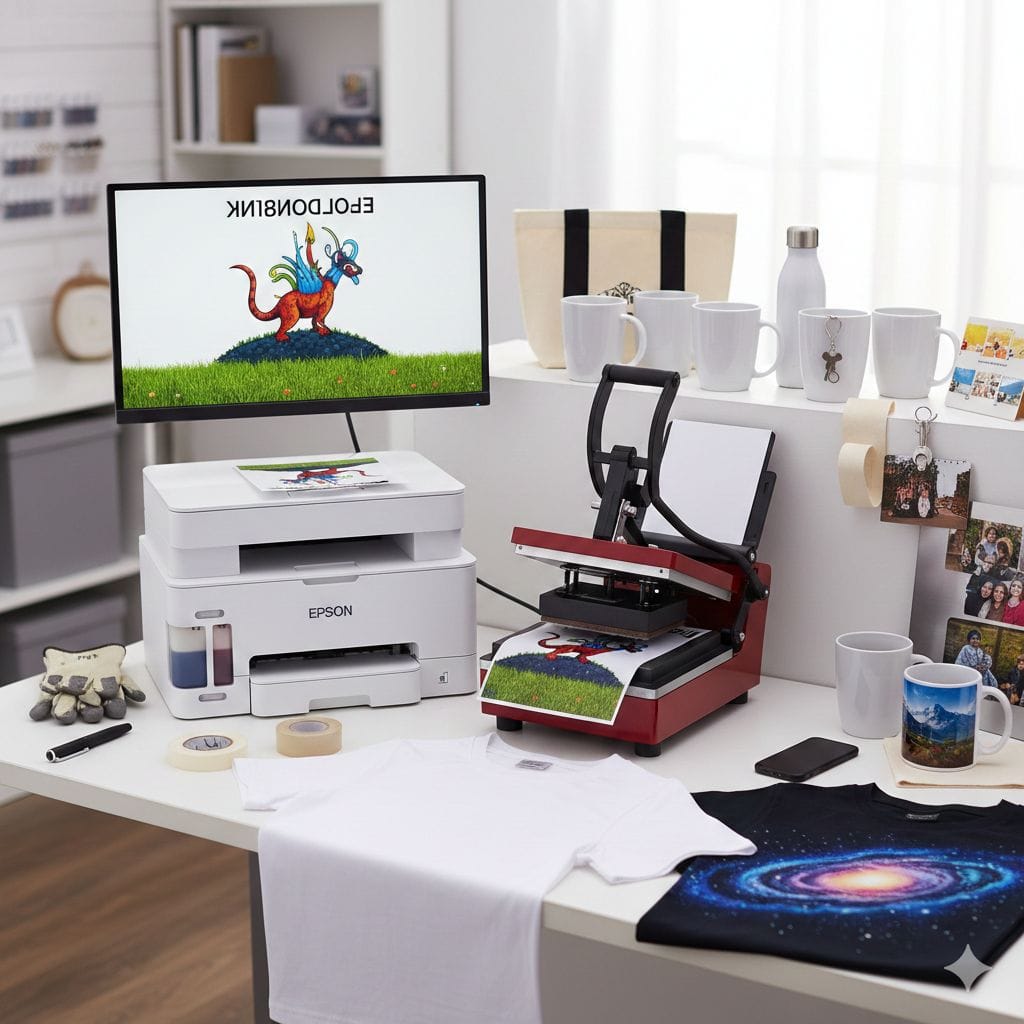
Sublimation printing is a heat transfer method where special dyes transform from solid to gas (skipping liquid) at 350-400°F, penetrating polyester fibers or polymer-coated surfaces to create permanent, full-color designs. Unlike surface printing, the dye becomes part of the material itself, producing vibrant, photo-quality prints that never crack, peel, or fade. Works only on polyester fabrics (65%+ content) or polymer-coated items like mugs and phone cases.
Understanding Sublimation Printing: The Basics
Sublimation printing has transformed how we create custom products. This innovative technology doesn’t just place ink on surfaces—it actually integrates color directly into the material at a molecular level.
Think of it this way: regular printing methods sit on top of fabric like a sticker. Sublimation printing becomes part of the fabric itself, similar to how hair dye permanently changes hair color from within.
This fundamental difference explains why sublimation prints look incredibly vibrant, feel completely smooth to the touch, and last as long as the product itself without any signs of wear.
The Science Behind Sublimation: Why It’s Called “Sublimation”
The word “sublimation” comes from chemistry and describes something fascinating that happens with matter.
Sublimation is when a solid material transforms directly into gas without ever becoming liquid first. The most common everyday example is dry ice (frozen carbon dioxide) that turns straight into vapor without melting into water first.
In sublimation printing, here’s what happens:
- Special dyes start in solid form on transfer paper
- Heat (around 375-400°F) causes these solid dyes to instantly vaporize into gas
- The gas molecules penetrate open pores in polyester fibers or polymer coatings
- When you remove the heat, the gas solidifies again—but now it’s trapped inside the material
- The result is a permanent color bond that becomes one with your product
This isn’t a surface coating that can wear off. The color lives within the material’s molecular structure, which explains the exceptional durability.
Step-by-Step: How the Sublimation Process Works
Let me walk you through exactly what happens when you create a sublimation print.
Phase One: Creating Your Design
| Step | What You Do | Why It Matters |
|---|---|---|
| Design Creation | Build your artwork in software like Photoshop, Canva, or Illustrator | High-resolution files (300 DPI minimum) produce the best results |
| Mirror Your Image | Flip the entire design horizontally before printing | The transfer process reverses everything, so mirroring ensures correct final orientation |
| Print on Transfer Paper | Use a sublimation printer with sublimation ink to print onto specialized transfer paper | Regular inkjet ink won’t work—sublimation ink contains unique dyes designed to transform into gas |
Important: The mirroring step catches many beginners by surprise. If you forget to flip your design, all text will appear backward on your finished product!
Phase Two: The Heat Transfer (Where Magic Happens)
| Step | What You Do | Technical Details |
|---|---|---|
| Position Your Print | Place the printed transfer paper face-down on your blank item | Secure with heat-resistant tape to prevent shifting during pressing |
| Set Up Heat Press | Configure temperature (typically 385-400°F) and time (45-60 seconds) | Different materials require specific settings—always check manufacturer recommendations |
| Apply Heat & Pressure | Close the heat press and let it work | The combination of heat and pressure opens material pores and vaporizes the dye simultaneously |
| Sublimation Occurs | Solid dye converts to gas, penetrates the material, then re-solidifies | This happens invisibly during the pressing time |
Phase Three: Revealing Your Finished Product
After the timer signals completion, open your heat press and carefully peel away the transfer paper. You can peel immediately (hot peel) or wait a few seconds for cooling (cold peel)—the best method depends on your specific material.
What you’ll see: Your design now appears permanently embedded in the surface with incredible color depth and clarity. The transfer paper looks nearly blank because the dyes have completely migrated into your product.
When managing multiple sublimation projects and coordinating print jobs efficiently, understanding proper print settings and document collation helps streamline your production workflow significantly.
Sublimation vs Other Printing Methods: Making the Right Choice
Understanding how sublimation compares to alternatives helps you choose the best technique for your specific needs.
Detailed Method Comparison
| Feature | Sublimation Printing | Screen Printing | Heat Transfer Vinyl |
|---|---|---|---|
| Texture/Feel | Zero texture—design is inside the fabric, not on it | Noticeable ink layer, can feel thick or stiff | Obvious plastic layer sitting on surface |
| Durability | Lasts forever—cannot crack, peel, or fade because it’s part of the material | Good longevity but can crack over years | Prone to peeling and cracking after repeated washes |
| Color Options | Unlimited colors and photo-realistic gradients possible | Limited by number of screens (typically 1-4 colors) | Restricted to solid colors and simple designs |
| Material Compatibility | Only polyester or polymer-coated items | Works on cotton, polyester, blends—virtually all fabrics | Works on cotton, polyester, blends—virtually all fabrics |
| Initial Investment | Moderate ($500-$2,000 for starter setup) | High ($3,000+ for professional setup) | Low ($200-$500 for cutter and basic supplies) |
| Best For | Full-color designs on white polyester, personalized items | Large quantity orders of simple designs | Cotton shirts, simple logos, small production runs |
Bottom Line: Choose sublimation when you want the highest quality full-color prints on polyester products. The zero-texture feel and permanent durability make it ideal for premium custom products, athletic wear, and personalized gifts.
Essential Equipment for Sublimation Printing
Setting up a sublimation system requires four specific components working together. You cannot substitute standard equipment—sublimation demands specialized tools.
Required Equipment Breakdown
| Equipment | What It Does | Investment Range |
|---|---|---|
| Sublimation Printer | Modified or purpose-built inkjet printer that uses sublimation inks instead of regular ink | $200 – $1,500+ |
| Sublimation Ink | Special dyes that convert to gas under heat—the heart of the entire process | $50 – $150 per set (4-color CMYK) |
| Sublimation Paper | Specially coated transfer sheets that hold dye on surface and release it cleanly during heating | $0.10 – $0.50 per sheet |
| Heat Press Machine | Applies precise, even heat and pressure for proper transfer | $150 – $3,000+ depending on size and features |
Heat Press Types:
- Clamshell Press: For flat items (t-shirts, bags, mouse pads)
- Swing-Away Press: For thicker items requiring more pressure control
- Mug Press: Specially designed cylinder for wrapping around mugs
- Cap Press: Curved heating element for hats and caps
For professional results, invest in a quality heat press with accurate temperature control and even heat distribution. Cheap presses create hotspots that produce uneven transfers.
What Materials Can You Sublimate? The Polyester Rule
Here’s the most important rule in sublimation printing: You need polyester or a polymer coating for sublimation to work.
The gaseous dye molecules specifically bond with polymer (plastic) molecules. Without this polymer structure, the dye has nothing to bond with and simply evaporates away.
Compatible Materials Chart
| Product Category | Specific Items | Polyester Requirement |
|---|---|---|
| Apparel | T-shirts, jerseys, hoodies, leggings, athletic wear | Minimum 65% polyester content; 100% polyester gives best vibrancy |
| Fabric Items | Banners, flags, pillowcases, blankets, tote bags | Must be polyester-based fabric |
| Drinkware | Coffee mugs, tumblers, water bottles | Requires factory-applied polymer coating |
| Hard Goods | Phone cases, keychains, metal signs, ceramic tiles | Coated with clear polymer layer specifically for sublimation |
| Home Décor | Coasters, trivets, ornaments, picture frames | Polymer-coated surfaces |
Why Sublimation Fails on Cotton
This question comes up constantly, so let’s address it clearly:
Cotton fibers have no molecular attraction to sublimation dyes. When you try sublimating on 100% cotton, the dye gas passes right through the natural fibers without bonding. You might see a faint image initially, but it washes out completely after the first laundering.
Solutions for Cotton:
- Use polyester/cotton blends (minimum 50% polyester)—though colors appear less vibrant than on 100% polyester
- Apply special sublimation coatings to cotton (adds extra steps and costs)
- Choose a different printing method like DTG or screen printing instead
Color Limitations: Light Colors Only
Sublimation inks don’t include white. The white areas in your design come from the white base material showing through. This means:
✓ Works Beautifully: White or light-colored polyester fabrics ✗ Won’t Work: Black, dark-colored, or heavily pigmented materials
The lighter your base material, the more vibrant your colors appear.
Business Perspective: Is Sublimation Printing Profitable?
Many entrepreneurs build successful businesses around sublimation printing. Let’s examine the realistic advantages and limitations.
Major Business Advantages
Exceptional Product Durability: Since the design lives within the material rather than on top, sublimated products maintain their appearance through countless washes and years of use. This durability justifies premium pricing.
Photo-Quality Capabilities: Sublimation reproduces complex photographs, intricate artwork, and smooth color gradients that other methods struggle with. This opens high-value markets like personalized photo gifts.
Fast Production for Small Orders: After initial setup, printing individual custom items takes minimal time. You can profitably fulfill single-item orders, making it perfect for online personalization businesses.
Premium Customer Experience: The soft, integrated feel of sublimation prints (often called “zero hand”) delivers a luxury product experience customers appreciate and pay more for.
Minimal Inventory Requirements: Print on-demand as orders come in rather than maintaining pre-printed stock.
Business Limitations to Consider
Material Restrictions: You’re locked into polyester or polymer-coated products. This eliminates the massive 100% cotton t-shirt market unless you stock poly-cotton blends.
White/Light Substrates Only: Cannot print on dark-colored items, which limits design versatility compared to methods using white ink.
Higher Initial Investment: Expect $500-$2,000 minimum for a functional starter setup. Professional operations require $3,000-$5,000+.
Learning Curve: Perfecting temperature, time, and pressure settings for different materials takes practice and testing.
For professional product information and industry standards, the Specialty Graphic Imaging Association provides excellent resources for print businesses.
Troubleshooting Common Sublimation Problems
Even experienced sublimation printers encounter these issues. Here’s how to solve them quickly.
| Problem | What’s Causing It | Solution |
|---|---|---|
| Faded or Washed-Out Colors | Temperature too low, pressure insufficient, or pressing time too short | Increase heat to 400°F, apply firmer pressure, extend time to 60 seconds |
| Image Looks Blurry | Transfer paper shifted during pressing | Secure paper with heat-resistant tape; consider using spray adhesive |
| Ghosting (Double Image) | Paper moved during or after pressing | Keep press closed for full time; don’t lift press during cycle |
| Yellow/Sepia Tint | Overheating causes dye color shift | Lower temperature by 10-15°F; reduce pressing time |
| White Spots or Patches | Air pockets preventing dye transfer | Use firmer pressure; pre-press item to remove moisture and wrinkles |
| Design Too Light | Incorrect printer settings or old ink | Check color profiles; use “vivid” or “best quality” print settings |
Frequently Asked Questions About Sublimation Printing
What’s the actual difference between sublimation and regular heat transfer?
Sublimation uses heat to convert dye into gas that penetrates and bonds with material fibers, becoming permanent. Regular heat transfer (like vinyl or transfer paper) applies a thin layer of material on top of the fabric, which you can feel and which may eventually crack or peel.
How long do sublimation prints actually last?
The design lasts as long as the product itself—literally forever in practical terms. Since the dye becomes part of the material’s molecular structure, it cannot crack, peel, or fade. A sublimated polyester shirt maintains its vibrancy through hundreds of wash cycles.
Can you successfully print on cotton using sublimation?
No, not on 100% cotton. Sublimation dye only bonds with polymer molecules, which cotton lacks. You need minimum 50% polyester content for any visible result, and 65%+ for acceptable quality. For best results, use 100% polyester fabric.
Is sublimation waterproof?
Yes, completely. Since the dye is integrated into the material rather than sitting on the surface, water cannot affect it. You can wash sublimated items repeatedly, submerge them in water, or even expose them to pool chlorine without any color bleeding or fading.
How much does it cost to start sublimation printing at home?
Entry-level home setups range from $500-$1,000, including a converted Epson printer ($200-$300), starter ink set ($60-$100), sublimation paper ($30-$50), and small heat press ($150-$400). Professional-quality equipment starts around $2,000 and scales up to $10,000+ for commercial operations.
Why do my prints look different than what’s on my computer screen?
Color differences stem from RGB (screen) versus CMYK (printing) color spaces. Screens use light-emitting RGB while printers use ink-based CMYK. Additionally, the polyester base color affects final appearance. Always create color profiles specific to your printer-substrate combination.
Can you sublimate on dark polyester shirts?
Unfortunately, no. Sublimation ink is transparent and has no white component. On dark fabric, the colors essentially become invisible. You need white or very light-colored polyester as your base material to showcase the colors properly.
Getting Started with Sublimation Printing
Sublimation printing opens remarkable creative possibilities for custom product businesses. The permanent, vibrant, photo-quality results justify the initial learning investment.
Start with a modest setup focusing on a specific product category—perhaps custom mugs or polyester t-shirts—and expand as you master the technique. Test different materials, experiment with temperature and time settings, and document what works best for each substrate type.
The key to success lies in understanding that sublimation isn’t simply another printing method—it’s a fundamentally different process that integrates color into materials at a molecular level. This creates products that truly stand apart in quality and longevity.
Whether you’re launching an online custom gift store, expanding an existing print shop’s capabilities, or exploring a creative hobby, sublimation printing offers a unique combination of professional quality, production efficiency, and business profitability.