

Your company pays AWS, Azure, or Google Cloud every single month. But are you paying for what you actually use? Most organizations waste between 20-35% of their cloud spending on underutilized resources, abandoned databases, and oversized virtual machines that nobody remembers provisioning.
Cloud cost optimization tools solve this problem by automatically finding wasted money hiding in your infrastructure. Instead of manually reviewing thousands of billing line items, these platforms identify exactly where your budget is leaking and help you recover it.
In this guide, we’ll explore the seven best cloud cost optimization tools available in 2026, explain how to choose the right one for your business, and show you quick wins you can implement today to lower your cloud expenses.
What Are Cloud Cost Optimization Tools? (Simple Definition)
Cloud cost optimization tools are software applications that monitor your cloud spending, identify waste, suggest improvements, and sometimes automatically fix cost problems without slowing down your business.
Think of them as a financial advisor for your cloud infrastructure. These platforms:
- Track every cloud resource you’re using across AWS, Azure, Google Cloud, or multiple providers
- Find hidden costs like orphaned databases, idle compute instances, and oversized storage volumes
- Recommend fixes such as switching to cheaper instance types, purchasing reserved capacity, or using spot instances
- Automate savings through policies that shut down unused resources or optimize configurations automatically
- Show governance dashboards that help finance teams, engineers, and executives align on cost priorities
Unlike generic billing dashboards offered by cloud providers, these tools go much deeper. They understand context—they know which resources are critical for production and which can be safely modified without risk.
Why Every Business Needs Cloud Cost Optimization
Problem 1: Cloud Spending Is Hard to Control
When your business uses cloud services, the bill grows unpredictably. New projects launch, developers spin up resources for testing, and nobody remembers to clean up when projects end. Within six months, you’re paying for infrastructure nobody actively uses.
Problem 2: You Can’t See Where Money Is Going
Cloud provider billing dashboards show you aggregate spending, but not why specific costs exist. A $50,000 monthly AWS bill tells you nothing about which department, project, or resource is consuming that budget.
Problem 3: Manual Reviews Don’t Scale
A finance team reviewing individual billing line items is neither fast nor accurate. It’s also tedious work that distracts from strategic business goals.
Problem 4: Your Team Isn’t Aligned on Costs
Engineers focus on features. Finance focuses on budgets. Product teams focus on launch dates. Nobody owns cloud spending as a team priority. Cost optimization tools solve this by creating shared visibility and accountability.
How Cloud Cost Optimization Creates Real Savings
Rightsizing Instances
If you’re running a database server on an expensive compute instance that only uses 5% of its capacity, the tool recommends switching to a smaller, cheaper instance type. This typically saves 30-50% on compute costs.
Real example: One enterprise customer discovered 200 “large” database instances that were running with average CPU usage of 8%. Rightsizing to medium instances saved them $180,000 annually.
Eliminating Idle Resources
Storage volumes, databases, and compute instances that haven’t been accessed in months still cost money. These tools find abandoned resources and flag them for removal. Organizations typically recover 10-15% of cloud spending by deleting forgotten resources.
Real example: A startup had 47 database snapshots from projects that ended two years ago. Deleting them saved $3,200 per month, or $38,400 annually.
Purchasing Reserved Capacity
If you know you’ll need the same amount of compute power for 12 months, buying “reserved instances” costs 40-60% less than paying hourly rates. These tools analyze your patterns and recommend which resources to reserve.
Real example: A SaaS company reserved 85% of their steady-state AWS usage and cut their EC2 costs by $240,000 per year.
Using Cheaper Instance Types
Sometimes the tool recommends using cheaper compute options—like spot instances for non-critical workloads or graviton-based processors instead of traditional X86 chips. Spot instances can cost 70-90% less than on-demand pricing.
Real example: A machine learning platform used spot instances for training jobs. This reduced their compute costs by 62% without affecting model quality.
The Seven Best Cloud Cost Optimization Tools (2026)
1. CloudHealth by VMware

Best for: Enterprise organizations managing multiple cloud accounts and hybrid infrastructure.
What it does:
- Creates consolidated view of spending across AWS, Azure, Google Cloud, and on-premises infrastructure
- Enforces cost allocation policies so every department sees its budget consumption
- Provides automated rightsizing recommendations with one-click approval
- Generates detailed governance reports for compliance and audit teams
Who should use it:
- Large organizations (1,000+ employees)
- Companies with complex billing structures and multiple business units
- Organizations requiring compliance reporting and audit trails
Pricing: Starts at $50,000+ annually for enterprise deployments; typically priced as 2-3% of managed cloud spend.
2. Cloudability (by Apptio)

Best for: Finance teams that need accurate cost forecasting and budget modeling.
What it does:
- Allocates cloud costs to cost centers, projects, or departments automatically
- Predicts future spending based on historical trends
- Generates financial reports in formats your CFO understands
- Integrates with Salesforce and Workday for seamless accounting workflows
Who should use it:
- Finance-led organizations prioritizing cost accountability
- Companies budgeting cloud spend like traditional capex/opex
- Organizations managing chargeback between internal departments
Pricing: Subscription-based, typically $15,000-40,000 annually depending on cloud spend volume.
3. Spot by NetApp

Best for: DevOps teams with flexible workloads that can tolerate brief interruptions.
What it does:
- Automatically manages spot instance lifecycle (buying, selling, migrating)
- Intelligently switches workloads between spot and on-demand based on price and reliability
- Reduces compute costs by 60-80% for suitable workloads
- Provides failover protection to prevent service interruptions
Who should use it:
- Companies running batch jobs, data processing, or CI/CD workloads
- Organizations with development and testing environments
- Businesses running machine learning training workloads
Pricing: Percentage of savings model; Spot typically takes 20-30% of the money they save you.
4. Harness Cloud Cost Management

Best for: DevOps teams integrating cost controls into deployment pipelines.
What it does:
- Prevents cost overruns before they happen by blocking expensive deployments
- Adds cost gates to CI/CD pipelines (e.g., “don’t deploy if it costs >$500 extra per month”)
- Shows cost impact of code changes during code review
- Integrates with feature flags to enable cost-aware feature rollouts
Who should use it:
- Engineering-first organizations
- Companies using cloud-native deployment practices
- Organizations that want developers to understand cost implications of their code
Pricing: $200-500 per month for small teams; enterprise pricing negotiable.
5. Kubecost

Best for: Organizations using Kubernetes extensively for containerized workloads.
What it does:
- Shows exactly how much each Kubernetes namespace, pod, or service costs
- Identifies which teams are consuming the most compute resources
- Recommends resource request optimization (helps prevent overconfiguration)
- Provides cost breakdown by application, team, or business unit
Who should use it:
- Kubernetes-native organizations
- Companies using container orchestration across multiple environments
- Teams needing granular cost allocation by application
Pricing: Free open-source version available; enterprise version starts at $500/month.
6. Native AWS Tools (Cost Explorer + Compute Optimizer)
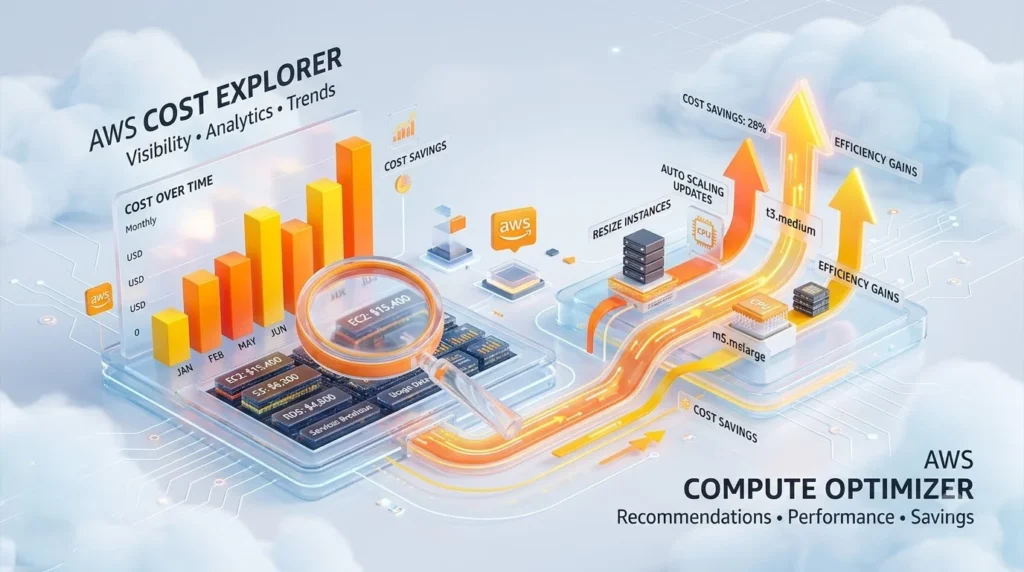
Best for: Organizations using AWS exclusively and wanting free, built-in solutions.
What it does:
- AWS Cost Explorer shows spending patterns and recommends reserved instance purchases
- AWS Compute Optimizer analyzes instance utilization and suggests smaller types
- Both are free and included in every AWS account
- No third-party vendor to manage
Who should use it:
- AWS-only companies with simpler cost management needs
- Organizations wanting to minimize software expenses
- Teams already comfortable with AWS console
Pricing: Completely free (included with AWS account).
7. Azure Cost Management + Azure Advisor

Best for: Organizations using Azure as primary cloud provider.
What it does:
- Integrated directly into Azure portal (no separate login)
- Shows cost breakdown by resource, resource group, and subscription
- Generates savings recommendations based on actual usage patterns
- Supports hybrid scenarios with AWS resource monitoring
Who should use it:
- Azure-first organizations
- Companies with Microsoft enterprise agreements (EA)
- Teams wanting seamless integration with Azure billing
Pricing: Free (included with Azure subscription); premium support optional.
Comparison Table: Quick Feature Lookup
| Tool | Best Use Case | Multi-Cloud | Automation Level | Pricing Model | Free Trial |
|---|---|---|---|---|---|
| CloudHealth | Enterprise governance | ✓ Yes | Full | % of spend | 30 days |
| Cloudability | Cost forecasting | ✓ Yes | Partial | Subscription | 14 days |
| Spot by NetApp | Spot automation | ✓ Yes | Full | % of savings | Yes |
| Harness | DevOps integration | ✓ Yes | Full | Subscription | 14 days |
| Kubecost | Kubernetes focus | Kubernetes | Partial | Freemium | Yes |
| AWS Cost Explorer | AWS only | ✗ AWS only | Partial | Free | N/A |
| Azure Cost Mgmt | Azure only | Partial | Partial | Free | N/A |
How to Choose the Right Tool (Decision Framework)
Step 1: Identify Your Cloud Footprint
Single cloud (AWS/Azure/Google only)? → Start with native tools (free option). Multiple clouds? → Choose CloudHealth or Cloudability for unified visibility. Kubernetes-heavy? → Kubecost is non-negotiable.
Step 2: Define Your Pain Points
Problem: You don’t know where money is being spent. Solution: Use Cloudability for cost allocation, or CloudHealth for enterprise governance.
Problem: Your EC2 instances are oversized. Solution: Use AWS Compute Optimizer (free) or Spot by NetApp (automated fixing).
Problem: Developers ship expensive changes without knowing it. Solution: Use Harness for CI/CD-integrated cost controls.
Problem: Your cloud bill grows every month without explanation. Solution: Use any platform’s “idle resource detection” feature (all have it).
Step 3: Consider Organizational Maturity
Mature FinOps practices? → Enterprise platform (CloudHealth, Cloudability). Building FinOps processes? → Tool with governance features + implementation support. Cost-conscious but no FinOps team? → Simpler tool like AWS Cost Explorer or Spot by NetApp.
Step 4: Evaluate Integration Needs
Does the tool connect with your existing systems?
- Billing systems (SAP, NetSuite, QuickBooks)
- CI/CD pipelines (Jenkins, GitHub Actions, GitLab)
- Communication tools (Slack for alerts)
- ITSM platforms (ServiceNow, Jira for ticketing)
Real-World Savings: What Organizations Actually Achieved
Case Study 1: E-Commerce Startup (India-Based)
Situation: Growing rapidly but cloud costs rising 25% monthly. Challenge: Developer team launching features fast; nobody tracking resource costs. Action: Implemented Spot by NetApp for batch processing and Kubecost for container visibility. Result: Reduced monthly costs by 34% (₹8.5 lakhs → ₹5.6 lakhs). Achieved within 90 days.
Case Study 2: Enterprise SaaS (US-Based)
Situation: Managing five cloud accounts across AWS and Azure; finance and engineering misaligned on costs. Challenge: $2.3M annual cloud spend with no department-level cost visibility. Action: Deployed CloudHealth with chargeback module; enforced reservation purchasing policy. Result: Reduced spend by 18% (savings of $414,000 annually) within 6 months. Improved team accountability.
Case Study 3: Kubernetes Platform Team (Global)
Situation: Supporting 1,200 microservices across Kubernetes clusters; cost attribution per team was manual. Challenge: One engineering team consumed 40% of resources but billing was invisible to them. Action: Implemented Kubecost with namespace-level cost reporting; enforced resource requests. Result: Cut cluster costs by 28% (₹32 lakhs → ₹23 lakhs monthly) by identifying inefficient allocations.
Quick Implementation Roadmap (30-90 Days)
Month 1: Discovery and Baseline
Week 1-2: Audit current cloud usage and establish baseline spending (get 2-3 months of billing data). Week 3-4: Implement resource tagging—tag every resource by team, environment, and project. Outcome: Clear visibility into what you’re spending and where.
Month 2: Pilot and Recommendations
Week 5-6: Deploy your chosen tool on a pilot team or business unit. Week 7-8: Review recommendations and validate them won’t disrupt production. Outcome: List of high-confidence cost-saving opportunities.
Month 3: Automation and Governance
Week 9-10: Automate low-risk actions (shutdown dev environments, purchase reservations). Week 11-12: Define policies (budget alerts, approval workflows, chargeback models). Outcome: Operational cost management that runs continuously.
Platform Considerations Across Regions
For India-Based Organizations
- Consider: Pricing in INR; many tools list USD costs only
- Budget estimate: ₹5-50 lakhs annually depending on cloud spend volume
- ROI timeline: Most organizations break even in 3-4 months
For Global Teams
- Consider: Multi-timezone support and 24/7 SaaS availability
- Budget estimate: $8,000-150,000+ annually
- ROI timeline: 2-6 months depending on current waste levels
Cost Optimization Without Expensive Tools (Budget Option)
Don’t have budget for enterprise platforms? Start here:
- Use free native tools (AWS Cost Explorer, Azure Cost Management) for initial visibility
- Implement tagging rigorously to segment costs by team and project
- Schedule monthly cost reviews with engineering and finance teams
- Automate simple actions like shutting down dev/test resources outside business hours using native cloud scripts
- Monitor reserved instance utilization and adjust commitments quarterly
- Set up billing alerts to catch unexpected spikes immediately
This manual approach typically saves 5-15% without tooling investment. Enterprise platforms accelerate savings to 20-35%.
Connection to Cloud Infrastructure Efficiency
Modern cloud cost optimization is interconnected with overall infrastructure efficiency. For instance, organizations deploying cloud-based applications benefit from the same cost discipline. Similarly, companies exploring cutting-edge technologies like cloud gaming services need robust cost management because real-time applications demand consistent, predictable cloud infrastructure spending. Cost optimization tools ensure that emerging cloud workloads don’t unexpectedly inflate your bills while delivering the performance users expect.
FAQ: Answers to Your Biggest Questions
Q: Can cloud cost optimization tools guarantee savings? A: No tool can guarantee savings, but 95% of organizations find 15-30% cost reduction opportunities. The key is implementing recommendations and maintaining governance.
Q: How long until we see ROI? A: Most organizations break even on tool costs within 3-6 months. Enterprise platforms sometimes show ROI within 30 days.
Q: Will optimizations break our applications? A: Professional tools test recommendations in non-production environments first. However, automation should start with low-risk changes only (dev environment shutdowns, orphaned resource cleanup).
Q: Can we use multiple tools together? A: Yes, but tool sprawl increases complexity. Start with one platform, master it, then add others only if specific needs arise.
Q: What’s the difference between rightsizing and reservation purchasing? A: Rightsizing = using a smaller, cheaper instance type for the same workload. Reservations = prepaying for capacity you know you’ll need. Both matter, but they address different cost drivers.
Q: How often should we review costs? A: Weekly dashboards, monthly deep dives, quarterly strategic reviews. Cost management is continuous.
Practical Action Items: What to Do Today
Immediate (This Week)
- Export your cloud billing data for the last 6 months
- List all cloud resources by type (compute, storage, databases, networking)
- Identify who owns each resource or account
- Schedule demo with 1-2 tools aligned with your use case
Short-term (This Month)
- Implement resource tagging schema (team, environment, project, cost center)
- Review recommendations from tool pilots
- Identify easy wins (orphaned resources, oversized instances)
- Set up budget alerts and integrate with Slack
Medium-term (Next Quarter)
- Define cost governance policies
- Implement automation for low-risk actions
- Run chargeback or showback reports
- Train teams on cost discipline and monitoring
Tools Comparison: Head-to-Head Features
| Feature | CloudHealth | Cloudability | Spot | Harness | Kubecost | AWS Free | Azure Free |
|---|---|---|---|---|---|---|---|
| Multi-cloud | ✓ | ✓ | ✓ | ✓ | K8s only | ✗ | Partial |
| Automation | Full | Limited | Full | Full | Limited | Limited | Limited |
| Forecasting | ✓ | ✓ | Basic | ✓ | ✗ | Basic | Basic |
| Chargeback | ✓ | ✓ | ✗ | ✗ | ✓ | ✗ | ✗ |
| CI/CD Integration | ✓ | ✗ | ✗ | ✓ | ✗ | ✗ | ✗ |
| Free Trial | 30 days | 14 days | Yes | 14 days | Yes | Always free | Always free |
Authoritative Resources & Outbound Links
To deepen your understanding of cloud cost management and FinOps best practices, refer to these authoritative sources:
- AWS Cost Management and Optimization Documentation — Official AWS resources for understanding and optimizing AWS spending.
- FinOps Foundation – Cloud Financial Management Standards — Industry standards and best practices for cloud financial management.
Frequently Made Mistakes (And How to Avoid Them)
Mistake 1: Implementing automation without safety guardrails → Always start with approvals and testing; automation should follow proven, low-risk patterns.
Mistake 2: Ignoring reserved instance expiration dates → Set calendar reminders to review commitments quarterly and adjust based on actual usage.
Mistake 3: Not enforcing tagging from day one → Implement tagging at provisioning time using Infrastructure-as-Code templates; manual tagging never scales.
Mistake 4: Measuring cost in isolation → Track cost alongside performance metrics (latency, error rates, user experience). Optimization should never sacrifice quality.
Mistake 5: Delegating cost responsibility to one team → Cost management works best when engineering, product, and finance teams share ownership and have aligned incentives.
Conclusion: Your Cloud Cost Optimization Roadmap
Cloud spending doesn’t have to be unpredictable or wasteful. The right tool, combined with clear governance and team alignment, can reduce your cloud bills by 20-35% within 6 months.
Start small: Choose one tool, run a 30-day pilot, validate the recommendations, then scale.
Think operationally: Cost optimization isn’t a one-time project—it’s a continuous practice (FinOps) that requires policies, measurement, and accountability.
Measure impact: Track not just dollars saved, but also time saved and team adoption. Use these metrics to justify broader investment.
Whether you’re a startup optimizing your first AWS account or an enterprise managing billions in cloud spend, the fundamental truth remains the same: visibility + automation + governance = sustainable cost reduction.
Choose your starting point from the tools above, implement one today, and watch your cloud spend stabilize while your infrastructure efficiency improves.