

Every startup founder has experienced the chaos: customer information scattered across spreadsheets, email inboxes, and sticky notes. A customer emails Tuesday. You respond Wednesday. You follow up Friday. But nobody knows if your co-founder already closed the deal on Thursday.
This isn’t just disorganized—it’s expensive.
Startups using customer relationship management (CRM) software close deals 27% faster than those managing relationships manually. They also track customer interactions consistently, which means better retention and higher lifetime value.
But choosing the wrong CRM software costs time and money. A platform that’s too complex wastes weeks on setup. A platform that’s too simple forces you to switch later (expensive and disruptive). A platform that’s too expensive bleeds your limited budget.
This 2026 guide cuts through the noise. You’ll understand what each major CRM offers, who should use it, realistic pricing, and how to implement it without wasting time or money.
What Makes a Great CRM for Early-Stage Startups?
Before comparing specific platforms, let’s define what matters for startups specifically:
The 6 Essential Criteria
| Criteria | Why It Matters | Startup Priority |
|---|---|---|
| Quick Setup & Learning | Every hour spent on setup = lost selling time | Critical |
| Affordable Pricing | Most startups have <$50K annual software budgets | Critical |
| Ease of Customization | Your sales process is unique; CRM should bend to you | High |
| Integration Ecosystem | Email, calendar, accounting, and marketing tools must connect | High |
| Scalability Path | System should grow from 3 users to 30+ without major surgery | High |
| Customer Support | When you’re stuck at 9 PM, support quality matters | Medium |
The fundamental question for CRM Software: Will this CRM help my team close more deals, or slow us down?
The 7 Best CRM Platforms for Startups: Overview
| Platform | Best For | Starting Price | Free Trial | Learning Curve |
|---|---|---|---|---|
| HubSpot CRM | Inbound-focused startups | Free forever | 14 days (paid tiers) | Very Easy |
| Pipedrive | Sales-first teams | $11/user/month | 14 days | Very Easy |
| Zoho CRM | Budget-conscious founders | $10/user/month | 14 days | Moderate |
| Salesforce Essentials | Planning rapid growth | $165/user/month | 7 days | Moderate-Complex |
| Freshsales | Teams wanting AI insights | $19/user/month | 21 days | Easy |
| Copper | Google Workspace users | $25/user/month | 14 days | Very Easy |
| Monday Sales CRM | Cross-functional workflows | $40/month (base) | 14 days | Easy-Moderate |
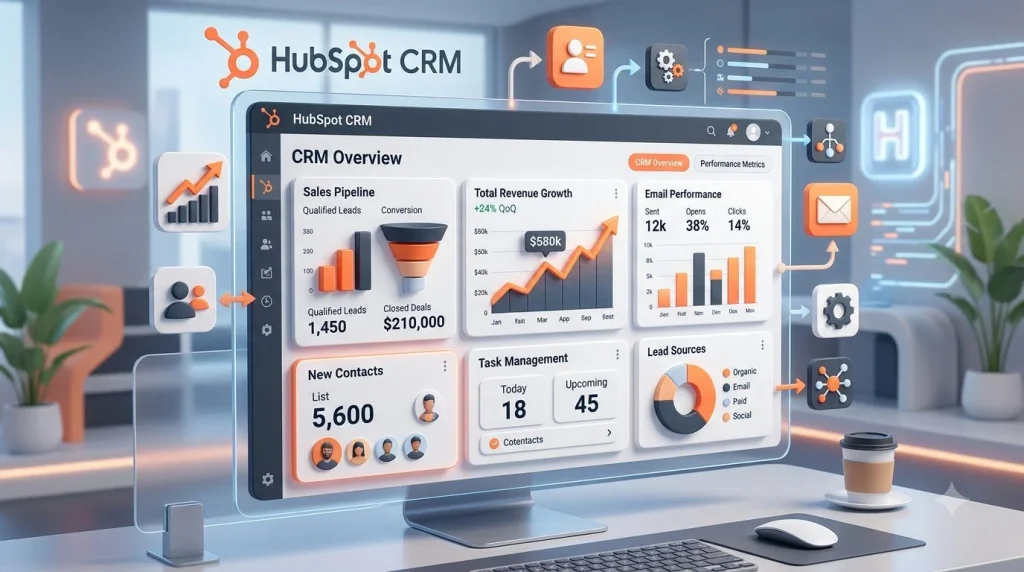
Platform 1: HubSpot CRM – Best Free Option with Marketing Integration
What Problem Does HubSpot Solve?
HubSpot started by asking: “What if sales and marketing used the same CRM?” This integration is still their superpower.
For early-stage startups, this matters enormously. You likely have one person wearing both “sales” and “marketing” hats. HubSpot doesn’t force you to pay twice.
Key Features That Matter Most
Sales-focused features:
- Contact and company profiles with full activity history
- Deal pipeline (visual drag-and-drop interface)
- Email tracking (know when customers open your emails)
- Meeting scheduling tool (no back-and-forth emails)
- Task automation (automatic reminders, follow-ups)
Marketing integration (where HubSpot wins):
- Email marketing tool built-in
- Landing page builder
- Form builder for lead capture
- Basic marketing automation
- Contact segmentation
The hidden advantage: When marketing creates a campaign and passes a lead to sales, HubSpot knows exactly what that prospect opened, clicked, and downloaded. Your sales rep has context.
Pricing Strategy for Startups
Free tier (forever):
- Unlimited contacts
- Contact and company records
- Email tracking
- Basic reporting
- No time limit
Real cost emerges when you need:
- Advanced automation ($45/month)
- Marketing Starter ($50/month)
- Sales Pro features ($480/month)
Startup strategy: Start free. Use this for 2-3 months to validate your sales process. Only then move to paid tiers if you need specific features.
Implementation Timeline: Days 1-14
Day 1-2: Setup (2 hours)
- Create account, invite 3-5 team members
- Connect your email account (for activity tracking)
- Set up your first sales pipeline (3-5 stages)
Day 3-5: Customization (4 hours)
- Define contact and company fields (only what you’ll actually use)
- Import existing customer data (or manually add top 20)
- Create 2-3 email templates for common responses
Day 6-14: Adoption (1 hour/day)
- Run 15-minute daily huddles on pipeline review
- Share best practices on email templates
- Create a one-page quick reference guide
Pros & Cons: Honest Assessment
Advantages:
- Generous free tier (genuinely usable, not limited)
- Integrated marketing tools reduce vendor sprawl
- Easy to learn; minimal training needed
- Strong mobile app for on-the-go access
- Excellent integration ecosystem (1,000+ apps)
- No lock-in; can export data anytime
Disadvantages:
- Pricing increases rapidly with features
- Advanced automation limited on lower tiers
- API calls limited on free tier
- Reporting not as powerful as enterprise CRMs
- Support slower on free tier
- Occasional lag during peak hours
Best For (Honest Assessment)
- Content/inbound-focused startups (marketing + sales alignment)
- B2B SaaS startups (marketing qualified leads matter)
- Teams <15 people (where one person does both roles)
- Budget-constrained founders (genuinely free to start)
Not ideal if: Your sales process is highly custom or you need deep enterprise integrations.
Platform 2: Pipedrive – Best for Sales-Centric Startups

The Core Philosophy
Pipedrive’s founder was a frustrated salesman who built CRM around one core principle: make selling easier, not harder.
Every feature in Pipedrive comes back to this: how does this help close more deals?
Why Salespeople Love Pipedrive
Visual pipeline (the killer feature):
- See every deal on a Kanban-style board
- Drag deals between stages (from “Prospect” to “Negotiation” to “Won”)
- Instantly understand pipeline health
- No hidden deals or orphaned prospects
Activity-centric workflow:
- Every action is logged (calls, emails, meetings)
- Automatic task scheduling
- Reminders before deals stall
- Activity stream shows what happened and when
Mobile-first design:
- Works beautifully on phones (really matters)
- Reps can work from anywhere
- Updates sync instantly
- Offline mode (work on trains, planes)
Pricing: Simple, Predictable
Pipedrive uses a per-user model ($11–$49/user/month depending on tier):
Starter ($11/user/month):
- Visual pipelines
- Basic automation
- Email and calendar integration
- Limited reporting
Professional ($24/user/month):
- Advanced automation
- Advanced reporting
- Custom fields
- API access (critical for integrations)
Advanced+ ($49+/user/month):
- Advanced analytics
- Multi-currency support
- Webhooks and workflows
Startup math: 5-person team on Starter tier = $55/month. Affordable and predictable.
Quick Implementation (7-10 Days)
Day 1-2:
- Define deal stages (4-6 stages that match your sales cycle)
- Import customer list (or start fresh if early)
- Connect email account
Day 3-5:
- Set up basic automations (automatic task creation when deal moves)
- Create activity reminders
- Invite team and assign deals
Day 6-10:
- Daily usage; team provides feedback
- Adjust pipeline stages if needed
- Monitor activity tracking accuracy
Pros & Cons
Strengths:
- Extremely easy to learn (reps productive day 1)
- Beautiful, intuitive interface
- Excellent mobile app
- Transparent pricing (no surprise costs)
- Good support (even on lower tiers)
- Works well for activity-based selling
Weaknesses:
- Marketing automation minimal (not Pipedrive’s focus)
- Reporting less comprehensive than enterprise CRMs
- Customization limited for complex processes
- Fewer integrations than HubSpot or Zoho
- No free tier (though 14-day trial is generous)
- Email tracking less robust than Salesforce
Ideal for Startups That Are
- Sales-driven (revenue focus from day 1)
- Activity-oriented (track calls, emails, meetings)
- Process-disciplined (defined sales stages)
- Team size: 3-25 people
- Deal-based revenue models (B2B SaaS, professional services)
Not ideal if: You need tight marketing integration or complex custom workflows.
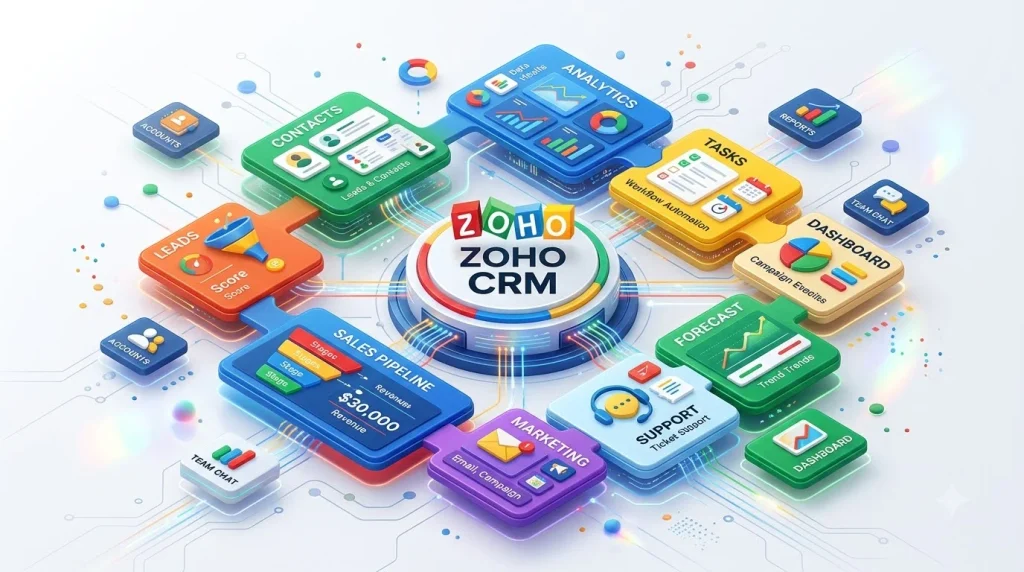
Platform 3: Zoho CRM – Best Value for Money (and Flexibility)
The Zoho Philosophy
Zoho asked a different question: “What if we built CRM for price-conscious businesses that still wanted power?”
Zoho doesn’t have the brand recognition of Salesforce or HubSpot, but startups using Zoho often wonder why they don’t talk about it more.
Why Zoho Wins on Value
Pricing (the obvious advantage):
- Free plan: 3 users, unlimited contacts, basic features
- Paid plans start at $10/user/month (vs. $24+ for competitors)
- For 5 users: $50/month (vs. $150+ elsewhere)
- Annual pricing: 20% discount
Feature depth at low price:
- Everything Pipedrive has, PLUS:
- Native email marketing
- Form builder
- Basic accounting integration
- Telephony integration (make calls from CRM)
- Advanced customization (custom fields, workflows, automation)
- Large app marketplace (300+ integrations)
Flexibility (underrated advantage):
- Customize almost everything
- Build custom modules for unique business needs
- Advanced workflow automation
- Conditional logic in automations
- API access even on lower tiers
Real-World Pricing Example
5-person startup, 6-month timeline:
| CRM | Monthly Cost | 6-Month Cost | Implementation Cost |
|---|---|---|---|
| Zoho | $50 (5 × $10) | $300 | $200 training |
| Pipedrive | $55 (5 × $11) | $330 | $500 training |
| HubSpot | $0 (free) | $0 | $200 training |
| Salesforce | $825 (5 × $165) | $4,950 | $3,000+ training |
Insight: Zoho offers Pipedrive’s simplicity + HubSpot’s power at 1/3 the cost of Salesforce.
Setup Process: 10-15 Days
Days 1-3:
- Create account, invite team
- Set up pipeline stages (map your sales process)
- Basic field customization
Days 4-7:
- Email and calendar integration
- Build 2-3 automations (lead assignment, follow-up reminders)
- Create email templates
Days 8-15:
- Import customer data (usually CSV from previous system or spreadsheet)
- Team daily usage and feedback
- Refine automations based on actual usage
Pros & Cons
Major advantages:
- Best price-to-feature ratio
- Highly customizable (can build a CRM that matches your exact process)
- Large integration ecosystem (300+ apps)
- Good support (even free tier gets help)
- Scalable (same system works for 5 users or 100)
- Accounting integration (Zoho Books, QuickBooks)
Weaknesses:
- Interface feels slightly dated (vs. Pipedrive’s modern design)
- Steep learning curve if you customize heavily
- Support response times longer than HubSpot
- Mobile app less polished than competitors
- Documentation occasionally unclear
- Smaller customer community (vs. Salesforce’s massive base)
When to Choose Zoho
- Bootstrapped founders (every dollar counts)
- Complex sales processes (need customization)
- Using other Zoho products (Books, Desk, Recruitment)
- Growing teams (same system from 5 to 100+ users)
- Startups in developing markets (where budget is tight)
Not ideal if: You want cutting-edge design or prefer a managed CRM (Zoho requires more configuration).
Platform 4: Salesforce Essentials – Best for Scaling Startups

Why Founders Consider Salesforce Despite High Cost
Salesforce is the enterprise standard. If your goal is to build a $100M+ company, Salesforce is eventual destiny for many startups. The question is: should you start with it?
Salesforce Essentials: The Startup Edition
Salesforce offers a “lightweight” version for startups and small businesses:
What you get:
- Contact and account management
- Opportunities (deals) tracking
- Simple pipelines
- Basic automation
- Forecast dashboard
- Standard integrations
What you don’t get:
- Advanced customization (requires developer)
- Complex workflows
- Full Salesforce ecosystem access (need higher tiers)
- Advanced analytics
Price: $165/user/month (vs. $330+ for full Salesforce)
When Salesforce Makes Sense
You should consider Salesforce Essentials if:
- You’ve raised institutional funding ($2M+ Series A)
- Your revenue is growing rapidly (planning 50+ team in 18 months)
- You anticipate complex integrations with enterprise customers
- Your team has previous Salesforce experience
- You’re selling into enterprises (they expect Salesforce export/import compatibility)
You should NOT choose Salesforce if:
- You’re bootstrapped or early pre-seed
- Your team <10 people
- You’re still validating product-market fit
- You need the system up and running in 2-3 weeks
- You can’t afford a Salesforce admin or consultant ($100-$200/hour to customize)
Implementation Reality: 6-12 Weeks (Not Days)
Salesforce requires serious commitment:
Week 1-2:
- Define requirements and data model
- Clean and prepare data for migration
- Design custom fields and workflows
Week 3-5:
- Configure system (often requires consultant)
- Build dashboards and reports
- Set up integrations (finance, marketing, product analytics)
Week 6-8:
- Train team (real training, not just walkthrough)
- Run parallel processes (Salesforce + old system simultaneously)
- Troubleshoot issues
Week 9-12:
- Gradual cutover to Salesforce as only CRM
- Monitor adoption
- Refine automation based on actual usage
Pros & Cons
Why Salesforce Essentials
- Enterprise credibility (important for B2B sales)
- Massive ecosystem (integrations, training, community)
- Scalable into full Salesforce (no re-implementation)
- Strong support (Salesforce Academy, certified consultants)
- Advanced analytics (better than small-business CRMs)
- Security certifications (SOC 2, FedRAMP, etc.)
Significant drawbacks:
- Expensive ($165-$330+/user/month)
- Complex setup (not DIY for non-technical founders)
- Requires ongoing admin/maintenance
- Large learning curve (takes 4-6 weeks to be proficient)
- Consultation costs ($10K-$30K for implementation)
- Overkill for most <50-person startups
Realistic Budget for Salesforce Implementation
| Expense | Cost |
|---|---|
| Software (5 users, 12 months) | $10,000 |
| Implementation partner/consultant | $10,000-$25,000 |
| Training and onboarding | $2,000-$5,000 |
| Integration work (finance, product) | $5,000-$15,000 |
| Total Year 1 Investment | $27,000-$55,000 |
This is reasonable for a Series B startup. Not feasible for early-stage.
Choose Salesforce Essentials When You’re Ready to Commit to Growth
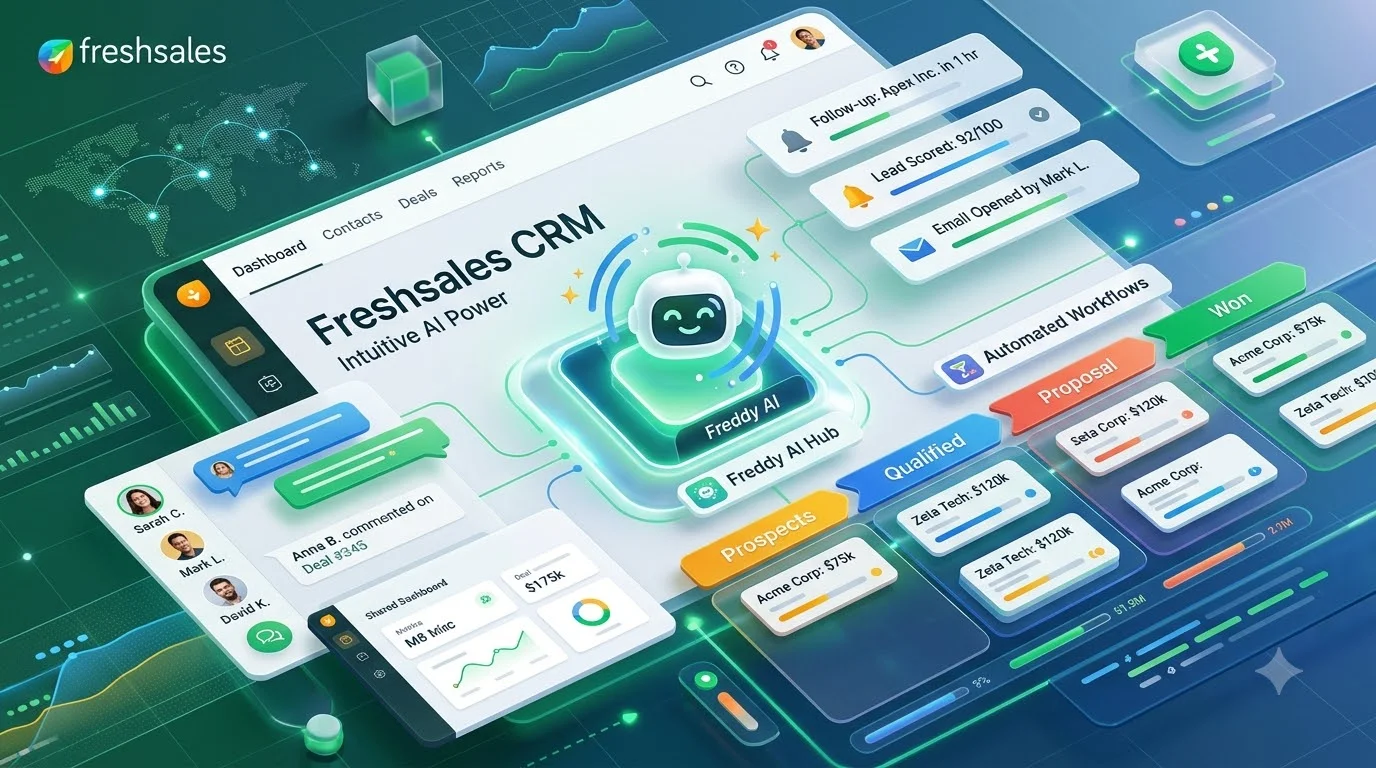
Platform 5: Freshsales – Best AI-Powered CRM for Modern Teams
What Makes Freshsales Different
Freshsales (part of Freshworks) brings AI capabilities to CRM without Salesforce’s complexity or Pipedrive’s simplicity.
Their core promise: AI helps reps work smarter, not harder.
AI Features That Actually Matter
Conversation Intelligence:
- AI listens to sales calls, extracts key moments
- Flags when customer said “budget approved” or “not interested”
- Transcribes calls automatically
- Helps reps improve performance
Lead Scoring:
- AI predicts which leads are likely to convert
- Based on activity, profile fit, and engagement patterns
- Helps reps prioritize high-value prospects
Activity Recommendations:
- AI suggests next actions (“Call this customer today”)
- Surfaces at-risk deals that need attention
- Reminds about follow-ups automatically
Predictive Analytics:
- Forecasts pipeline completion
- Estimates deal probability
- Predicts sales productivity trends
Pricing Model
Growth ($19/user/month):
- Basic AI features
- Pipeline management
- Email integration
- Basic automation
Pro ($49/user/month):
- Advanced AI capabilities
- Conversation intelligence
- Advanced reporting
- Custom fields and workflows
Enterprise ($95+/user/month):
- Full AI suite
- API access
- Dedicated support
Startup reality: Most startups start at Growth tier ($95/month for 5 users).
Implementation: 10-14 Days
Day 1-3:
- Connect email and calendar
- Import existing customers
- Set up basic pipeline
Day 4-7:
- Configure AI features (conversation intelligence, lead scoring)
- Create email templates
- Set up automations
Day 8-14:
- Team training on AI recommendations
- Monitor AI accuracy (improve over time)
- Adjust lead scoring model based on results
Pros & Cons
Real advantages:
- AI features actually useful (not gimmicks)
- Modern, beautiful interface
- Strong mobile app
- Conversation intelligence (underrated competitive advantage)
- Good integration ecosystem
- Support quality solid
Honest disadvantages:
- AI quality depends on data quality (garbage in, garbage out)
- Learning curve for sales teams unfamiliar with AI
- Pricing in middle range (more than Pipedrive, less than Salesforce)
- Integrations sometimes require configuration
- Reporting not as deep as enterprise CRMs
- Smaller community than Salesforce/HubSpot
Best For
- Sales teams that handle dozens of conversations daily
- Startups with complex sales cycles (AI helps prioritize)
- Data-driven founders (metrics matter)
- Teams 5-50 people
- B2B SaaS, financial services, professional services
Platform 6: Copper – Best for Google Workspace-Native Teams

The Unique Value Proposition
Copper integrates so tightly with Gmail and Google Calendar that it almost disappears. You do CRM inside Gmail, not in a separate browser tab.
If your entire team lives in Google Workspace, this is worth serious consideration.
Why Google Workspace Teams Love Copper
Gmail integration (the key feature):
- See contact details in Gmail sidebar
- Track emails automatically (no manual logging)
- Reply from CRM without leaving Gmail
- Attachment tracking (know when customer opens your file)
- Email templates within Gmail
Calendar integration:
- Meeting details automatically sync to CRM
- No double entry (add to calendar, automatically in Copper)
- Attendees and notes captured
- Follow-up scheduling from calendar
Gmail search:
- Search CRM from Gmail search
- Find past conversations with a customer instantly
- No context switching
Pricing
Copper uses a simple per-user model:
Base ($25/user/month):
- Contact management
- Gmail integration
- Calendar sync
- Basic automation
- Email templates
Plus ($45/user/month):
- Advanced automation
- Custom fields and workflows
- API access
- Advanced reporting
5-person team = $125/month (Base tier)
Setup Speed: Exceptionally Fast
Day 1:
- Install Copper in Gmail and Google Calendar (5 minutes)
- Grant permissions
Day 2-3:
- Invite team members
- Define pipeline stages
- Import customer data
Day 4-7:
- Team starts using in Gmail
- Monitor adoption
- Adjust as needed
This is the fastest setup of any CRM because the interface is already familiar (Gmail).
Pros & Cons
Exceptional advantages:
- Seamless Gmail/Workspace integration (no learning curve)
- Minimal setup time (productivity day 1)
- Beautiful, modern design
- Strong mobile app
- Very affordable for dedicated Workspace users
- No data fragmentation (everything in one place)
Significant limitations:
- If your team doesn’t use Gmail, Copper is weak
- Limited for complex workflows (designed for simplicity)
- Fewer integrations than competitors
- Reporting less comprehensive
- Limited for teams with non-Workspace applications (Slack, Asana)
- Smaller community = fewer templates/resources available
Perfect For
- Startups all-in on Google Workspace (Gmail, Drive, Sheets, Meet)
- Remote/distributed teams (Workspace is already installed)
- Sales teams 3-15 people
- Founders who value simplicity
- Service-based businesses (consulting, agencies, coaching)
Not ideal if: You use Salesforce, need complex integrations, or want extensive customization.
Platform 7: Monday Sales CRM – Best for Cross-Functional Workflows

The Different Approach
Monday.com started as a project management tool. Their CRM brings that flexibility to sales.
Core philosophy: Sales isn’t just about deals—it’s about workflow, collaboration, and transparency.
Why Cross-Functional Teams Love Monday Sales
Customizable boards:
- Design your sales pipeline however you want
- Combine CRM with project management
- Sales can see marketing campaigns running
- Product team can see customer feedback loop
- Finance can monitor deal stage and expected revenue
Automation at scale:
- Complex multi-step automations
- Conditional logic (if this, then that)
- Integrations trigger automations
- Less manual work
Collaboration:
- Comments and @mentions on deals
- File attachments and documents
- Team can collaborate without leaving CRM
- Transparency across functions
Pricing
Monday uses a per-board model (confusing at first):
Basic ($40/month):
- One sales board
- Up to 5 users
- Basic automation
- Email integration
Pro ($55/month):
- Multiple boards
- 20+ users
- Advanced automation
- Advanced integrations
Advanced ($99/month):
- Unlimited boards
- Unlimited users
- Full feature set
Reality for startups: Pro tier ($55/month) usually sufficient for early teams.
Implementation: 14-21 Days
Week 1:
- Design your sales board
- Define custom fields (customer size, industry, source)
- Set up basic workflows
Week 2:
- Integrations (email, calendar, accounting)
- Create automation sequences
- Team training and adoption
Week 3:
- Full team usage and feedback
- Refine board layout based on feedback
- Monitor adoption metrics
Pros & Cons
Genuine advantages:
- Highly customizable (build the CRM your team needs)
- Strong automation capabilities
- Great cross-functional visibility
- Modern, beautiful interface
- Excellent mobile app
- Good documentation and support
Real limitations:
- Pricing can add up (automation costs)
- Setup requires more thinking (flexibility has cost)
- Learning curve steeper than Pipedrive or Copper
- Not ideal if you want simplicity (lots of options = options paralysis)
- Smaller sales-specific community than Salesforce/HubSpot
- Limited AI features (vs. Freshsales)
Ideal for
- Cross-functional teams (sales + marketing + product collaborate)
- Startups wanting unified workspace
- Complex sales processes (need customization)
- Teams 5-30 people
- Founders who like building custom tools
Comparison Table: Choose Your CRM in 60 Seconds
| Feature | HubSpot | Pipedrive | Zoho | Salesforce | Freshsales | Copper | Monday |
|---|---|---|---|---|---|---|---|
| Price/5 users/month | Free-$225 | $55 | $50 | $825 | $95 | $125 | $55 |
| Setup time | 1 week | 1 week | 2 weeks | 6-12 weeks | 2 weeks | 3 days | 2-3 weeks |
| Learning curve | Very easy | Very easy | Moderate | Steep | Easy | Very easy | Moderate |
| AI features | No | No | Limited | Yes | Strong | No | No |
| Email integration | Excellent | Good | Good | Good | Excellent | Exceptional | Good |
| Customization | Moderate | Low | High | Very High | Moderate | Low | Very High |
| Integrations | 1000+ | 400+ | 300+ | Unlimited | 400+ | 100+ | 1000+ |
| Mobile app | Excellent | Excellent | Good | Good | Good | Excellent | Excellent |
| Best for | Inbound + Marketing | Sales teams | Budget-conscious | Enterprise scale | AI-driven | Google users | Cross-functional |
| Scalability | ✓ Excellent | ✓ Excellent | ✓ Excellent | ✓ Best | ✓ Excellent | ✗ Limited | ✓ Excellent |
Implementation Roadmap: Your First 90 Days
Days 1-30: Foundation & Launch
Week 1: Decision & Setup
- Choose CRM based on comparison above
- Sign up for free trial or pilot plan
- Create account and add core team (3-5 people)
Week 2: Configuration
- Define sales pipeline stages (how many? 4-6 typical)
- Identify essential customer fields
- Set up email and calendar integration
- Create 2-3 email templates
Week 3: Data Entry
- Import existing customer list (or manually add top 20)
- Standardize customer data (clean names, phone numbers, etc.)
- Assign customers to team members
- Add recent deals/opportunities
Week 4: Adoption
- Daily team huddles (15 minutes) on pipeline
- Collect feedback on setup
- Make first round of adjustments
- Create one-page quick reference guide
Success metrics:
- All team members have logged in daily
- >80% of active customers in system
- 0 questions during daily huddles (team is comfortable)
Days 31-60: Automation & Process Refinement
Week 5-6: Automation
- Set up lead assignment automation (new leads go to right person)
- Create follow-up reminders (automatic task creation)
- Build deal stage notifications (alert team when deal moves)
- Set up email templates for common responses
Week 7-8: Process Discipline
- Review actual pipeline health (what stages have deals? which are stalled?)
- Identify bottlenecks (where do deals get stuck?)
- Adjust pipeline stages if needed
- Enforce minimum data entry standards (what fields are MUST FILL)
Success metrics:
- >90% of deals have activity logged in last 7 days
- Team spending <15 minutes/day on CRM data entry
- Pipeline forecast accuracy improving
Days 61-90: Optimization & Scaling
Week 9-10: Analytics & Reporting
- Set up key dashboards (pipeline value, close rates, cycle time)
- Track KPIs: close rate, average deal size, sales cycle length
- Weekly review (look at data, not just anecdotes)
- Identify top performers (what are they doing differently?)
Week 11-12: Continuous Improvement
- Quarterly assessment (is CRM meeting expectations?)
- Gather team feedback (what’s working? what’s not?)
- Plan Phase 2 (advanced features, additional integrations)
- Document sales playbook (capture winning process)
Success metrics:
- Deal close time reduced by 10-20%
- Pipeline forecasting accuracy >80%
- Team adoption rate 95%+
- Clear ROI calculation (deals closed due to CRM discipline)
Global CRM Considerations: Regional Implementation Guide
For Teams in Europe (GDPR, Privacy-First)
Key considerations:
- GDPR compliance (customer data protection)
- Data residency (data stored in EU regions)
- Right to deletion (ability to remove customer data)
- Privacy policies updated
CRM recommendations:
- HubSpot or Salesforce (GDPR certified)
- Zoho EU servers available
- Ensure Data Processing Agreement (DPA) signed
Timeline: Add 1-2 weeks to implement GDPR features.
For Teams in North America (Compliance-Heavy)
Key considerations:
- SOX compliance (if public or planning IPO)
- HIPAA (if healthcare-related)
- CCPA (if serving California residents)
- Audit trails and data governance
CRM recommendations:
- Salesforce (enterprise compliance certifications)
- HubSpot (transparent compliance policies)
For Teams in Asia-Pacific (Rapid Growth)
Key considerations:
- Data localization (keep data in country/region)
- Multi-currency support (dealing in AUD, SGD, JPY, etc.)
- Language support (for team members and customers)
- Time zone considerations (team across multiple zones)
CRM recommendations:
- Zoho (strong Asia-Pacific presence, multi-currency)
- HubSpot (growing in region, good support)
- Monday (flexible enough for complex geographic needs)
For Emerging Market Startups (Budget-Constrained)
Key considerations:
- Lowest cost possible
- Minimal infrastructure requirements
- Strong offline capabilities (internet not always available)
- Currency flexibility
CRM recommendations:
- Zoho (lowest price, offline mode)
- HubSpot free tier
- Pipedrive (predictable pricing)
Common CRM Mistakes (Avoid These)
Mistake 1: Choosing Based on Feature Checklist Alone
The problem: Spreadsheet of features doesn’t predict team adoption.
The reality: A simple CRM your team actually uses beats a feature-rich CRM gathering dust.
Solution: Prioritize ease of use and team comfort level.
Mistake 2: Over-Customizing in Week 1
The problem: Building elaborate automation before knowing your actual sales process.
The reality: Your process will change 3 times in your first year.
Solution: Start with bare minimum. Add customization after 2-3 months of actual usage.
Mistake 3: Implementing Without Executive Buy-In
The problem: CRM adopted patchily because founder doesn’t use it.
The reality: Team watches founder behavior, not listens to directives.
Solution: Founder uses CRM daily; discusses metrics in team meetings; celebrates CRM wins.
Mistake 4: Choosing Based on Price Alone
The problem: Picking free tier and outgrowing it in 3 months.
The reality: Switching CRMs is expensive (data migration, retraining, lost productivity).
Solution: Choose CRM that grows with you; accept slightly higher cost to avoid future switch.
Mistake 5: Forgetting Integration Needs
The problem: Choosing CRM then discovering it doesn’t integrate with your accounting software.
The reality: CRM value multiplies with integration; isolated CRM creates data silos.
Solution: List all current tools (email, calendar, accounting, product analytics, marketing). Verify CRM integrates before selecting.
Your CRM Budget: Real Numbers for Founders
Scenario 1: Bootstrapped Startup ($0 Budget)
- CRM: HubSpot Free or Zoho Free
- Cost: $0/month
- Best for: Very early stage (<$100K revenue)
- Limitation: Limited users, basic features
Scenario 2: Early-Stage Funded ($5-10K Budget)
- CRM: Pipedrive or Freshsales
- Cost: $50-100/month
- Supporting tools: Email, simple integrations
- Total: $100-150/month
- Commitment: 1-year cost ~$1,200-1,800
Scenario 3: Series A Startup ($50-100K Budget)
- CRM: Zoho or Freshsales (or lower Salesforce tier)
- Cost: $200-500/month
- Supporting tools: Marketing automation, analytics, integrations
- Implementation: $2,000-5,000 (consultant help)
- Total Year 1: $5,000-10,000
Scenario 4: Series B+ Startup ($500K+ Budget)
- CRM: Salesforce (or HubSpot at scale)
- Cost: $500-2,000+/month
- Supporting tools: Full stack of integrations
- Implementation: $10,000-30,000+ (full project)
- CRM admin/training: $50,000-100,000/year salary
- Total Year 1: $50,000-150,000+
FAQ: Your CRM Questions Answered
Q: What if we can’t afford Salesforce but need enterprise features?
A: Choose Zoho. You get 80% of Salesforce’s power at 20% of the cost. After you’ve raised Series B and have significant revenue, then move to Salesforce.
Q: Can we switch CRMs later if we outgrow?
A: Yes, but it’s painful. Typically $5,000-15,000 in migration costs and lost productivity. Choose with growth in mind from start.
Q: Do we really need integrations immediately?
A: No, but plan for them. Start with email and calendar integration only. Add more as team grows.
Q: How long until we see ROI from a CRM?
A: Typically 2-3 months. You start winning deals faster, losing fewer leads, and reducing admin time. Track metrics: close rate, deal cycle length, customer retention.
Q: Should we wait to implement CRM until we’re bigger?
A: Absolutely not. The earlier the better. Implementing CRM at 3 people is 100x easier than at 30 people. Build good habits early.
Q: What if the team resists using CRM?
A: Create accountability. Tie compensation to CRM usage or make it clear: “we can’t scale without this.” Show ROI with data. Celebrate teams that adopt quickly.
Related Resources on Cybersecurity & Financial Technology
Understanding Risk in Your CRM Choice
When selecting a CRM for your startup, security matters. Customer data is your most valuable asset. Breaches destroy trust and violate regulations.
Learn more:
- Cybersecurity Trends 2026: Threats & Strategies to Watch – Understand security implications for SaaS tools and cloud-based CRMs
Key consideration: Cloud-based CRMs (all of these) require HTTPS, data encryption, and regular security audits. Ask vendors for SOC 2 certification.
External Expert Resources
Industry-Leading CRM Research:
- Gartner Magic Quadrant for CRM – Objective evaluation of CRM vendors
- Forrester Wave: CRM Systems – Detailed capabilities matrix and ROI analysis
- Capterra CRM Reviews – Real user reviews and rating
Learn from CRM Vendors:
- HubSpot Academy – Free CRM certification courses
- Pipedrive University – Sales methodology training
- Zoho CRM University – Free training modules
Action Plan: Decision & Implementation Timeline
This Week
- Identify your top 3 CRM candidates from this guide
- List your current tools (email, calendar, accounting, product)
- Determine which tool integrates with most of your stack
- Sign up for free trial
Next Week
- Invite 2-3 team members to trial
- Spend 30 minutes in each CRM
- Document first impressions (which felt easiest?)
- Make decision (don’t overthink it)
Week 3: Implementation Kickoff
- Fully onboard chosen CRM
- Complete Days 1-30 implementation plan above
- Set up first automation
- Run first pipeline review meeting
Month 2: Adoption & Refinement
- Complete Days 31-60 roadmap
- Monitor team adoption
- Measure early metrics
- Celebrate first CRM-driven win (closed deal)
Month 3: Optimization
- Complete Days 61-90 roadmap
- Quarterly strategy review (is CRM meeting expectations?)
- Plan Phase 2 (additional features, integrations)
- Make go/no-go decision (continue or reconsider?)
Final Recommendation: Choose Based on Your Startup Type
| Startup Profile | Recommended CRM | Reasoning |
|---|---|---|
| Bootstrapped, <$50K revenue | HubSpot Free or Zoho Free | Zero cost, enough features to start |
| Sales-driven, activity tracking | Pipedrive | Easiest to use, activity-focused |
| Inbound/content marketing model | HubSpot (paid) | Built-in marketing integration |
| Complex, custom processes | Zoho | Highly customizable, affordable |
| Google Workspace native | Copper | Seamless integration, fast setup |
| Data-driven, AI-focused | Freshsales | AI features actually useful |
| Cross-functional, collaboration focus | Monday Sales | Flexible boards, team transparency |
| Planning Series B+, rapid scale | Salesforce Essentials | Enterprise foundation from start |
Conclusion: Your CRM Is a Growth Tool, Not Just Software
A CRM isn’t bureaucracy. It’s not busywork. A CRM is your competitive advantage when chosen correctly.
CRMs that match your process, scale with your team, and integrate with your tools become invisible—they just work. Your reps close faster. Your team coordinates better. Your data guides decisions.
The best CRM isn’t the fanciest or most expensive. It’s the one your team will actually use every single day.
Pick one this week. Start implementation Monday.
By 90 days, you’ll have data showing which CRM is working (or isn’t). You can adjust, optimize, or switch if needed. The key is starting—the second-best CRM you implement today beats the perfect CRM you plan to implement in three months.
Your customers are waiting. Let’s move.
References & Further Reading
- Gartner CRM Magic Quadrant reports
- Forrester Wave: CRM Systems evaluations
- Case studies from CRM vendors (HubSpot, Pipedrive, Zoho, Salesforce)
- IDC research on CRM adoption and ROI
- Industry reports on small business software adoption