
Why Choosing the Right Claude Model Matters (More Than You Think)
You’re building an AI application. Maybe it’s a customer support chatbot, maybe it’s automating complex document analysis, maybe it’s generating code. You know you need Claude—Anthropic’s powerful language models—but you’re confused about which version to use.
This confusion costs real money.
Use Opus when Sonnet would work fine, and you’re overpaying by 3-5x on infrastructure costs. Use Haiku for a task that requires Opus’s reasoning power, and your results will be mediocre.
The difference isn’t just about price. It’s about performance, speed, safety, and whether your AI application actually works.
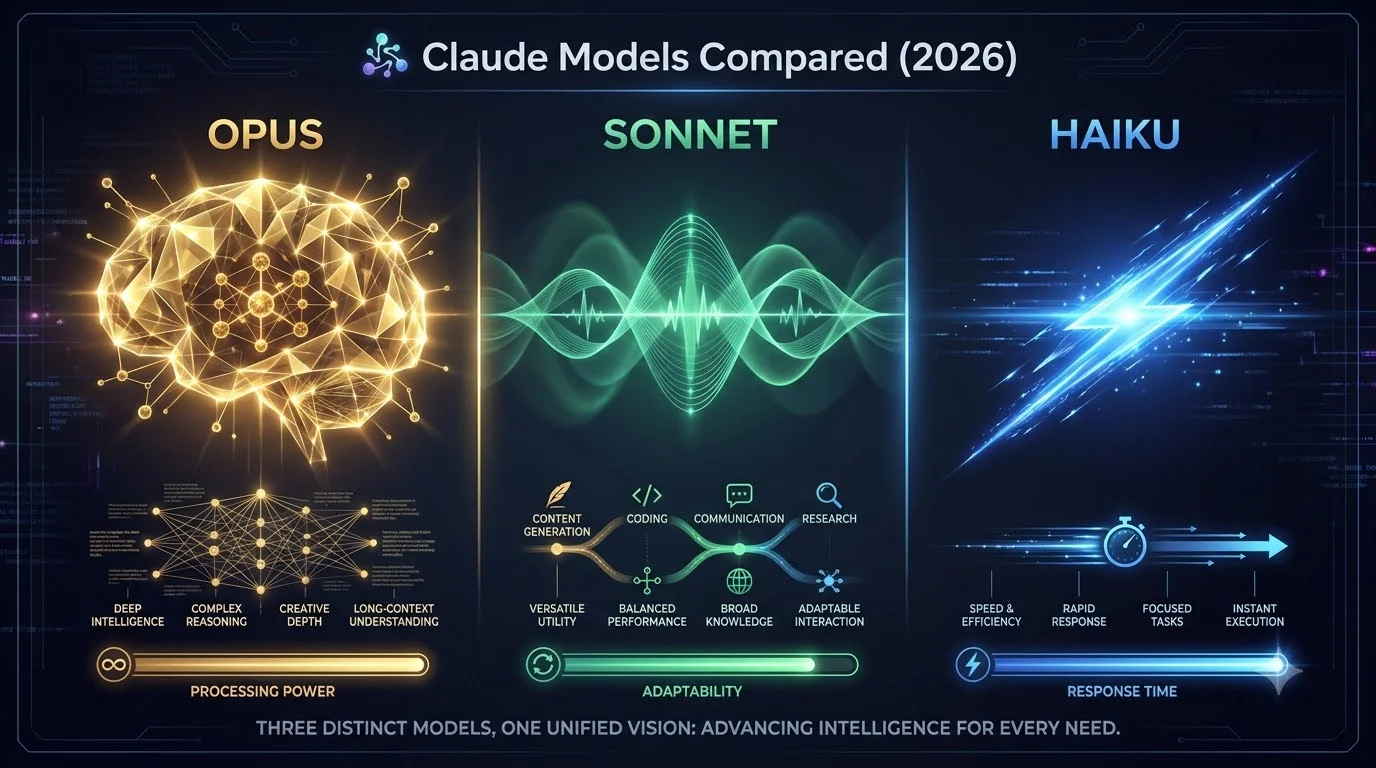
By 2026, Anthropic offers three main Claude model families: Opus (the powerhouse), Sonnet (the workhorse), and Haiku (the sprinter). Each is engineered for different situations, different budgets, and different performance requirements.
This guide removes the confusion. You’ll understand exactly what each model does, when to use it, how much it costs, and how to choose the right one for your specific situation.
What Are Claude Models? (Quick Definition)
Claude models are artificial intelligence language models—software trained on text that can understand and generate human language. Anthropic built Claude models to be helpful, harmless, and honest.
Think of them as different versions of an AI assistant:
- Different sizes (Opus is largest, Haiku is smallest)
- Different capabilities (Opus reasons deeper, Haiku responds faster)
- Different costs (Opus is most expensive, Haiku is cheapest)
- Different speeds (Opus is slower, Haiku is lightning-fast)
The core difference between Claude models: You choose what matters most to you—accuracy, speed, or cost—and the model you pick is optimized for that.
Why This Matters: Real-World Impact of Choosing Wrong
Scenario 1: The Expensive Mistake
You’re building a simple FAQ chatbot for your website. Customers ask basic questions like “What’s your shipping policy?” and “How do I reset my password?”
If you choose Opus for this task:
- ✗ You’re using the most powerful, most expensive model
- ✗ You’re paying 5x more than necessary
- ✗ Responses are slower than needed
- ✗ You’re wasting capability on simple tasks
If you choose Sonnet:
- ✓ Your FAQ chatbot responds in milliseconds
- ✓ Answers are accurate and helpful
- ✓ You pay 1/3 the cost of Opus
- ✓ You have money left for other projects
Cost difference annually: $20,000 vs $6,000 = $14,000 saved by choosing correctly
Scenario 2: The Broken Application
You’re analyzing legal contracts for your law firm. Contracts are complex—multiple pages, intricate legal language, cross-references to other documents. You need the AI to extract obligations, identify risks, and summarize key terms.
If you choose Haiku:
- ✗ It won’t understand complex relationships between sections
- ✗ It’ll miss subtle legal implications
- ✗ You’ll spend hours fixing mistakes
- ✗ Your lawyer questions the AI’s reliability
If you choose Opus:
- ✓ It handles multi-document reasoning
- ✓ It understands legal context and implications
- ✓ Analysis is thorough and accurate
- ✓ Your lawyer trusts the results
Impact: Wrong model choice = broken application that costs you time and credibility
Scenario 3: The Performance Problem
You’re deploying an AI assistant to run on users’ phones—offline, no internet connection needed. The app needs to work on phones from 2020 with limited processing power and storage.
If you choose Opus:
- ✗ It won’t fit in available storage
- ✗ The phone will overheat processing
- ✗ Responses take 30+ seconds
- ✗ Users delete the app in frustration
If you choose Haiku:
- ✓ It fits on the phone’s storage
- ✓ Responds in 2-3 seconds
- ✓ Minimal battery drain
- ✓ Users love the responsiveness
Impact: Wrong model choice = application that’s technically possible but practically unusable
The Three Claude Models Explained (Simple Overview)
| Model | Primary Role | Speed | Cost | Best For | Worst For |
|---|---|---|---|---|---|
| Opus | Deep thinker | Moderate | High | Complex reasoning, code, analysis | Simple tasks, high volume |
| Sonnet | Balanced performer | Fast | Medium | Most business applications | Extreme reasoning or speed needs |
| Haiku | Speed demon | Extremely fast | Low | Mobile, edge devices, high volume | Complex reasoning, long analysis |
Claude Opus: The Reasoning Powerhouse
What Is Opus?
Claude Opus is Anthropic’s most capable model—the heavyweight champion of the Claude family. If Claude models were a sports team, Opus is the star player you bring in for championship games.
Size: Largest model (more parameters = more thinking power)
Approach: Thinks deeply, reasons through problems, provides detailed analysis
Specialty: Understanding complex ideas, processing long documents, generating sophisticated code
What Opus Does Best
Complex Multi-Step Reasoning: Opus excels at problems that require step-by-step logical thinking.
- Example: Analyzing a complex math problem that has multiple parts
- Example: Understanding how different policy requirements interact
- Example: Debugging code across multiple files
Long Document Processing: Opus can handle very long inputs—entire books, research papers, multiple contracts analyzed together.
- Example: Analyzing 50 pages of legal contracts to identify obligations
- Example: Synthesizing information from 10+ research papers
- Example: Reviewing 100+ pages of business documentation
Advanced Code Generation: Opus understands code structure, architecture patterns, and best practices.
- Example: Generating complex algorithms
- Example: Building multi-file software systems
- Example: Refactoring large codebases
Technical Writing & Documentation: Opus produces clear, accurate technical explanations.
- Example: Writing API documentation
- Example: Creating technical specifications
- Example: Explaining complex systems
Opus Specifications
Context Window: Very large (can process massive amounts of text in one go)
Reasoning Depth: Deepest of all Claude models
Safety Features: Strong content filtering and safety guardrails
Customization: Supports advanced fine-tuning for specialized domains
Advantages of Opus
✓ Most accurate and capable model available
✓ Handles extremely complex tasks other models can’t do
✓ Processes very long documents efficiently
✓ Produces highest quality code and technical writing
✓ Best for mission-critical applications where failure is costly
✓ Strong safety features for sensitive applications
Disadvantages of Opus
✗ Most expensive model (3-5x more than Sonnet)
✗ Slower response times than smaller models
✗ Overkill for simple tasks (wastes capability)
✗ Higher latency not ideal for real-time applications
✗ Not suitable for high-volume, low-complexity requests
✗ Requires more computational resources to run
Real-World Use Cases for Opus
- Legal Analysis: Reviewing contracts, analyzing legal precedents, identifying compliance issues
- Scientific Research: Analyzing research papers, identifying trends, synthesizing findings
- Medical Diagnosis Assistance: Analyzing patient records, suggesting diagnostic possibilities
- Complex Software Architecture: Designing systems, identifying technical solutions
- Financial Analysis: Analyzing market data, identifying patterns, creating reports
- Academic Research: Literature review, synthesis, critical analysis
When NOT to Use Opus
❌ Simple Q&A (FAQ chatbot) ❌ High-volume tasks (thousands of requests/day) ❌ Real-time chat that needs millisecond responses ❌ Mobile or edge deployment ❌ Anything where cost is the primary concern
Claude Sonnet: The Balanced Performer
What Is Sonnet?
Claude Sonnet is the Goldilocks of AI models—not too big, not too small, just right for most real-world applications. It’s designed for the 80% of use cases that don’t require Opus’s power and don’t fit Haiku’s constraints.
Size: Medium model
Approach: Smart and balanced—capable but efficient
Specialty: Production AI applications, chatbots, content generation, business workflows
What Sonnet Does Best
Conversational AI & Chatbots: Sonnet responds naturally and quickly to conversation.
- Example: Customer support chatbots
- Example: Virtual assistants
- Example: Interactive tutoring systems
Content Generation: Sonnet writes quickly without sacrificing quality.
- Example: Blog post drafting
- Example: Email writing
- Example: Social media content
Document Summarization: Sonnet extracts key information efficiently.
- Example: Meeting notes summary
- Example: Article summaries
- Example: Email digest creation
Task Automation: Sonnet automates routine business processes.
- Example: Data classification
- Example: Email routing
- Example: Form processing
Code Assistance: Sonnet writes solid code for most tasks.
- Example: Web application development
- Example: Data processing scripts
- Example: API implementation
Sonnet Specifications
Context Window: Moderate (handles typical document sizes)
Reasoning Depth: Good (handles most reasoning tasks adequately)
Safety Features: Good safety guardrails and content filtering
Customization: Supports fine-tuning for specific domains
Advantages of Sonnet
✓ 50-70% cheaper than Opus (significant cost savings)
✓ 2-3x faster response time than Opus
✓ Handles 95% of business use cases perfectly
✓ Excellent quality-to-cost ratio
✓ Ideal for production applications
✓ Scales well for moderate traffic
✓ Sufficient reasoning for most tasks
Disadvantages of Sonnet
✗ Less capable than Opus for extremely complex reasoning
✗ Smaller context window than Opus (handles less text at once)
✗ Not ideal for mission-critical applications requiring maximum accuracy
✗ Some high-complexity code might need Opus
✗ Can struggle with very long documents (100+ pages)
Real-World Use Cases for Sonnet
- Customer Support Chatbots: Answer customer questions 24/7 automatically
- Content Creation: Blog posts, product descriptions, marketing copy
- Scheduling Assistants: Calendar management, meeting scheduling
- Email Automation: Auto-reply, email classification, priority filtering
- Data Processing: Extracting information from documents, classification
- Personal Assistants: To-do management, information lookup
- Small Business Automation: Invoicing assistance, lead qualification
- Educational Tutoring: Explaining concepts, answering student questions
When NOT to Use Sonnet
❌ Complex legal or medical analysis (use Opus) ❌ Extreme performance requirements (use Haiku for simple tasks) ❌ Tasks where minor accuracy issues are unacceptable
Claude Haiku: The Speed Champion
What Is Haiku?
Claude Haiku is the lightweight sprinter—small, fast, and efficient. It’s designed for situations where speed and cost matter more than reasoning depth. If you need an AI that responds in milliseconds and costs pennies, Haiku is your model.
Size: Smallest model
Approach: Direct and efficient—gets the job done quickly
Specialty: Mobile apps, on-device AI, high-volume requests, real-time responses
What Haiku Does Best
Mobile & On-Device AI: Haiku runs on phones and tablets without overheating.
- Example: Phone keyboard prediction
- Example: Photo recognition
- Example: Voice assistant responses
Real-Time Processing: Haiku responds in milliseconds, not seconds.
- Example: Live chat support (instant responses)
- Example: Real-time moderation
- Example: Instant search results
High-Volume Processing: Haiku handles thousands of requests simultaneously.
- Example: Processing millions of support tickets daily
- Example: Analyzing user feedback at scale
- Example: Real-time recommendation systems
Simple Classification: Haiku categorizes information quickly.
- Example: Spam detection
- Example: Sentiment analysis
- Example: Topic classification
Q&A on Specific Topics: Haiku answers straightforward questions with speed.
- Example: FAQ responses
- Example: Knowledge base lookup
- Example: Simple information retrieval
Haiku Specifications
Context Window: Smaller (handles typical message sizes)
Reasoning Depth: Limited (straightforward tasks only)
Safety Features: Basic safety guardrails
Customization: Limited fine-tuning options
Resource Requirements: Minimal (runs on phones, IoT devices)
Advantages of Haiku
✓ Cheapest model (10-20% of Opus cost)
✓ Fastest response times (milliseconds)
✓ Minimal resource requirements (runs on phones, edge devices)
✓ Excellent for high-volume applications
✓ Perfect for cost-sensitive deployments
✓ Low latency for real-time applications
✓ Small model size (fits in limited storage)
Disadvantages of Haiku
✗ Limited reasoning capabilities
✗ Can’t handle complex multi-step problems
✗ Smaller context window (limited input text)
✗ Not suitable for sophisticated analysis
✗ Won’t do well with nuanced or ambiguous tasks
✗ Limited depth for code generation
Real-World Use Cases for Haiku
- Mobile Apps: On-device AI assistants for phones
- IoT Devices: Smart home devices, wearables
- High-Volume Support: Automated responses to common questions
- Spam Detection: Real-time email/message filtering
- Classification Systems: Product categorization, content tagging
- Edge Deployment: AI running in remote locations
- Cost-Sensitive Applications: Where every penny counts
- Real-Time Systems: Chat moderation, live response systems
When NOT to Use Haiku
❌ Complex reasoning tasks ❌ Long document analysis ❌ Code generation for sophisticated software ❌ Anything requiring deep understanding ❌ Tasks where accuracy is critical ❌ Nuanced or context-heavy applications
Detailed Feature Comparison: Side-by-Side
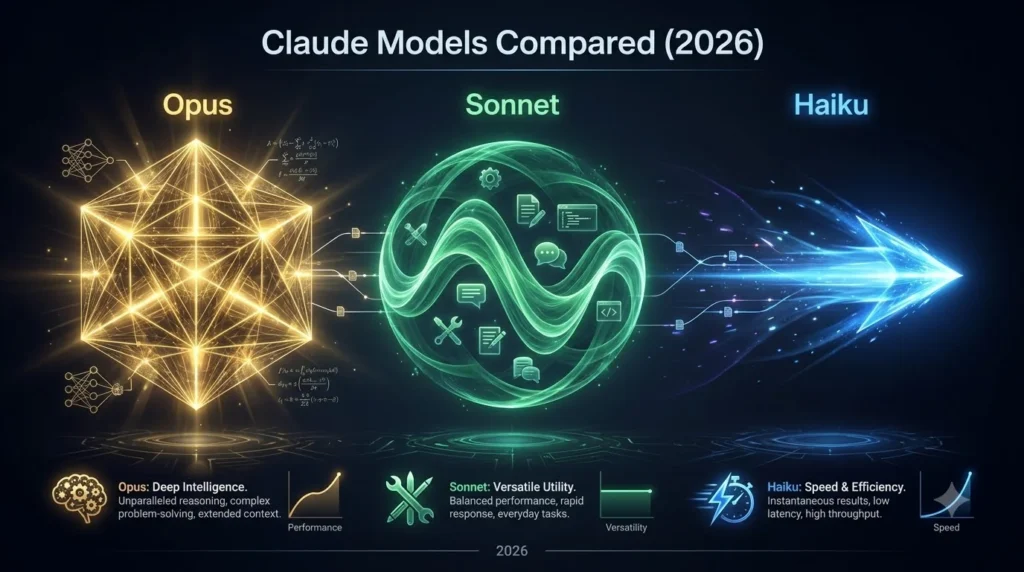
| Feature | Opus | Sonnet | Haiku |
|---|---|---|---|
| Best For | Complex reasoning | Most business needs | Speed & volume |
| Context Window Size | Very Large | Moderate | Small |
| Response Speed | Moderate (2-5 sec) | Fast (0.5-2 sec) | Very Fast (<0.5 sec) |
| Cost Per 1M Tokens | $60-80 | $8-15 | $1-2 |
| Reasoning Quality | Excellent | Good | Basic |
| Code Quality | Excellent | Good | Basic |
| Handles Long Documents | Yes (100+ pages) | Yes (20-50 pages) | Moderate (5-10 pages) |
| On-Device Deployment | Not practical | Maybe (large device) | Yes (all devices) |
| Safety Features | Strong | Good | Basic |
| Fine-Tuning Support | Advanced | Good | Limited |
| Ideal Latency | ≤5 seconds | ≤2 seconds | ≤0.5 seconds |
| Pricing Tier | Premium | Standard | Economy |
Cost Comparison: Understanding Pricing
Real-World Cost Examples
Scenario 1: Building a ChatBot That Answers 1,000 Questions Daily
Using Opus:
- Average 2,000 tokens per conversation
- 1,000 conversations × 2,000 tokens = 2,000,000 tokens daily
- Cost: 2M tokens × $0.000060 = $120/day = $3,600/month
Using Sonnet:
- Average 2,000 tokens per conversation
- 1,000 conversations × 2,000 tokens = 2,000,000 tokens daily
- Cost: 2M tokens × $0.000012 = $24/day = $720/month
Using Haiku:
- Average 1,500 tokens per conversation (simpler responses)
- 1,000 conversations × 1,500 tokens = 1,500,000 tokens daily
- Cost: 1.5M tokens × $0.000002 = $3/day = $90/month
Monthly Cost Comparison:
- Opus: $3,600 (most expensive)
- Sonnet: $720 (40% of Opus)
- Haiku: $90 (2.5% of Opus)
Potential savings: $3,510/month by choosing Haiku instead of Opus
Cost Optimization Strategies
1. Right-Model Routing: Use Haiku for simple tasks, Sonnet for medium complexity, Opus only when necessary.
- Potential savings: 40-70%
2. Prompt Caching: Reuse expensive prompts instead of re-processing identical requests.
- Potential savings: 50% on repeated queries
3. Batch Processing: Process multiple requests together instead of one at a time.
- Potential savings: 20-30%
4. Shorter Prompts: Remove unnecessary context; be specific about what you need.
- Potential savings: 15-25%
5. Token-Efficient Responses: Ask for concise answers instead of detailed explanations.
- Potential savings: 20-35%
Decision Framework: Which Model Should You Choose?
Decision Tree
START
│
├─ Do you need extremely complex reasoning? (Legal, medical, scientific analysis)
│  ├─ YES → Use OPUS
│  └─ NO → Continue
│
├─ Do you need millisecond response times? (Real-time chat, mobile)
│  ├─ YES → Use HAIKU
│  └─ NO → Continue
│
├─ Is cost the primary constraint? (Limited budget, high volume)
│  ├─ YES → Use HAIKU or SONNET
│  └─ NO → Continue
│
├─ Is this a production application that needs reliability?
│  ├─ YES → Use SONNET or OPUS
│  └─ NO → HAIKU is fine
│
└─ DEFAULT → Use SONNET (works for 80% of cases)
Quick Reference: Choosing by Situation
Choose OPUS if you need:
- Deep analysis of complex information
- Processing very long documents (100+ pages)
- Code generation for complex systems
- Mission-critical applications where errors are expensive
- Multi-file reasoning and synthesis
Choose SONNET if you need:
- Chatbot or conversational AI
- Content generation
- Task automation
- Production applications
- Good balance of quality and cost
- Moderate reasoning on typical tasks
Choose HAIKU if you need:
- Fastest possible response times
- Lowest possible cost
- On-device or mobile AI
- High-volume requests (millions daily)
- Simple classification or Q&A
- Real-time processing
Comparing to Other AI Models
How Claude Models Stack Up
| Aspect | Claude Opus | GPT-4 Turbo | Gemini Ultra | LLaMA 70B |
|---|---|---|---|---|
| Reasoning Quality | Excellent | Excellent | Good | Good |
| Code Generation | Excellent | Excellent | Good | Good |
| Cost | Medium-High | Very High | Medium | Free/Low |
| Speed | Medium | Slow | Medium | Depends |
| Safety | Strong | Good | Strong | Variable |
| Context Window | Very Large | Very Large | Moderate | Moderate |
| Availability | API + Web | API only | API + Web | Open source |
Key Takeaway: Claude Opus offers similar capabilities to GPT-4 Turbo at a better price point, with stronger safety features.
Integration & Deployment
For Developers: Using Claude Code Skills
To maximize Claude’s capabilities in your development projects, explore Claude Code Skills comprehensive guide, which covers practical implementation, best practices, and advanced techniques for integrating Claude models into your applications.
Development Best Practices
1. Implement Intelligent Routing:
if task_complexity == "high":
    use_model = "Opus"
elif task_complexity == "medium":
    use_model = "Sonnet"
else:
    use_model = "Haiku"
2. Use Streaming for Long Responses: Stream responses instead of waiting for complete generation.
- Improves perceived performance
- Reduces memory usage
- Better user experience
3. Implement Retry Logic: Handle temporary API failures gracefully.
- Improves reliability
- Better user experience
- Reduces data loss
4. Monitor Token Usage: Track spending across models and optimize.
- Identify cost-saving opportunities
- Prevent budget overruns
- Optimize prompts based on data
5. Cache Frequently Used Prompts: Reuse expensive computations.
- Reduces cost 50%+
- Improves response speed
- Better resource utilization
Real-World Comparison: Which Model for Which Task?
Task: Customer Support Chatbot
Best Model: SONNET
Why:
- Needs to respond in 1-2 seconds (Opus too slow)
- Conversations are typically straightforward (Sonnet sufficient)
- Cost matters with high volume (Sonnet cheaper than Opus)
- Quality needs to be good but not perfect (Sonnet adequate)
Not Opus because: Overkill for simple Q&A, too expensive Not Haiku because: May struggle with nuanced customer issues
Task: Legal Contract Analysis
Best Model: OPUS
Why:
- Requires deep reasoning about legal implications
- Contracts are complex, multi-page documents
- Accuracy is critical (missing details is expensive)
- Can afford higher cost (contract analysis has high value)
Not Sonnet because: May miss subtle legal implications Not Haiku because: Completely inadequate for legal complexity
Task: Mobile App with On-Device AI
Best Model: HAIKU
Why:
- Must run on phone (resource-constrained)
- Needs instant response (<1 second)
- Battery life matters (small model uses less power)
- Cost is critical (paying per device)
Not Sonnet because: Too large for phone storage Not Opus because: Would overheat phone, drain battery instantly
Task: Blog Post Generation
Best Model: SONNET
Why:
- Needs good writing quality (Sonnet sufficient)
- Response speed is acceptable (2-5 seconds fine)
- Can run in background (no real-time requirement)
- Cost needs to be reasonable (Sonnet is efficient)
Not Opus because: Overkill for content generation, costs too much Not Haiku because: Writing quality may be insufficient
Frequently Asked Questions
Q: Can I use multiple Claude models in one application? A: Absolutely! Route simple tasks to Haiku, complex ones to Opus. This hybrid approach optimizes cost and performance.
Q: Is Opus always better than Sonnet? A: No. Opus is more capable but slower and more expensive. Sonnet is better for 80% of real-world applications.
Q: Can I run Claude models on my own server? A: No. Claude models are only available through Anthropic’s API. You can’t download and self-host them.
Q: What’s the difference between API pricing and web access? A: API pricing is per-token (detailed usage tracking). Web access uses monthly subscription. API is better for high-volume, Sonnet is better for light use.
Q: How often do Claude models get updated? A: Anthropic releases new versions periodically. The 2026 lineup includes Opus, Sonnet, and Haiku. Check Anthropic’s website for latest versions.
Q: Can I fine-tune Claude models? A: Yes, Opus and Sonnet support fine-tuning. Haiku has limited fine-tuning options. Fine-tuning costs extra but improves performance for specific domains.
Q: What’s the maximum context window for each model? A: Opus: 200K+ tokens, Sonnet: 200K tokens, Haiku: 200K tokens. Context window differs from processing speed.
Q: Are there privacy concerns with using Claude? A: Anthropic stores API calls for safety purposes but doesn’t use them to train new models unless you opt in. For sensitive data, consider on-device solutions or private deployments.
Summary: Your Decision Framework
For highest accuracy: Choose OPUS
For best overall value: Choose SONNET
For lowest cost and fastest speed: Choose HAIKU
The optimal strategy: Use all three models. Route tasks to the right model based on complexity:
- Simple requests → Haiku
- Typical business tasks → Sonnet
- Complex reasoning → Opus
This hybrid approach maximizes quality while minimizing cost.
Additional Resources
For authoritative information on Claude’s capabilities and latest features, consult Anthropic’s official Claude documentation, which provides the most current API specifications and model information.
To understand how LLMs are benchmarked and compared objectively, explore HELM (Holistic Evaluation of Language Models), which provides peer-reviewed comparisons of language models across hundreds of dimensions.
For implementation guidance on using Claude in production applications, reference Stack Overflow’s Claude tagged questions, which contains real developer solutions and best practices.
Final Recommendation
Start with Sonnet. It’s the right choice for most people and most applications. If you find it’s not capable enough, upgrade to Opus. If you need better performance or lower cost, downgrade to Haiku. This approach lets you find the right model through real experience rather than guessing.