

Software development has changed more in the last three years than in the previous decade combined. AI coding engines like OpenAI’s Codex now power tools such as GitHub Copilot, helping millions of programmers write code faster than ever before. But here’s the catch: simply having access to an AI coding tool doesn’t make you a better developer.
The developers who thrive in this new landscape are the ones who’ve learned codex skills — the practical abilities needed to direct, question, and refine AI-generated code rather than blindly accepting whatever the machine produces.
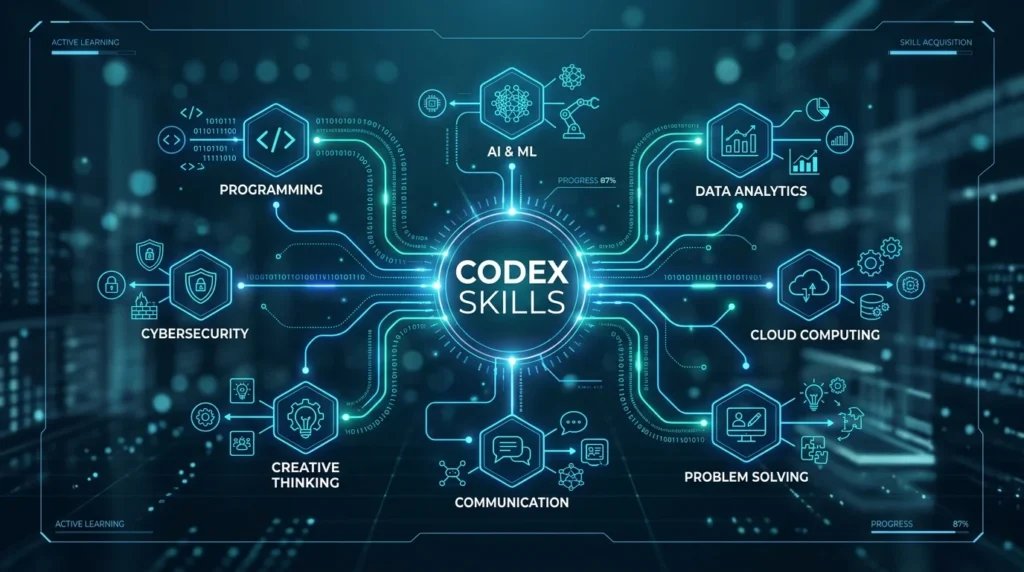
This guide breaks down the seven codex skills that separate average AI users from developers who genuinely multiply their productivity, write safer code, and stay employable as the industry keeps evolving.
By the end of this article, you’ll understand:
- What codex skills actually are and why they matter
- The seven specific abilities you need to develop
- Real comparisons between old-school coding and AI-assisted coding
- Practical steps to start building these skills today
- Common questions developers ask about AI coding tools
Let’s get started.
What Are Codex Skills? A Simple Definition
Codex skills are the practical techniques developers use to effectively work alongside AI coding models — including writing clear instructions, checking AI output for errors, managing what information the AI can see, and fixing mistakes the AI makes.
Think of it this way: a calculator doesn’t make someone a mathematician, but knowing how to use a calculator effectively is still a valuable skill. Similarly, an AI coding assistant doesn’t automatically make you a skilled programmer — but knowing how to work with one effectively absolutely does make you more productive and valuable.
Codex skills sit at the intersection of traditional programming knowledge and a newer discipline: directing artificial intelligence toward useful, safe outcomes.
The Business Case: Why Learning This Matters Right Now
Companies today aren’t just hiring people who can type code. They’re hiring people who can ship reliable software quickly, and increasingly, that means knowing how to work with AI tools.
Consider these realities:
- Search engines and hiring platforms increasingly favor candidates who list AI-tool fluency on their resumes
- Teams using AI coding assistants report significant time savings on repetitive tasks like boilerplate generation and unit testing
- Companies are less tolerant of developers who reject new tools out of habit or fear
Developers who master codex skills often report writing functional code noticeably faster than those relying purely on manual methods, while also catching more bugs before code reaches production — because they’ve learned to treat AI output with healthy skepticism rather than blind trust.
The 7 Essential Codex Skills Every Developer Should Master
Skill 1: Precision Prompting for Code Generation
Writing instructions for an AI coding assistant is nothing like asking it to draft an email or write a poem. Code requires exactness. Vague requests produce vague — and often broken — results.
What this looks like in practice:
Instead of typing something loose like “make a function that sorts users,” a skilled developer writes something closer to:
“Create a JavaScript function that accepts an array of user objects, sorts them by their ‘signupDate’ field in ascending order, and moves any entries with a missing date to the end of the array. The function should run efficiently even with large datasets.”
Key techniques to develop:
- State your constraints explicitly — data types, edge cases, performance expectations
- Describe inputs and outputs precisely — what goes in, what should come out
- Use plain-English logic first — sketch the approach in simple sentences before asking for code
- Specify the language and framework version — AI models can generate outdated syntax if you don’t specify
Developers who skip this step often end up in frustrating loops of trial and error, when a single well-crafted prompt could have solved the problem the first time.
Skill 2: Managing What the AI Can and Cannot See
Every AI coding model has a limited “view” of your project at any given moment — commonly called a context window. If the AI can’t see the file where a bug actually originates, it will confidently propose a fix that doesn’t address the real problem.
How to develop this skill:
- Share relevant files, not just the broken one — configuration files, related functions, and schema definitions often hold the missing piece
- Keep your codebase modular — smaller, well-organized files are easier for both humans and AI to understand
- Write clear file-level comments — a short note at the top of a file explaining its purpose helps the AI orient itself instantly
- Summarize project structure when needed — for large codebases, a brief architectural summary can dramatically improve AI accuracy
Developers who never learn this skill often blame the AI for “not understanding the codebase,” when the real issue is that they never showed it the right context.
Skill 3: Auditing AI-Generated Code for Security Flaws
This might be the single most important skill on this list. AI coding models learn from massive amounts of publicly available code — and that includes code with security vulnerabilities baked in. An AI assistant can generate code containing SQL injection risks, exposed credentials, or unsafe data handling without any warning that something is wrong.
How to build this skill:
- Treat every AI suggestion as unverified — review it the way you’d review a pull request from a new team member
- Check against known vulnerability categories — familiarize yourself with common issues like injection attacks, broken authentication, and insecure data exposure
- Watch for skipped validation steps — AI sometimes simplifies code by quietly removing input sanitization
- Run automated security scanners alongside manual review for an extra layer of protection
A developer who has internalized this skill never assumes AI-generated code is safe just because it runs without errors.
Skill 4: Writing Tests Before Asking AI to Write Code
Test-driven development (TDD) becomes remarkably powerful when combined with AI coding tools. Instead of asking the AI to write a feature and hoping it works, you flip the order.
The process:
- Ask the AI to draft a thorough test for a feature that doesn’t exist yet
- Review that test carefully to confirm it covers realistic edge cases
- Only then ask the AI to write the actual function needed to pass that test
- Run the test and iterate if anything fails
This approach forces the AI to work within strict, verifiable boundaries instead of guessing at what you want. It also dramatically reduces the chance of the AI inventing plausible-sounding but incorrect logic.
Skill 5: Refactoring and Performance Optimization
One of the most underrated uses of AI coding tools is cleaning up code that already works but isn’t built to scale. A skilled developer knows how to spot inefficient patterns and knows exactly how to ask AI to fix them.
Practical applications:
- Requesting complexity improvements — asking the AI to convert a slow nested-loop approach into a faster algorithm
- Enforcing consistent style — having AI reformat code to match team style guides (like PEP 8 for Python)
- Improving readability — asking AI to rename cryptic variables into descriptive, self-explanatory names
- Removing redundant logic — identifying and eliminating duplicate or unnecessary code blocks
This skill turns AI into a tireless code-quality reviewer, catching things human eyes get tired of checking after the tenth review of the day.
Skill 6: Translating Code Across Programming Languages
Most working developers today touch more than one language in a given month. AI coding models happen to be remarkably fluent across dozens of languages, making them useful translation partners — but only if you guide them correctly.
What good translation skills look like:
- Porting old systems forward — moving legacy code into modern, maintainable languages
- Recognizing paradigm shifts — understanding that translating from an object-oriented language to a functional one requires restructuring logic, not just swapping syntax
- Validating translated logic — never assuming a translated function behaves identically without testing it
- Adjusting for language-specific conventions — each language has idioms and best practices that a literal translation might miss
Developers who master this skill can confidently support projects across a much wider range of tech stacks than they could using manual translation alone.
Skill 7: Recognizing and Fixing AI “Hallucinations”
AI models don’t actually understand code the way humans do — they predict what text is statistically likely to come next. This means they can produce code that looks completely convincing but references libraries that don’t exist, uses deprecated methods, or contains subtly flawed logic. This phenomenon is often called a hallucination.
How to develop this skill:
- Verify unfamiliar imports immediately — if the AI suggests a library or method you don’t recognize, check official documentation before trusting it
- Read error messages carefully — don’t just paste an error back into the AI without understanding what it means first
- Give specific, corrective feedback — instead of saying “this doesn’t work,” explain exactly what’s wrong: “this method doesn’t exist for this data type, use this approach instead”
- Cross-check surprising claims — if the AI states something confidently that seems off, a quick search often reveals the truth
Developers who skip this skill are the ones who end up shipping broken code because it “looked right” and ran without immediate errors.
Comparison Table: Traditional Development vs. Codex-Skilled Development
| Task | Traditional Approach | Codex-Skilled Approach |
|---|---|---|
| Writing new features | Types every line manually from memory | Directs AI to generate a first draft, then refines it |
| Debugging | Searches forums for hours to find similar issues | Feeds error context to AI for immediate, tailored suggestions |
| Learning new languages | Studies syntax through courses and documentation | Uses AI to translate familiar logic into unfamiliar syntax |
| Code review | Relies solely on personal experience and checklists | Combines personal review with AI-assisted vulnerability scanning |
| Writing tests | Often written after the code, sometimes skipped under deadline pressure | Written first, used to guide and validate AI-generated code |
| Refactoring old code | Time-consuming manual restructuring | AI handles repetitive restructuring, human verifies logic |
| Time to ship a feature | Slower, more manual effort per line | Noticeably faster with proper AI direction |
Pros and Cons of Building Codex Skills
✅ Advantages
- Faster development cycles — routine and boilerplate code gets generated in seconds
- Broader language flexibility — work confidently across languages you haven’t fully mastered
- Better code quality over time — consistent AI-assisted review catches issues humans might miss when tired
- Reduced burnout on repetitive tasks — AI handles the tedious parts, freeing you for architectural thinking
- Stronger job market positioning — employers increasingly value AI-fluent developers
❌ Disadvantages
- Risk of over-reliance — developers who stop practicing fundamentals may struggle without AI assistance
- Security blind spots — trusting AI output without review can introduce vulnerabilities
- Learning curve required — prompt engineering and context management take deliberate practice
- Inconsistent output quality — AI models can produce brilliant code one moment and flawed code the next
- Ongoing verification burden — every AI suggestion still requires human judgment before deployment
Building AI-Friendly, User-Focused Applications
If you’re using AI coding tools to build products people will actually use, don’t lose sight of the end user. Search engines and users alike reward applications that load quickly, work well on mobile devices, and remain accessible to everyone.
When directing your AI assistant, consider prompting for:
- Lightweight, efficient code — ask for minimal CSS and deferred loading of non-critical scripts
- Accessibility features — request proper labels, descriptive alt text, and keyboard-friendly navigation
- Mobile-first design — specify that layouts should work on small screens before scaling up
These small prompting habits compound into applications that perform better in search rankings and feel better to actual users.
How to Start Practicing These Skills Today
You don’t need a formal course to begin developing codex skills. Here’s a simple starting path:
- Pick one small project — a personal tool or side project works well for low-stakes practice
- Practice precision prompting first — before writing any code yourself, describe exactly what you want in detailed plain English
- Review every AI suggestion critically — don’t paste and run; read and understand first
- Write one test before one feature — try the TDD-with-AI approach on a single function
- Deliberately ask for a language translation — take a function you know well and have AI convert it to an unfamiliar language, then compare the logic
- Keep a “hallucination log” — note every time AI suggested something incorrect, and what tipped you off
Repeating this cycle across several small projects builds intuition far faster than reading about the concepts alone.
Related Reading
Want to go deeper into AI-assisted development? Explore Claude Code skills and advanced techniques to see how another leading AI coding assistant approaches many of these same challenges, from debugging support to code explanation features.
Other helpful guides on Gloobia:
- How to Install Claude Code in 1 Minute
- Best AI Coding Assistants Compared
- Prompt Engineering Basics for Non-Technical Users
- How to Choose the Right Programming Language in 2026
Frequently Asked Questions
Q: Will AI coding tools eventually replace software developers entirely?
A: This is unlikely in the foreseeable future. AI lacks genuine business context, creative problem-solving instincts, and the judgment needed to weigh competing priorities. What’s more likely is that developers who learn to work effectively with AI will have a significant advantage over those who refuse to adapt.
Q: What’s the best tool to practice these codex skills with?
A: GitHub Copilot remains one of the most widely used tools, since it integrates directly into popular code editors. Other strong options include AI-first editors and various coding assistants built into modern development environments — the specific tool matters less than consistently practicing the underlying skills.
Q: Do I need to already be an experienced programmer to benefit from codex skills?
A: Some baseline understanding of programming logic and data structures genuinely helps, since you need to judge whether AI output is actually correct and secure. That said, beginners can absolutely use AI tools to accelerate their learning, as long as they remain curious about why generated code works rather than just accepting that it does.
Q: How do I keep my company’s proprietary code safe when using AI tools?
A: Always review your AI tool’s data and privacy settings before using it on sensitive projects. Many enterprise-tier tools explicitly exclude your code from public model training. As a general rule, never paste passwords, private keys, or other sensitive credentials directly into any AI prompt.
Q: Can I copyright code that an AI generated for me?
A: This remains a genuinely unsettled area of law in many jurisdictions. Purely AI-generated output, without meaningful human modification, often isn’t eligible for copyright protection on its own. However, when a developer substantially edits, integrates, and builds upon AI-assisted code within a larger original project, the resulting work is generally treated differently. This is a complex legal area, so consult a qualified professional for guidance specific to your situation.
Q: How long does it take to become proficient in codex skills?
A: Most developers see noticeable improvement within a few weeks of deliberate practice, particularly with prompting precision and context management. Skills like security auditing and hallucination detection tend to develop more gradually, growing stronger with every project where you catch a mistake before it ships.
Conclusion: The Developer Who Adapts Will Thrive
The shift toward AI-assisted programming isn’t a passing trend — it’s a fundamental change in how software gets built. The developers who succeed in this new environment aren’t the ones who resist AI tools, nor the ones who blindly trust everything these tools produce. They’re the ones who’ve learned to treat AI as a capable but imperfect collaborator: one that needs clear direction, careful oversight, and a healthy dose of skepticism.
By developing these seven codex skills — precision prompting, context management, security auditing, test-first development, refactoring, cross-language translation, and hallucination detection — you position yourself as exactly the kind of developer companies are eager to hire in 2026 and beyond.
Start small. Pick one skill from this list and practice it deliberately on your next project. Over time, these habits compound into genuine expertise that sets you apart in an increasingly AI-augmented industry.
Authoritative References
- OWASP Foundation — owasp.org — Industry-standard resource for understanding common security vulnerabilities in application code
- GitHub Copilot Documentation — github.com/features/copilot — Official documentation for one of the most widely used AI coding assistants