
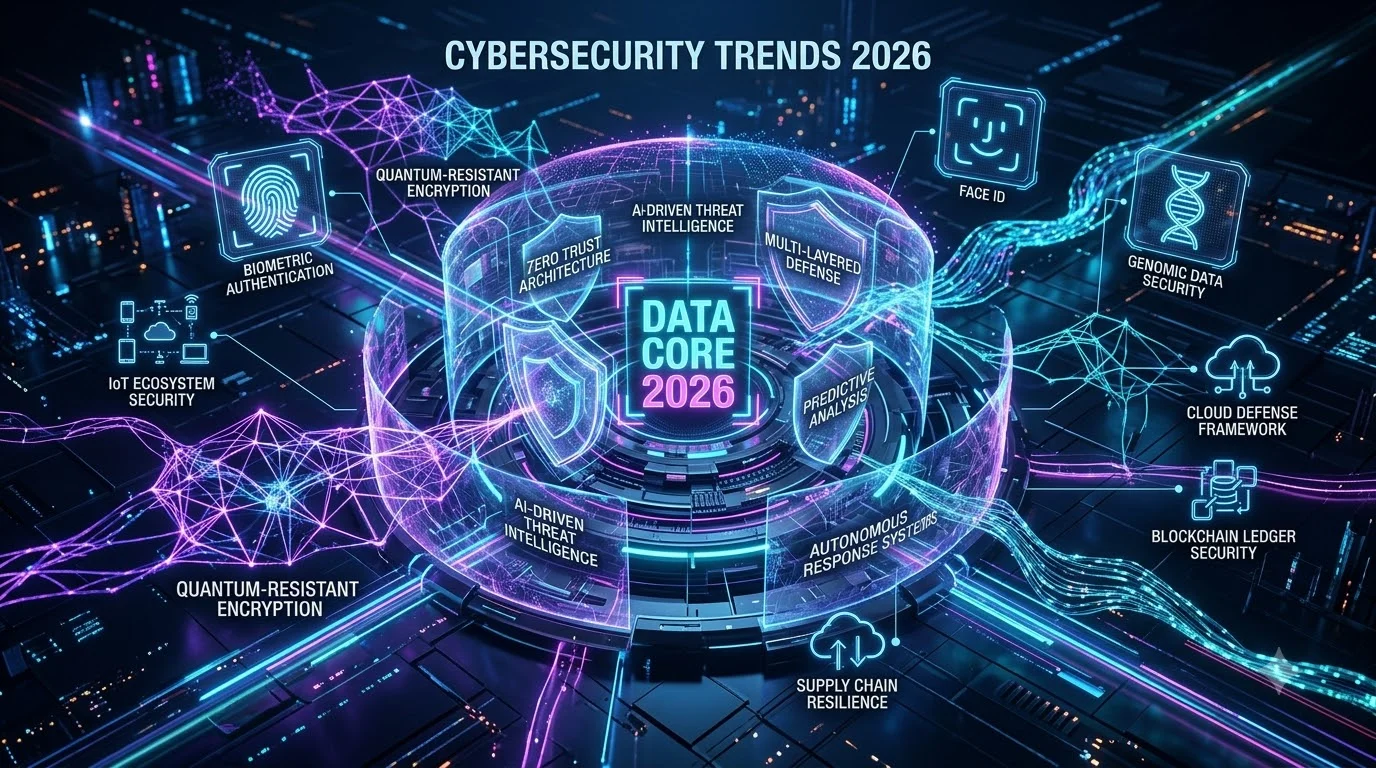
The digital landscape is changing faster than most organizations can keep up. Every day, businesses face smarter attacks, more sophisticated hackers, and stricter regulations. By 2026, cybersecurity isn’t just about protecting data anymore—it’s about survival.
This guide breaks down the 7 biggest cybersecurity trends reshaping how organizations defend themselves. Whether you run a small startup in Singapore, a mid-sized company in Brazil, or a global enterprise, these trends will directly impact your security strategy.
What you’ll learn:
- The 7 trends redefining cybersecurity in 2026
- Why each trend matters for your business
- Practical, simple steps you can take today
- Real implementation timelines and solutions
Quick Reference: The 7 Cybersecurity Trends Shaping 2026
| Trend | Core Challenge | Who’s Affected | Action Priority |
|---|---|---|---|
| Intelligent Attack Automation | AI-powered phishing and malware | All organizations | Critical (Days 1-15) |
| Third-Party Dependency Risks | Supply chain vulnerabilities | Enterprise, Government, Healthcare | High (Days 16-30) |
| Identity-Focused Security Model | Credential theft remains #1 breach cause | All sizes | Critical (Days 1-15) |
| Zero Trust Architecture | Need for continuous verification | Cloud-native, hybrid orgs | High (Days 16-45) |
| Cloud Infrastructure Security | Misconfigurations and runtime threats | Cloud users worldwide | Critical (Days 16-45) |
| Advanced Ransomware Tactics | Multi-vector extortion campaigns | All sectors (especially finance, healthcare) | High (Days 46-75) |
| Privacy-First Engineering | Regulatory convergence globally | All regions (GDPR, CCPA, LGPD, etc.) | Critical (Days 1-90) |
Trend 1: Intelligent Attack Automation – How AI Changes the Threat Game

What’s Happening?
Attackers aren’t manually crafting phishing emails anymore. In 2026, machine learning and generative AI do the heavy lifting. These systems automatically:
- Generate personalized phishing emails that sound like real colleagues
- Find security weaknesses in your network at machine speed
- Create new malware variants that change to avoid detection
- Impersonate trusted services and people
Real-world example: A finance team in Frankfurt receives an email about a “urgent invoice review” with perfect grammar, cultural context, and legitimate sender details. It’s AI-generated. An employee clicks the link, and attackers gain access to banking systems.
Why Your Organization Should Care
Traditional defenses (spam filters, signature-based antivirus) are becoming obsolete. An AI-powered attack takes seconds to execute; traditional detection takes hours or days. The gap is widening.
The business impact:
- Average breach cost: $4.95 million globally (IBM Security, 2024)
- Detection time matters: Each day of breach exposure costs $20,000–$100,000+ depending on industry
- Employee training alone isn’t enough anymore
Simple Actions You Can Take This Week
Week 1 (Immediate):
- Turn on advanced email filtering with behavioral analysis
- Enable multi-factor authentication on all email accounts
- Train staff on AI-generated content (deepfakes, synthetic voices)
Week 2-4:
- Deploy endpoint detection and response (EDR) tools
- Set up automated threat hunting for anomalous behavior
- Review vendor security practices for AI governance
Recommended Tools:
- SentinelOne, Microsoft Defender for Endpoint (EDR)
- Cloudflare, Proofpoint (Email filtering with AI)
- Darktrace (AI-powered threat detection)
Pros and Cons of AI-Driven Defense
| Advantage | Disadvantage |
|---|---|
| Detects threats humans miss | False positives tire security teams |
| Responds to attacks in milliseconds | Requires constant model updates |
| Scales across thousands of endpoints | Can be evaded by adversarial attacks |
| Learns from previous breaches | Creates new skills gap in hiring |
Global Perspective: Organizations in regions with fewer cybersecurity professionals (Southeast Asia, Latin America, Africa) often rely more heavily on AI tools—making adoption both a necessity and a challenge.
Trend 2: Third-Party Risk – Your Weakest Link Isn’t Your Firewall

The Supply Chain Problem Explained Simply
Imagine your company’s security is a chain. Even if 99 links are solid steel, one weak link breaks everything. That weak link? Your vendors, software libraries, and cloud providers.
In 2026, attackers no longer need to hack you directly. They hack your vendors, and your vendor’s vulnerability becomes your vulnerability.
Real cases:
- A single compromised open-source library affects 10,000+ companies
- A managed service provider’s breach exposes all client data at once
- A contractor’s weak password gives attackers access to your entire network
Why This Matters Right Now
Third-party breaches are exponentially worse than internal breaches:
- One vulnerability cascades to thousands of customers
- You have no direct control over the vendor’s security practices
- Detection takes longer (vendors often discover breaches months later)
- Regulatory fines apply equally to you and the vendor
By the numbers:
- 65% of organizations experienced third-party breaches in 2025
- Average investigation time: 200+ days
- Supply chain attacks cost 20% more than direct attacks
How to Protect Your Organization
Step 1: Know Your Dependencies (Days 1-7)
- List all software, libraries, and services your company uses
- Identify which are critical to business operations
- Note which vendors handle sensitive data
Step 2: Demand Transparency (Days 8-30)
- Ask vendors for their Software Bill of Materials (SBOM)
- Request security certifications (SOC 2 Type II, ISO 27001)
- Establish Service Level Agreements (SLAs) for security patches
Step 3: Monitor Continuously (Days 31+)
- Scan your code for vulnerable dependencies daily
- Subscribe to vendor security alerts
- Run quarterly security audits of third-party integrations
Tools to Use:
- Snyk, Dependabot (dependency scanning)
- Black Duck by Synopsys (license and vulnerability management)
- ServiceTitan, Vendor security platforms (vendor risk assessment)
Global Considerations for Supply Chain Security
| Region | Top Concern | Recommended Action |
|---|---|---|
| European Union | GDPR compliance + vendor liability | Require Data Processing Agreements (DPAs) |
| North America | Third-party breach notification laws | Map liability in vendor contracts |
| Asia-Pacific | Diverse regulations (India, Singapore, Australia) | Establish regional vendor assessment teams |
| Latin America | Limited vendor security standards | Conduct on-site security audits |
| Africa | Infrastructure gaps, limited resources | Prioritize critical vendors only |
Trend 3: Identity-Centric Security – The New Perimeter is Your Credentials
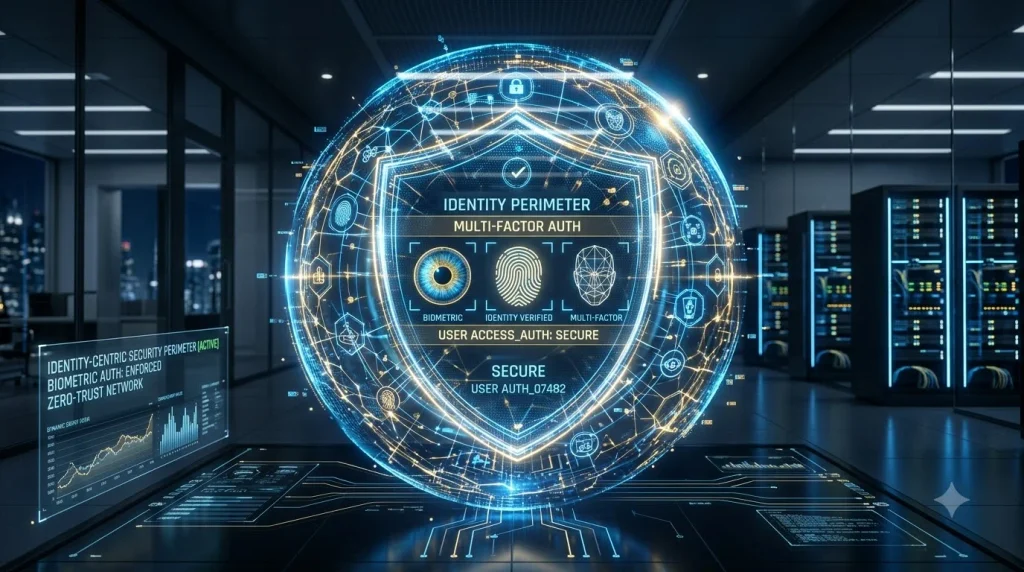
Why Identity is Everything in 2026
Your firewall doesn’t matter if an attacker has your password. In the era of cloud, remote work, and API-driven systems, the “perimeter” no longer exists. Identity is the new perimeter.
How breaches happen now:
- Attacker steals employee password (via phishing, data breach, social engineering)
- Attacker logs in as legitimate user
- Firewall sees “authorized user”—no alarm
- Attacker moves freely through your systems
- Discovery: 3–6 months later
Credential Compromise: The #1 Breach Cause
According to security research, compromised credentials account for 49% of all breaches. This single vector causes more damage than any other attack method.
The problem: People reuse passwords. People forget complex passwords. People write passwords on sticky notes.
The Solution: Move Beyond Passwords
Passwordless Authentication (FIDO2, Passkeys):
- No password to steal
- No phishing for passwords
- Faster login experience
- Works on phones, laptops, and security keys
How it works:
- Employee logs in with biometric (fingerprint, face) or security key
- System verifies identity without traditional password
- Attacker can’t phish credentials that don’t exist
Implementation Timeline for Your Organization
Phase 1 (Months 1-2): High-Risk Accounts
- Executives, finance, HR staff
- System administrators
- Customer support teams
- Action: Enable FIDO2 for these users
Phase 2 (Months 3-4): Core User Base
- Sales, marketing, operations teams
- Action: Mandate MFA for all; encourage passwordless pilot
Phase 3 (Months 5-6): Full Rollout
- All employees
- Contractors and vendors
- Action: Deprecate legacy passwords for most users
Identity Security Best Practices
| Practice | Why It Matters | Implementation Effort |
|---|---|---|
| Multi-Factor Authentication (MFA) | Even if password stolen, attacker can’t log in | Low (2-4 weeks) |
| Passwordless (FIDO2, Passkeys) | Eliminates password attacks entirely | Medium (6-8 weeks) |
| Continuous Authentication | Monitors behavior, flags unusual access patterns | High (8-12 weeks) |
| Just-In-Time Access | Users get access only when needed, for limited time | Medium (6-8 weeks) |
| Least Privilege Principle | Users have minimum permissions needed for job | Medium (8-12 weeks) |
Recommended Identity Platforms:
- Microsoft Entra ID (formerly Azure AD)
- Okta
- Auth0
- Ping Identity
Identity Security for Global Teams
Organizations with employees in multiple countries face unique challenges:
European teams: GDPR limits data transfers; use EU-based identity providers where possible North American teams: FISMA/NIST compliance may require on-premises solutions Asia-Pacific teams: Varied regulations; consider regional identity hubs Distributed teams: Zero trust becomes critical—assume no network is safe
Trend 4: Zero Trust Architecture – Trust Nothing, Verify Everything

What Zero Trust Actually Means
Traditional security: “Trust the corporate network; verify users outside.”
Zero Trust: “Trust nothing. Verify everything. Every access request. Every application. Every device.”
Simple example:
- Old model: Connect to corporate VPN → trusted network → access all applications
- Zero Trust model: User → Identity verification → Device check → Application permission → Activity monitoring
Why Organizations Are Adopting Zero Trust Now
- Remote work changed everything – Home networks aren’t secure; office networks have no special trust
- Cloud services fragmented the network – Data lives in multiple clouds; perimeter is gone
- Insider threats grew – Both malicious insiders and compromised accounts need monitoring
- Regulations demand continuous verification – Compliance requires proof of identity and authorization
Zero Trust Implementation: Start Simple
You don’t need to transform your entire security posture overnight.
Month 1: Foundation (Identify & Inventory)
- Map critical applications and data
- Understand user access patterns
- Identify high-risk resources
- Establish baseline access policies
Month 2-3: Detection (Monitor & Segment)
- Deploy network segmentation for sensitive systems
- Implement microsegmentation for workloads
- Monitor all access attempts (log centrally)
- Establish incident response playbooks
Month 4-6: Enforcement (Verify & Restrict)
- Implement policy engines that check every access request
- Require device compliance checks before access
- Enforce MFA for all remote access
- Monitor for anomalous behavior
Practical Tools & Technologies
| Layer | Tools | Purpose |
|---|---|---|
| Identity | Okta, Entra ID, Auth0 | Verify who users are |
| Device Trust | Microsoft Defender, CrowdStrike | Verify device is secure |
| Network | Zscaler, Cloudflare, Palo Alto | Segment and inspect traffic |
| Application | API gateways, WAF, service mesh | Control application access |
| Monitoring | Datadog, Splunk, ELK Stack | Continuous verification logging |
Zero Trust for Small and Medium Businesses
Budget concern? Smaller organizations can implement Zero Trust cost-effectively:
- Start with identity (most impactful, lowest cost)
- Entra ID Free or Okta’s free tier
- Enable MFA for all users
- Cost: $0–$100/user/year
- Add network segmentation (medium cost)
- Segment on-premises network with VLANs
- Use cloud security groups for cloud workloads
- Cost: Mostly labor (engineer time)
- Implement application controls (progressive)
- Deploy API gateway with authentication
- Implement role-based access controls
- Cost: $100–$500/month depending on scale
Trend 5: Cloud Security at Scale – Protecting Infrastructure Everyone Depends On

The Cloud Security Paradox
Cloud providers (AWS, Azure, Google Cloud) have excellent security infrastructure. Yet, cloud misconfigurations remain the #1 cause of cloud breaches.
The issue: Cloud is powerful and flexible. That same flexibility makes it easy to accidentally expose data.
Real scenarios:
- S3 bucket left public (AWS) → 100GB of customer data exposed
- Storage account with public access (Azure) → Database credentials leaked
- Firewall rules misconfigured (GCP) → Databases accessible from internet
Why Cloud Security Matters Even More in 2026
- Increased cloud adoption: 95% of organizations now use cloud services
- Multi-cloud complexity: Average organization uses 4+ cloud providers
- Container explosion: Microservices and containers introduce new security layers
- Serverless growth: Functions-as-a-Service (FaaS) remove traditional security perimeters
Cloud Security Simplified
Cloud security operates at multiple layers:
| Layer | Challenge | Solution |
|---|---|---|
| Infrastructure | Misconfigured storage, networks, databases | Cloud Security Posture Management (CSPM) |
| Container Images | Vulnerable dependencies in container images | Container scanning before deployment |
| Runtime | Malware and exploits inside running containers | Runtime protection agents |
| Applications | Code vulnerabilities, API exposures | Application scanning, WAF (Web Application Firewall) |
| Data | Unencrypted or exposed sensitive data | Data classification, encryption, access controls |
Quick Wins for Cloud Security (2-4 Weeks)
Week 1: Visibility
- Deploy Cloud Security Posture Management (CSPM) tool
- Identify all public-facing storage (S3, blob storage, GCS buckets)
- Audit firewall rules and network ACLs
- Find unencrypted databases
Week 2-3: Remediation
- Make public storage private (implement encryption)
- Restrict network access to production databases
- Enable audit logging for all services
- Implement identity-based access for cloud resources
Week 4: Automation
- Set up automated remediation for common misconfigurations
- Enable security alerts for risky changes
- Implement Infrastructure-as-Code (IaC) scanning
Recommended Cloud Security Tools
Cloud Providers’ Built-in Tools (lowest cost):
- AWS: AWS Security Hub, Amazon GuardDuty
- Azure: Azure Security Center, Azure Defender
- GCP: Google Cloud Security Command Center
Third-Party Platforms (comprehensive coverage):
- Wiz, Orca Security (CSPM)
- Snyk (container and code scanning)
- Datadog, New Relic (runtime monitoring)
Cloud Security for International Organizations
| Region | Key Regulations | Cloud Strategy |
|---|---|---|
| EU | GDPR, NIS2 Directive | Use EU-based cloud regions; implement data residency controls |
| US | HIPAA (healthcare), SOX (finance) | Compliance-focused cloud services; audit trails |
| China | Data localization requirements | Private cloud or approved Chinese providers (Alibaba, Tencent) |
| India | Data Protection Bill | Data residency within India; encryption mandatory |
| Australia | Privacy Act, Notifiable Data Breaches Scheme | Australian cloud regions; sovereignty compliance |
Trend 6: Advanced Ransomware – From Encryption to Extortion Networks
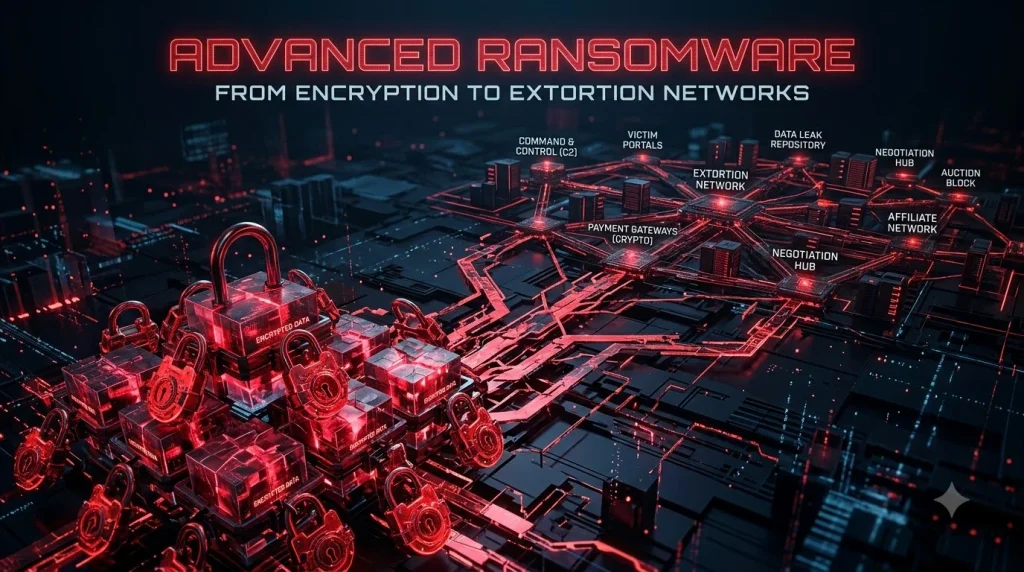
How Ransomware Evolved in 2026
2020 ransomware: Encrypt files → demand payment → decrypt (if you’re lucky)
2026 ransomware:
- Steal your data
- Encrypt your files
- Publish your data on dark web
- Threaten your customers
- Demand payment from you, your customers, and insurance companies
This is called “double extortion,” and it’s devastatingly effective.
The Ransomware Business Model
Modern ransomware is organized like a corporation:
- Ransomware-as-a-Service (RaaS): Criminals rent ransomware tools to other criminals
- Affiliate programs: Commission-based payments (20-40% of ransom)
- Professional negotiators: Teams dedicated to extracting maximum payments
- Leak sites: Dark web marketplaces for stolen data
- Insurance fraud: Targeting companies known to have cyber insurance
Who Gets Targeted?
Highest-risk industries:
- Healthcare (hospitals can’t afford downtime)
- Finance (holds valuable data and money)
- Government (large budgets)
- Manufacturing (critical infrastructure)
- Education (legacy systems, low budgets)
Lowest-risk industries:
- Startups (small payouts expected)
- Non-profit NGOs (no money)
- Personal services (limited data value)
Defending Against Modern Ransomware
Defense Strategy 1: Backup & Recovery (Your Best Defense)
- Maintain offline, immutable backups (can’t be encrypted)
- Test restore process monthly (backups don’t matter if you can’t restore)
- Store backups in different locations (ideally different regions)
- Cost: $500–$5,000/month depending on data size
Defense Strategy 2: Detection & Response
- Deploy EDR (Endpoint Detection & Response) to spot ransomware early
- Monitor for unusual file encryption activity
- Track suspicious network connections
- Cost: $5–$15 per endpoint per month
Defense Strategy 3: Access Control
- Limit user permissions (if attacker compromises user, they have limited access)
- Monitor administrative account usage (most dangerous if compromised)
- Implement just-in-time access (restrict access duration)
- Cost: Minimal (mostly process change)
Defense Strategy 4: Business Continuity
- Document critical business processes
- Identify systems needed to restore operations
- Create incident response plan specifically for ransomware
- Practice recovery procedures quarterly
- Cost: Internal labor only
Ransomware Response Playbook (First 24 Hours)
| Hour | Action | Owner |
|---|---|---|
| 0-1 | Confirm incident; isolate affected systems from network | Security team |
| 1-4 | Activate incident response team; begin investigation | CISO, Incident Commander |
| 4-8 | Preserve evidence; contact law enforcement (FBI, local police) | Legal, Security |
| 8-12 | Assess data stolen; determine if notification required | Legal, Security |
| 12-24 | Make ransom decision (pay or don’t); communicate to stakeholders | Executive leadership, Board |
Note: Paying ransom doesn’t guarantee data deletion. Many experts recommend against payment (and several governments discourage it).
Ransomware Insurance Considerations
Cyber insurance helps, but comes with conditions:
Insurers expect:
- Regular backups verified working
- Multi-factor authentication enabled
- EDR installed on critical systems
- Incident response plan documented
- Annual penetration testing
Insurance typically covers:
- Ransom negotiation services
- Forensic investigation
- Data restoration costs
- Business interruption losses
- Legal and regulatory expenses
Insurance doesn’t cover:
- Ransom payment (in most cases)
- Losses from failure to maintain security controls
- Reputational damage
- Fines and penalties
Trend 7: Privacy Engineering – Regulations Converge, Compliance Becomes Complex
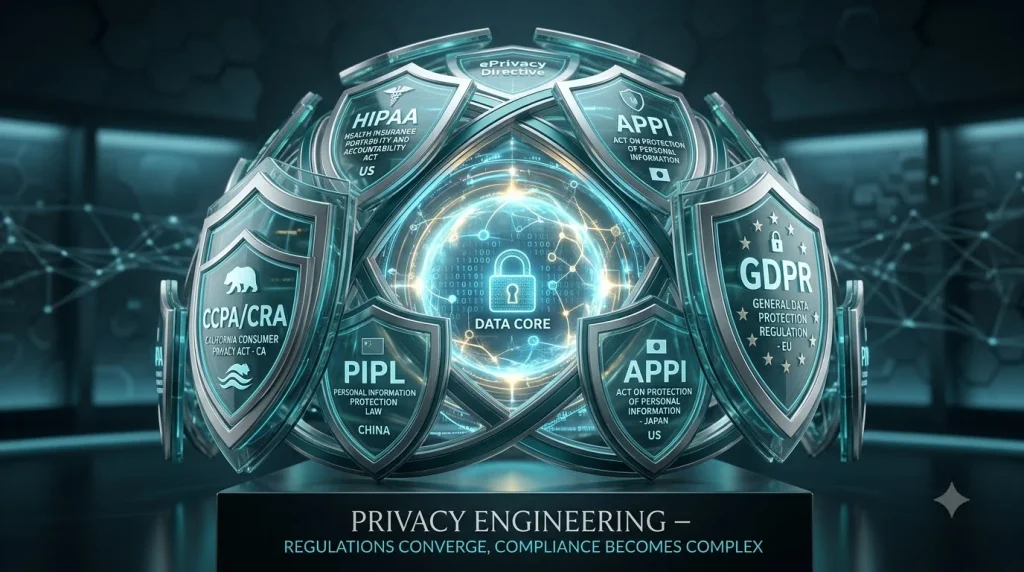
The Global Privacy Regulation Explosion
If your organization operates internationally, you’re subject to multiple privacy laws:
| Regulation | Region | Key Requirements | Penalties |
|---|---|---|---|
| GDPR | EU, UK, EEA | Data minimization, DPA, consent, deletion rights | Up to 4% revenue or €20M |
| CCPA | California, US | Transparency, opt-out rights, data sale disclosure | Up to $10K per violation |
| LGPD | Brazil | Data minimization, consent, resident privacy rights | Up to 2% revenue or R$50M |
| PDPA | Thailand | Consent, notification, data security | Up to ฿5M and imprisonment |
| PIPEDA | Canada | Consent, notification, access rights | Up to $100K CAD |
| POPIA | South Africa | Data classification, processing agreements | Up to R$10M |
| Privacy Act | Australia | Privacy principles, data breach notification | Up to $2.5M AUD |
The problem: These regulations overlap but contradict each other. Companies must comply with all simultaneously.
Privacy Engineering: Making Privacy Work at Scale
Privacy engineering means building privacy into systems from the start, not bolting it on later.
Privacy Engineering Principles:
- Data Minimization: Collect only data you actually need
- Example: Don’t collect middle names if unnecessary
- Example: Don’t track all website visits, only critical interactions
- Purpose Limitation: Use data only for stated purpose
- Example: Collect email for newsletter → can’t sell to marketers
- Example: Collect phone for customer support → can’t use for sales calls
- Encryption: Encrypt data at rest and in transit
- At rest: Database encryption (AES-256)
- In transit: TLS/HTTPS (TLS 1.2+)
- In use: Homomorphic encryption (advanced)
- Access Controls: Only people who need data get access
- Role-based access control (RBAC)
- Time-limited access (just-in-time)
- Activity logging and monitoring
- Data Retention: Don’t keep data longer than necessary
- Define retention periods per data type
- Automate deletion after retention period
- Document destruction procedures
Implementing Privacy Engineering: 30-Day Plan
Week 1: Assessment
- Map all data flows (where data comes from, where it goes)
- Classify data by sensitivity (public, internal, confidential, personal)
- Identify which regulations apply to your business
- List all systems that handle personal data
Week 2: Policy
- Document data retention periods (per data type)
- Create data access policies (who can access what)
- Write data breach notification procedures
- Establish privacy impact assessment (PIA) process
Week 3: Technical Implementation
- Enable encryption for databases and backups
- Implement access logging for sensitive data
- Set up automated data deletion (after retention period)
- Enable audit trails for all data access
Week 4: Governance
- Designate Data Protection Officer (DPO) if required
- Train staff on privacy practices
- Establish privacy review process for new projects
- Document everything for regulatory audits
Privacy Tools & Platforms
| Category | Tools | Purpose |
|---|---|---|
| Data Discovery | Datadog, Varonis, Rubrik | Find where personal data lives |
| Classification | Imperva, Digital Guardian | Tag data by sensitivity |
| Encryption | HashiCorp Vault, AWS KMS | Encrypt data at rest |
| Access Control | Okta, Entra ID | Control who accesses data |
| Data Retention | BigQuery, Snowflake | Automate data lifecycle |
Privacy Compliance by Region: Practical Advice
If you’re in the EU:
- Appoint a Data Protection Officer (required if processing large amounts of personal data)
- Implement Data Processing Agreements with all vendors
- Honor data subject rights (right to access, deletion, portability)
- Report breaches within 72 hours
- Annual privacy impact assessments
If you’re in North America:
- Monitor state privacy laws (California CCPA leads; others follow)
- Implement opt-out mechanisms for data sales
- Disclose privacy practices in clear language
- Prepare for privacy litigation (common in US)
If you’re in Asia-Pacific:
- Understand data localization requirements (varies by country)
- Comply with country-specific consent requirements
- Be prepared for evolving regulations (most countries updating laws)
- Consider regional data centers to meet residency rules
If you’re in Latin America:
- Brazil’s LGPD adoption is rapid; prepare for compliance
- Other countries following similar patterns
- Budget for legal guidance (regulations still evolving)
- Implement consent management platforms early
Your 90-Day Implementation Roadmap
Days 1-15: Foundation (Identity & Privacy)
Priority 1: Identity Security
- Enable multi-factor authentication for all users
- Begin passwordless pilot for executives
- Conduct access review (who has what permissions?)
Priority 2: Privacy Foundations
- Map data flows across organization
- Classify data by sensitivity level
- Document data retention policies
Priority 3: Awareness
- Brief leadership on cybersecurity threats
- Train staff on phishing and social engineering
- Distribute incident response contact list
Success metrics:
- MFA enabled on 100% of accounts
- Data flows documented
- Staff training completion rate >80%
Days 16-45: Detection & Segmentation
Priority 1: Visibility
- Deploy cloud security posture management (CSPM)
- Implement endpoint detection and response (EDR)
- Enable centralized security logging
- Audit current access permissions
Priority 2: Vendor Assessment
- Request SBOMs from critical vendors
- Conduct security audits of top 10 vendors
- Update vendor contracts with security SLAs
Priority 3: Cloud Hardening
- Identify and remediate public storage (S3, blob storage)
- Enable encryption for cloud databases
- Implement cloud access controls
Success metrics:
- CSPM and EDR deployed to >90% of systems
- Vendor risk assessment completed for top 10
- Zero publicly accessible storage containing sensitive data
Days 46-75: Zero Trust Implementation
Priority 1: Network Segmentation
- Implement micro-segmentation for critical workloads
- Isolate production from development environments
- Monitor east-west traffic (inside your network)
Priority 2: Access Control
- Enforce least privilege principles
- Implement just-in-time access for admin functions
- Deploy policy engines for continuous authorization
Priority 3: Backup Verification
- Test restore from all backup systems
- Verify backups are offline and immutable
- Document recovery time objectives (RTO)
Success metrics:
- Critical systems micro-segmented
- Admin access reduced by 60%+
- All backups successfully restored in tests
Days 76-90: Testing & Optimization
Priority 1: Incident Response Exercises
- Conduct ransomware tabletop exercise
- Practice breach notification procedures
- Run supply chain attack simulation
Priority 2: Detection Tuning
- Reduce false positive alerts by 70%+
- Establish alert severity baselines
- Automate routine response actions (SOAR)
Priority 3: Compliance Verification
- Run gap analysis against applicable regulations
- Document compliance evidence
- Begin remediation of gaps
Success metrics:
- Incident response plan tested and validated
- Alert fatigue reduced significantly
- Compliance readiness assessment completed
Cost Analysis: Security Investment by Organization Size
Small Business (1-50 employees)
Annual Budget: $5,000–$15,000
- MFA software: $500–$1,500
- EDR endpoint: $1,000–$3,000
- Cloud CSPM: $1,000–$2,000
- Backup solution: $500–$1,500
- Training & consulting: $1,000–$3,000
- Miscellaneous tools: $500–$2,000
ROI: Average breach costs $170,000+; investment pays for itself many times over.
Mid-Market Business (51-500 employees)
Annual Budget: $50,000–$150,000
- Identity management (Okta, Entra ID): $10,000–$20,000
- EDR and SIEM: $20,000–$40,000
- CSPM and container security: $10,000–$20,000
- Backup and disaster recovery: $5,000–$10,000
- Security consulting and staff: $10,000–$30,000
- Compliance and audit tools: $5,000–$10,000
ROI: Average breach costs $4.95M; security investment is essential.
Enterprise (500+ employees)
Annual Budget: $500,000–$2M+
- Full security stack: $200,000–$400,000
- Security team (30-50 people): $3M–$5M
- Consulting and integration: $100,000–$300,000
- Training and awareness: $50,000–$100,000
- Compliance and audit: $50,000–$150,000
- Advanced technologies (AI, ML): $50,000–$200,000
ROI: Average breach costs $9.2M+; security investment prevents catastrophic losses.
FAQ: Your Cybersecurity Questions Answered
Q1: What’s the most important cybersecurity trend to focus on first?
A: Identity security and strong backups. These two defenses prevent 60%+ of major breaches. Start with MFA and passwordless authentication; implement offline backups immediately. Everything else builds on this foundation.
Q2: Do small businesses really need zero trust?
A: Yes, but scaled appropriately. Start with identity-centric security and network segmentation. You don’t need enterprise-scale infrastructure, but you need the principles: verify everything, trust nothing, monitor continuously.
Q3: How do we balance security with productivity?
A: Good security actually improves productivity. Fewer breaches = less downtime. Passwordless login = faster access than typing complex passwords. The key is intelligent automation—let tools do tedious security work while humans focus on strategy.
Q4: Can we implement these trends gradually?
A: Absolutely. Start with quick wins (MFA, backups). Move to medium-term goals (cloud hardening, vendor assessment). Achieve long-term goals (zero trust, privacy engineering) over 12-18 months. Most successful organizations take this phased approach.
Q5: What if we can’t afford all these tools?
A: Start with built-in tools from cloud providers (often free or cheap). Cloud Security Posture Management from AWS, Azure, or GCP costs little compared to third-party platforms. Then add tools incrementally as budget allows.
Q6: How often should we update our security strategy?
A: Quarterly review minimum. Threats evolve monthly; regulations change yearly. Plan security updates as part of your quarterly business planning cycle.
Related Resources to Strengthen Your Security
Internal Knowledge Hub
Explore related topics at Gloobia:
- Financial Technology Trends 2026 – Understand how fintech innovations impact cybersecurity requirements
External Expert Guidance
Government and Standards Bodies:
- NIST Cybersecurity Framework – Free, comprehensive guidance from US standards authority
- CIS Controls – Prioritized security best practices
- ISO 27001 – International security standard
Industry Research:
- Gartner Magic Quadrant Reports – Evaluate security tool vendors
- Forrester Wave Reports – In-depth market analysis
Immediate Action Items: Start This Week
For Security Teams
- Audit current MFA implementation (target: 100% coverage)
- Request SBOMs from your 5 most critical vendors
- Deploy CSPM if not already running
- Test your backup restore process
- Schedule ransomware incident response tabletop
For IT Leaders
- Budget for identity and cloud security tooling (FY2026 planning)
- Review and update vendor security contracts
- Assess zero trust readiness (where are you today?)
- Plan staff training on new threats
- Establish security metrics dashboard
For Executives & Board Members
- Review cyber insurance coverage and exclusions
- Understand regulatory requirements for your industry
- Approve cybersecurity budget requests
- Schedule quarterly security briefings
- Ensure incident response plan exists and is tested
What Comes Next: Beyond 2026
Emerging Threats on the Horizon
Quantum Computing Impact: By 2030, quantum computers could break current encryption. Organizations must begin “cryptography agility” now—ability to switch encryption methods quickly.
Supply Chain Transparency: Governments pushing for software provenance verification. Expect mandatory signed software delivery and immutable audit trails.
AI Regulation: Governments worldwide regulating AI in security. Expect compliance requirements similar to GDPR.
Convergence of Privacy & Security: Privacy engineering and security engineering merging. Expect unified roles and teams.
Building for Resilience in 2026 and Beyond
The organizations thriving in 2026 share common traits:
- Automated defenses – Let tools handle routine security
- Human-centric approach – Focus security staff on strategy, not manual tasks
- Continuous improvement – Regular testing, measuring, adjusting
- Board visibility – Security as business strategy, not just IT problem
- Vendor accountability – Strong contracts and monitoring of third-party risk
Conclusion: Your Cybersecurity 2026 Roadmap
Cybersecurity in 2026 isn’t about building impenetrable fortresses. It’s about:
- Knowing what you need to protect (data classification)
- Making attackers’ lives hard (multi-factor authentication, backups, segmentation)
- Catching what you miss (detection and monitoring)
- Recovering when breached (incident response, backups)
- Following the rules (privacy and compliance)
The good news? These aren’t new concepts. You don’t need to reinvent security—you need to execute fundamentals at scale.
Start today with this week’s action items. Pick one priority, commit resources, and see it through. In 90 days, you’ll have a dramatically stronger security posture.
Your organization’s security doesn’t depend on perfect tools or unlimited budgets. It depends on focus, execution, and consistent effort over time.
Sources & References
- IBM Security X-Force: “Cost of a Data Breach Report 2024”
- Microsoft Security: “Cloud Security State 2024”
- Verizon: “2024 Data Breach Investigations Report”
- Gartner: “Cybersecurity Trends 2026”
- SANS Institute: “Top Security Priorities”
- NIST Cybersecurity Framework (NIST.gov)
- CIS Critical Security Controls (CISecurity.org)