
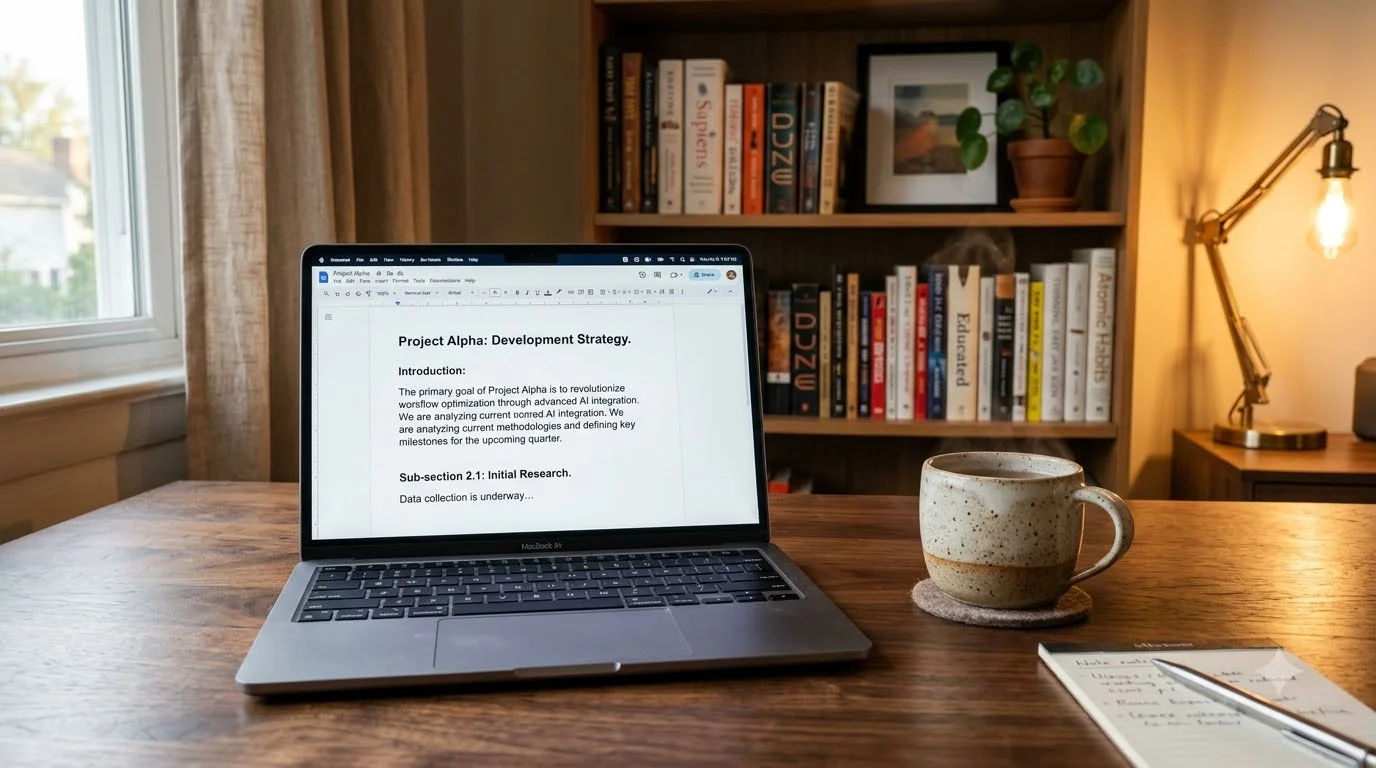
When you’re a writer, your laptop isn’t just a tool—it’s your creative partner. Whether you’re working on a novel, articles, blog posts, or academic papers, finding the right device can change how fast and comfortably you write. This guide will show you exactly the best laptops for writers in 2026 and why.
Writers need something different from what gamers or video editors want. You need a keyboard that feels good under your fingers, a battery that lasts all day, and a screen that won’t make your eyes tired after hours of typing. Let’s find the perfect match for your writing needs.
Why Laptop Choice Matters for Writers
Your laptop affects three critical things about your writing life:
How Fast You Can Type — A bad keyboard slows you down. A good one lets your ideas flow without getting frustrated by mushy keys or odd spacing.
How Long You Can Work — If your battery dies after 5 hours, you’re stuck searching for outlets. A laptop with 12+ hour battery life means you can write at a café, library, or office all day.
How Focused You Stay — A distracting screen or too many ports you don’t need means you’re fighting your own computer. The best writing laptops get out of your way and let you concentrate.
In 2026, manufacturers have finally figured out what writers actually need. Let’s look at the best laptops for writers available now.
The 5 Best Writing Laptops in 2026
1. Apple MacBook Air 15-Inch (M4 Chip) — The Overall Winner
Why Writers Love It:
The MacBook Air 15 with M4 is like the perfect notebook in laptop form. It’s quiet (no fan noise to interrupt your thoughts), the keyboard feels smooth and responsive, and it runs for a full day on battery.
What Makes This Special:
- Scissor-switch keyboard with light, consistent touch
- Nearly silent operation (fanless design)
- 15-inch screen means you see more text at once
- Up to 20+ hours of real battery life
- Lightweight despite the large screen
- Built-in apps for writers (Notes, Pages, iCloud sync)
Technical Details:
| Feature | Specs |
|---|---|
| Processor | Apple M4 Chip |
| RAM | 16GB to 24GB options |
| Storage | 512GB to 2TB SSD |
| Display | 15-inch Liquid Retina |
| Battery Life | 18-20+ hours (typical use) |
| Weight | 3.3 pounds |
| Resolution | 2560 x 1664 pixels |
What to Love:
- Fastest Apple processor available
- Excellent color accuracy for visual projects
- Seamless sync with iPhone and iPad
- Industry-standard among professional writers
- Three-year warranty options available
- Easy file sharing between devices
Things to Consider:
- Needs dongles for older USB devices
- More expensive than Windows alternatives
- Works only with macOS
- Limited upgrade options after purchase
- Touch bar takes adjustment if you’re new to Mac
Best For: Full-time writers who value speed and battery life above all else. Journalists, novelists, and content professionals use this most.
Price Range: $1,299–$2,299 depending on configuration
2. Lenovo ThinkPad X1 Carbon Gen 12 — King of Tactile Keyboards
Why Serious Typists Choose It:
If you’ve used a ThinkPad, you know—nothing beats the keyboard. Each key has a satisfying click and travel distance. For writers who type 6+ hours daily, this keyboard feels like coming home.
What Makes This Special:
- Red TrackPoint button in middle of keyboard (unique feature)
- Textured keys with perfect spacing
- Military-grade durability (passes extreme tests)
- Lightweight carbon-fiber body
- Business features (privacy shutter, optional 5G)
- Excellent Linux support if you use it
Technical Details:
| Feature | Specs |
|---|---|
| Processor | Intel Core Ultra / 13th-14th Gen |
| RAM | 16GB to 32GB options |
| Storage | 512GB to 2TB SSD |
| Display | 14-inch 2.8K resolution |
| Battery Life | 12-18 hours (real world) |
| Weight | 2.4 pounds |
| Keyboard Type | Premium mechanical switches |
What to Love:
- Best keyboard for rapid typing
- Proven build quality (corporate standard)
- Easy to repair yourself
- Great Linux compatibility
- Includes privacy camera shutter
- Excellent corporate discount options
Things to Consider:
- Display isn’t as bright as some competitors
- Requires configuration to disable unnecessary features
- Cheaper models use slower processors
- Trackpad smaller than MacBook
- Needs Windows license separately (Linux included)
Best For: Journalists, technical writers, and anyone who types more than 5 hours per day. Professional environments prefer this.
Price Range: $1,199–$1,999 for well-configured models
3. Dell XPS 13 Plus (2026 Edition) — Ultracompact and Powerful
Why Travel Writers Love This:
The XPS 13 Plus proves you don’t need a huge laptop to get a premium experience. It’s the smallest on this list but doesn’t feel cramped when you’re typing.
What Makes This Special:
- Nearly no bezels around the screen (edge-to-edge display)
- Aluminum chassis built to last
- Lightning-fast SSD for quick file access
- Stunning OLED screen option (first in this size)
- Excellent speaker system for video calls
- Available with Windows or Linux
Technical Details:
| Feature | Specs |
|---|---|
| Processor | Intel Core i5 or i7 (13th Gen) |
| RAM | 8GB to 32GB options |
| Storage | 256GB to 2TB SSD |
| Display | 13.4-inch OLED or IPS |
| Battery Life | 10-14 hours (typical) |
| Weight | 2.6 pounds |
| Screen Resolution | 1920 x 1200 or 1920 x 1280 |
What to Love:
- Most compact laptop on this list
- Screen-to-body ratio is exceptional
- OLED option provides perfect blacks
- Premium build quality throughout
- Runs cool and quiet
- Trackpad is glass-smooth
Things to Consider:
- Keyboard is slightly smaller (not ideal if you have large hands)
- OLED screen can show burn-in over time
- Gets warm during heavy work
- Premium features increase price quickly
- Not ideal for side-by-side work with windows
Best For: Writers who travel constantly. Minimalist who values portability and design. Bloggers and freelancers working from different locations.
Price Range: $999–$1,899 depending on specs
Read more: Best Affordable Laptops for Students if budget is your main concern.
4. Asus ZenBook 14 OLED — Best Color and Value Combined
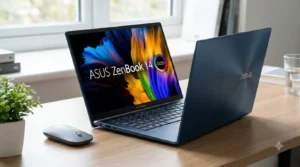
Why Creative Writers Choose It:
If you write fiction that involves visual planning, or blog posts with images, the OLED screen on the ZenBook 14 makes colors pop. The price is fair, and battery lasts all day.
What Makes This Special:
- Vivid OLED display perfect for color work
- Available with AMD Ryzen or Intel
- Stylish design looks professional
- Supports stylus input (optional accessory)
- Good port selection
- Includes useful pre-installed apps
Technical Details:
| Feature | Specs |
|---|---|
| Processor | AMD Ryzen 5/7 or Intel Core i5/i7 |
| RAM | 8GB to 32GB options |
| Storage | 256GB to 1TB SSD |
| Display | 14-inch OLED (2880 x 1800) |
| Battery Life | 12-16 hours (realistic) |
| Weight | 2.8 pounds |
| Refresh Rate | 120Hz (smooth scrolling) |
What to Love:
- Exceptional value for money
- OLED screen quality rivals MacBook
- 120Hz refresh makes text smooth
- Good AMD processor performance
- Fast charging (80% in 49 minutes)
- Comes with stylus option
Things to Consider:
- OLED screen too bright for some writers (fix with profiles)
- Trackpad occasionally unresponsive
- Thermal vents can be loud under load
- Webcam quality below average
- Speakers lack bass
Best For: Writers who also create visual content. Novelists who plan with Pinterest boards. Social media writers combining text and imagery.
Price Range: $899–$1,599 (offers great value)
5. Microsoft Surface Laptop 6 — Clean Windows Experience
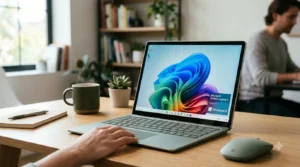
Why Windows-First Writers Need This:
The Surface Laptop line focuses on what writers need: a simple, beautiful interface with a responsive keyboard. Windows 11 integration is seamless.
What Makes This Special:
- Purpose-built operating system integration
- Minimalist, premium design
- Choice of 13.5-inch or 15-inch screen
- Touchscreen option (helpful for research)
- Copilot AI integration for writing help
- Excellent keyboard feel (improved in 2026 model)
Technical Details:
| Feature | Specs |
|---|---|
| Processor | Intel Core Ultra or AMD Ryzen |
| RAM | 8GB to 32GB options |
| Storage | 256GB to 1TB SSD |
| Display | 13.5″ or 15″ PixelSense (3:2 aspect) |
| Battery Life | 12-18 hours |
| Weight | 2.8-3.4 pounds |
| Screen Resolution | 2496 x 1664 (13.5″) or 2496 x 1664 (15″) |
What to Love:
- Responsive trackpad (larger than competitors)
- Touch capability for research
- 3:2 screen ratio (more vertical space for writing)
- Sleep mode is truly fast
- Edge browser optimization
- Built-in Copilot for grammar checking
Things to Consider:
- Limited to Microsoft’s ecosystem
- Not easy to upgrade RAM later
- Touchscreen adds cost
- Fewer ports than business laptops
- Microsoft support varies by region
Best For: Windows-dependent writers. Content teams using Microsoft 365. Academic writers needing compatibility.
Price Range: $999–$2,099 (depending on screen size)
Head-to-Head Comparison: Which Laptop Wins for Different Writers?
Table 1: Quick Comparison of All 5 Laptops
| Laptop Model | Keyboard Quality | Battery Life | Weight | Best For Writers Who… | Price Range |
|---|---|---|---|---|---|
| MacBook Air 15 (M4) | Smooth, quiet | 18-20+ hours | 3.3 lbs | Want all-day work + ecosystem | $1,299-$2,299 |
| ThinkPad X1 Carbon Gen 12 | Best tactile feel | 12-18 hours | 2.4 lbs | Type 6+ hours daily | $1,199-$1,999 |
| Dell XPS 13 Plus | Compact, responsive | 10-14 hours | 2.6 lbs | Travel and portability matter most | $999-$1,899 |
| Asus ZenBook 14 OLED | Comfortable, bright | 12-16 hours | 2.8 lbs | Want color + value | $899-$1,599 |
| Surface Laptop 6 | Precise, responsive | 12-18 hours | 2.8-3.4 lbs | Windows apps + simplicity | $999-$2,099 |
Table 2: Keyboard and Display Features (Most Important for Writers)
| Feature | MacBook Air | ThinkPad | Dell XPS | Asus ZenBook | Surface |
|---|---|---|---|---|---|
| Key Travel Distance | 0.5mm | 1.5mm | 1.2mm | 1.3mm | 1.1mm |
| Keyboard Noise Level | Very quiet | Audible click | Quiet | Moderate | Quiet |
| Backlit Keys | Yes (adaptive) | Yes | Yes | Yes | Yes |
| Trackpad Size | Largest | Moderate | Large | Large | Largest |
| Display Type | Liquid Retina | IPS matte | OLED | OLED | PixelSense |
| Matte Option | No | Yes | No | No | Yes |
| Blue Light Filter | Built-in | Manual adjust | Partial | Full control | Windows setting |
| Refresh Rate | 60Hz | 60Hz | 90Hz (OLED) | 120Hz | 60Hz |
How to Pick the Right Laptop: Step-by-Step Guide
Step 1: Check Your Writing Schedule
If you write daily for 6+ hours: Choose ThinkPad X1 Carbon. The keyboard is worth every penny for heavy use.
If you write 3-5 hours most days: Any laptop on this list works. Focus on portability and battery.
If you write sporadically: Less pressure on keyboard quality. Balance between weight and comfort.
Step 2: Decide on Portability vs. Screen Size
Maximum portability (travel writers, cafe workers):
- Go XPS 13 Plus
- Weighs under 3 pounds
- Fits any bag
- Still 13+ inch screen
Balance (most writers):
- Choose Surface Laptop 6 or Asus ZenBook
- 14-inch screen with 2.8 pound weight
- Feels spacious without being heavy
Comfort over portability (home-based writers):
- Pick MacBook Air 15
- Larger screen reduces eye strain
- Better for layout work
- Still portable enough for coffee shops
Step 3: Consider Your Existing Ecosystem
Already use Apple devices? MacBook Air makes sense. Automatic sync with iPhone, iPad, and iCloud.
Windows workplace or games? ThinkPad or Surface ensures compatibility.
Linux developer? ThinkPad has best Linux support.
No preference? Any choice works—focus on physical comfort.
Step 4: Budget Reality Check
$900-$1,200: Asus ZenBook 14 OLED offers best value. Seriously good for money.
$1,200-$1,500: ThinkPad X1 Carbon or Dell XPS 13 Plus both excellent. Pick based on keyboard preference.
$1,500+: MacBook Air 15 or Surface Laptop 6. Premium quality and longevity.
Critical Features for Writing-Focused Laptops
Battery Life Explanation
Why 12+ hours matters for writers:
- 8 hours: Enough for a work day but need afternoon charge
- 12 hours: Full day of work + evening writing (most practical)
- 15+ hours: Multiple days of light use without charging
- 20+ hours: True all-day device for road trips
Real battery life is always less than advertised. Subtract 20-30% from manufacturer claims for realistic numbers.
Keyboard Feel Explained
Different switches for different preferences:
Scissor Switches (MacBook, most modern laptops):
- Shorter travel (0.5-1mm)
- Faster typing possible
- Quieter operation
- Better for public spaces
Mechanical Switches (ThinkPad):
- Longer travel (1.5mm)
- More tactile feedback
- Audible click some find satisfying
- Better for long sessions
Hybrid Switches (Surface, Dell):
- Middle ground
- Balanced feel
- Quiet but responsive
- Good all-around choice
Display Technology for Long Writing Sessions
IPS Panels (Lenovo, some Dell):
- Matte option available
- Better for avoiding glare
- Good color accuracy
- Easier on eyes during long work
OLED Panels (Asus, high-end Dell):
- Perfect blacks and contrast
- Can appear too bright for writing
- Risk of burn-in (minimal nowadays)
- Excellent for photo work
Liquid Retina/PixelSense (Apple, Microsoft):
- Proprietary tech from each company
- Tuned for their operating system
- Good color and brightness balance
- Premium pricing
Five Essential Features Modern Writers Need (Ranked by Importance)
1. Keyboard Quality (40% of your comfort)
This is where writers win or lose. A keyboard is something you touch thousands of times daily. It’s worth testing in person.
What to check:
- Type a paragraph at the store before buying
- Notice if keys feel mushy or responsive
- Check if spacing is comfortable for your hands
- Listen for noise (important in quiet offices)
2. Battery Life (25% of your flexibility)
You shouldn’t have to think about charging during a writing session.
What to aim for:
- Minimum 12 hours for full-day work
- 15+ hours if you travel or work from multiple locations
- Fast charging helps (30 minutes to 50% is good)
3. Display Comfort (20% of eye health)
A bad screen causes eye fatigue and headaches. Writing happens on a screen now, so this matters.
What to look for:
- Matte finishes (less glare and reflection)
- Warm color profiles (reduce blue light)
- Resolution of 1920×1080 minimum
- Brightness 300+ nits (for outdoor work)
4. Keyboard Port Selection (10% of workflow)
You’ll need to connect peripherals and storage.
Minimum ports needed:
- 2x USB-C (one for charging, one for accessories)
- Headphone jack (optional but helpful)
- SD card slot (if you work with photos)
5. Build Quality (5% of longevity)
Laptops take abuse. Durable builds last longer and hold value.
Look for:
- Aluminum or carbon fiber chassis (not plastic)
- Keys that won’t wear out
- Hinges that stay firm after years
- Manufacturer’s warranty of 3+ years
Cost Breakdown: Price vs. Value for Writers
Budget Option ($900-$1,200)
Best Choice: Asus ZenBook 14 OLED
- Handles all writing tasks perfectly
- OLED screen is bonus (not expected at this price)
- Battery lasts 12-16 hours
- Lightweight and portable
- Money saved can buy external keyboard if desired
Reality: This laptop does 95% of what MacBook Air does for half the price. Serious consideration for budget-conscious writers.
Mid-Range Option ($1,200-$1,600)
Best Choices: ThinkPad X1 Carbon or Dell XPS 13 Plus
- Professional-quality keyboard
- Business-level durability
- Latest processors
- Good port selection
- Sweet spot for value and quality
Reality: Most professional writers choose this range. Best balance of features and affordability.
Premium Option ($1,600+)
Best Choice: MacBook Air 15 with M4
- Industry standard for professional writers
- Ecosystem integration if you use other Apple products
- Highest resale value
- Longest expected lifespan
- Premium customer support
Reality: Higher upfront cost but often cheaper over 5 years due to resale value and reliability.
Important Buying Checklist for Writers
Before you purchase any laptop, make sure to:
- Test the keyboard by typing full sentences (not just a few words)
- Check battery life settings (disable unnecessary features first)
- Verify port selection matches what you currently use
- Confirm SSD size (256GB minimum, 512GB recommended)
- Review warranty terms and repair costs
- Check return policy (30 days minimum is good)
- Read owner reviews from writers (not gamers or reviewers)
- Test trackpad responsiveness
- Check screen brightness in a bright area
- Ask about educational discounts if applicable
- Verify software licenses included
- Look for thermal performance reviews (important for desk work)
Common Questions Writers Ask
“Can I Really Write a Full Book on These Laptops?”
Absolutely. Over 90% of published books today are written on laptops like these. They’re powerful enough to handle 200,000+ word documents with hundreds of images. Don’t overthink this—any modern laptop has plenty of power for writing.
“Do I Actually Need 16GB of RAM?”
For pure writing? No. 8GB is technically enough. But if you work with research (10+ browser tabs open), use Scrivener with large projects, or run video calls while writing, 16GB helps. Future-proofing for 3+ years of use? Go 16GB.
“Is an SSD Really Better Than a Hard Drive?”
Yes. SSDs are 10x faster. A 256GB SSD means your laptop boots in 20 seconds instead of 2 minutes. Files load instantly. This improves your writing workflow dramatically.
“Should I Buy a 13-inch or 15-inch Screen?”
13-inch: More portable, easier to use on flights or at cafes, lighter.
15-inch: More text visible at once, easier on eyes during long sessions, better for side-by-side research.
Try both sizes in person. Your hand-size and desk space matter more than you think.
“What About Gaming Laptops for Writing?”
Gaming laptops are heavier, have worse battery life, and cost more. They’re designed for different needs. Better to pick a writing laptop and get a gaming console if you want both.
Bonus: How to Get the Most from Your Writing Laptop
Operating System Optimization
For Mac users:
- Enable “Focus Mode” to block notifications
- Use “Do Not Disturb” on calendar
- Set up separate user accounts for work
- Organize desktop with folders
For Windows users:
- Activate “Focus Assist” in Settings
- Disable notifications during writing time
- Use Task View for multiple desktops
- Organize with Windows Sandbox for testing
Ergonomic Setup
Even the best laptop needs proper setup:
- Screen height: Top of screen should be at eye level (use laptop stand if necessary)
- Keyboard angle: Slight downward angle, not flat
- Wrist position: Straight, not bent
- Seat: Proper back support essential
- Desk height: Elbows at 90-degree angle when typing
Correct ergonomics prevents RSI (repetitive strain injury), which can end writing careers.
Storage and Backup Strategy
- Keep at least 100GB free on SSD (improves speed)
- Use cloud backup (Google Drive, OneDrive, iCloud)
- External drive backup weekly (portable 1TB drives are cheap)
- Never rely on single storage location
Display Settings
- Enable Night Light or f.lux after 6 PM
- Set brightness to 50-60% indoors (avoid eye strain)
- Use matte screen protectors if using glossy display
- Take 20-second breaks every 20 minutes (look away)
Final Thoughts: Choosing Your Writing Partner
Your laptop should feel like an extension of your hands, not a barrier between your thoughts and the page. The best laptop for writers in 2026 is the one that:
- Has a keyboard you love to touch
- Lasts all day on battery
- Runs quietly so you concentrate
- Shows your text clearly
- Fits in your lifestyle
All five laptops on this list accomplish these goals. Your job is picking the one that matches your specific situation—whether that’s maximum portability, best keyboard, lowest price, or ecosystem integration.
Start by testing keyboards in person. This single feature influences your daily happiness more than any other. Then align the other features with your real work needs, not imagined scenarios.
Writers have never had better options. Pick one and start writing.
External Resources for Further Reading
For detailed technical comparisons, check these authoritative sources:
- Laptop Mag Reviews — Independent keyboard and battery testing with real-world metrics
- The Verge — Long-term impressions from writers and journalists who use these daily
- Wirecutter (New York Times) — Consumer-focused laptop guides and updates
Related Reading:
- Best Affordable Laptops for Students — Our comprehensive guide for budget-conscious students
- TechCrunch – Latest Laptop Reviews — Breaking tech news and product launches