
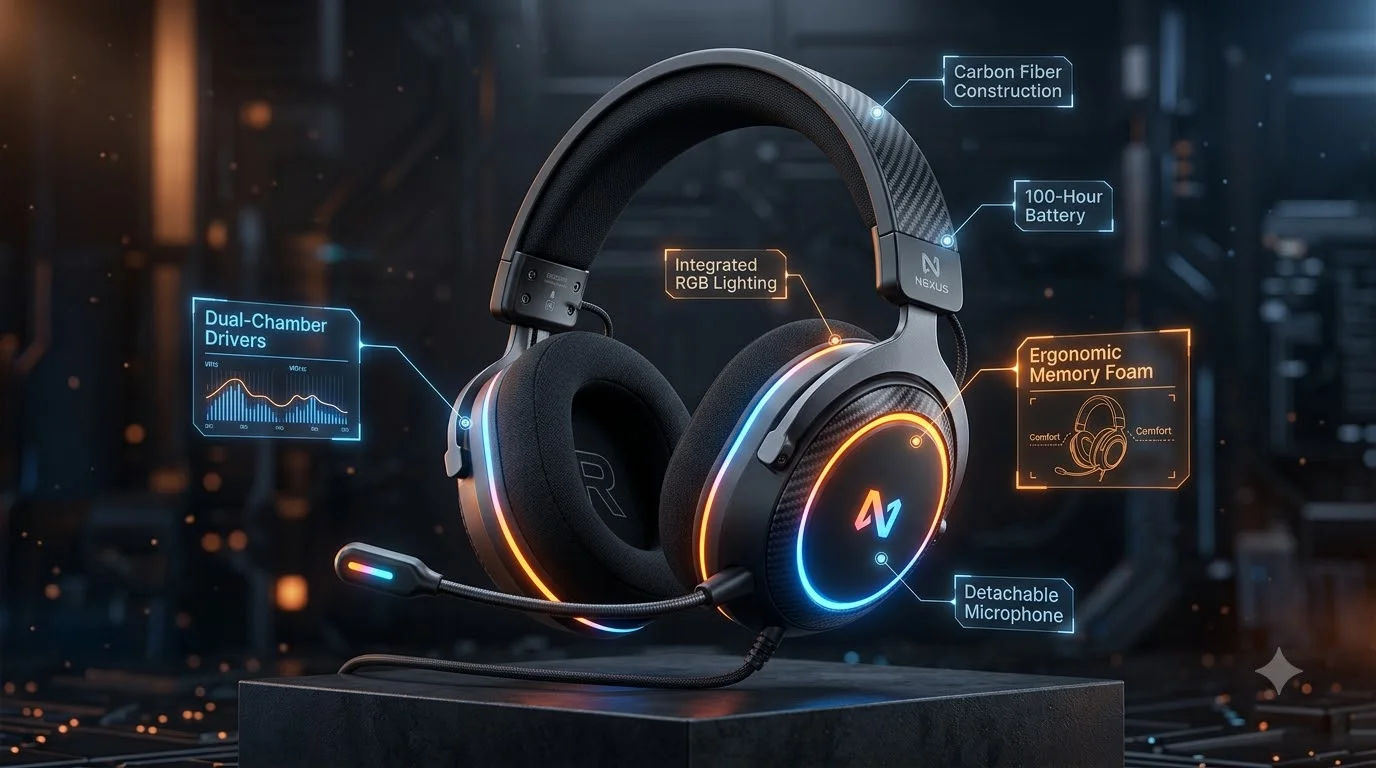
Before you spend money on a new gaming headset, check these seven features first:
- Driver size and type — Bigger drivers (40–50mm) deliver fuller sound; planar magnetic drivers give sharper detail
- Microphone noise cancellation — Keeps your teammates hearing only your voice, not your fan
- Connection latency — Wired or 2.4 GHz wireless keeps sound instant; Bluetooth adds delay
- Ear cushion comfort — Memory foam and breathable fabric prevent headaches during long gaming marathons
- Wireless battery time — 20+ hours keeps you playing without hunting for a charger
- Spatial sound support — Dolby Atmos or DTS:X helps you hear where enemies are coming from
- Build durability and warranty — Metal hinges and replaceable parts mean your headset lasts years, not months
These features directly affect how well you play, how your team communicates, and how much you enjoy long gaming sessions.
Why Choosing the Right Gaming Headset Features Actually Matters
A lot of people think gaming headsets are just speakers with a microphone attached. That’s not true.
The features you choose determine three things: how well you hear the game, how well your teammates hear you, and how comfortable you feel after hours of play.
Think about competitive shooters like Valorant or CS2. You’re listening for footsteps. If your headset has weak mids (mid-range frequencies), footsteps sound muffled. If your headset has high latency, you hear footsteps one-tenth of a second too late. In a game where split-second timing matters, that’s a loss.
Now think about streaming. Your audience hears every keyboard click, every sigh, every background noise. A quality microphone with noise cancellation separates your voice from that mess. The difference between “I can’t understand what you’re saying” and “crystal clear” is often just one headset feature: a cardioid microphone instead of an omnidirectional one.
For casual gamers, comfort matters most. An uncomfortable headset forces breaks. A well-designed headset lets you play for hours without soreness.
This guide explains each feature in simple terms, shows you why it matters, and tells you which features matter most for your gaming style.
Part 1: Audio Features That Shape What You Hear
1. Driver Size and Type: The Foundation of Sound Quality
What it is: A driver is the tiny speaker inside each ear cup that creates the sound you hear. Driver size is measured in millimeters (mm). Driver type describes the technology used.
Common driver sizes:
- 30–32mm — Small drivers, found in cheap headsets. Sound is thin and lacks bass.
- 40–50mm — Standard size for gaming headsets. Delivers balanced bass and clear sound.
- 50mm and larger — Bigger drivers, more bass, fuller sound. Sometimes too heavy for long sessions.
Driver types you’ll see:
| Driver Type | What It Does | Best For | Cost |
|---|---|---|---|
| Dynamic Driver | Most common. Offers balanced, warm sound. | Casual and competitive gaming | Low to mid |
| Planar Magnetic | More detailed sound, tighter bass response. Stays accurate even at high volumes. | Audiophile gamers, streamers | High |
| Hybrid (Multiple Drivers) | Combines two driver types for custom tuning. | Immersive games, music | Mid to high |
Why this matters: A 40–50mm dynamic driver is the “safe bet” for most gamers. It sounds good, costs less, and rarely disappoints. If you play Final Fantasy or The Witcher and want immersion, consider planar magnetic or hybrid drivers—they handle cinematic music and sound effects better.
What to look for: Check the product specs for driver size. If they don’t list it, it’s probably not a quality headset. Aim for 40mm or larger.
2. Frequency Response and Sound Tuning: How Balanced Is the Sound?
What it is: Frequency response is the range of pitches a headset can produce. It’s measured in Hertz (Hz). A typical gaming headset claims “20 Hz to 20 kHz.”
- 20 Hz = Very deep bass (explosions, rumbling)
- 1 kHz = Midrange (footsteps, voices, gunfire)
- 20 kHz = Treble (high notes, clarity)
Sound tuning profiles:
| Tuning Profile | Bass | Mids | Treble | Best For |
|---|---|---|---|---|
| V-Shaped | Strong | Medium | Strong | Immersive games, cinematic feel |
| Neutral | Balanced | Balanced | Balanced | Competitive games, hearing all details equally |
| U-Shaped | Very Strong | Weaker | Very Strong | Racing games, movies—emphasizes energy |
| Flat | Minimal | Strong | Minimal | Hearing accurate vocals and dialogue |
Why this matters: In Valorant or CSGO, you want neutral tuning so you hear footsteps (mids) clearly without bass drowning them out. In Cyberpunk 2077, V-shaped tuning makes explosions and music sound spectacular.
What to look for: Look for the frequency response curve in product reviews. Check sites like RTINGS.com for detailed audio measurements.
Part 2: Microphone Features That Make You Heard
3. Microphone Type and Noise Cancellation: Making Sure Your Team Hears You, Not Your Room
What it is: A microphone captures your voice. The type determines what it captures.
Microphone capture patterns:
| Mic Type | Picks Up Sound From | Blocks | Best For |
|---|---|---|---|
| Omnidirectional | All directions equally | Nothing | Quiet rooms, solo content |
| Cardioid | Front and sides, not back | Rear noise (fans, walls) | Noisy environments, team gaming |
| Bidirectional | Front and back | Sides | Two people talking (rare for gaming) |
Noise cancellation for microphones:
Active noise cancellation for mics (different from headset ANC) filters out background noise like computer fans, air conditioners, and keyboard clicks. It makes your voice stand out.
Why this matters: A cardioid mic with noise cancellation is the gold standard. Your teammates hear your callouts and strategies, not your gaming room humming in the background. For streamers on platforms like Twitch or YouTube, this feature is worth the extra cost.
What to look for:
- Cardioid pattern (stated in specs)
- Detachable mic (so you can use the headset for music or travel without it)
- Noise cancellation toggle (some headsets let you turn it on or off)
- Mic mute button (flip-to-mute or button-mute for quick silencing)
Part 3: Connection and Latency: Why Your Audio Shouldn’t Feel Slow
4. Wired vs. Wireless: The Latency Question
What it is: Latency is the delay between the game producing a sound and you hearing it. Measured in milliseconds (ms).
- 1–5ms latency — You don’t notice it. Ideal for competitive games.
- 10–20ms latency — Noticeable delay. Affects competitive play.
- 50ms+ latency — Obvious delay. Frustrating for any fast-paced game.
Connection types and their latency:
| Connection Type | Typical Latency | Pros | Cons | Best For |
|---|---|---|---|---|
| Wired (3.5mm Jack) | 1–3ms | Lowest latency, no battery, affordable | Cable management, limited movement | Competitive gaming, desktop setup |
| Wired (USB) | 2–5ms | Low latency, some models include software EQ | Requires USB port, cable management | PC gaming, streaming |
| 2.4 GHz Wireless Dongle | 4–8ms | Very low latency, wireless freedom, gaming-specific | Dongle compatibility, occasional interference | Console and PC gaming |
| Bluetooth (Standard) | 40–100ms | Pairs with any device, universal | Noticeable delay, not suitable for competitive play | Casual gaming, mobile, music |
| Bluetooth LE Audio (Newer) | 20–40ms | Better than older Bluetooth | Still slower than wired or 2.4 GHz | Casual gaming, mixed use |
Why this matters: Professional esports players use wired or 2.4 GHz wireless headsets. The latency difference of 5–10ms can mean the difference between winning and losing rounds. For casual players, anything under 20ms feels fine.
What to look for: If you play competitive games, avoid standard Bluetooth. Look for wired options or 2.4 GHz wireless with a dongle. Check product reviews for latency measurements.
Part 4: Physical Comfort and Build Quality
5. Ear Cushion Materials and Clamping Force: Wearing Your Headset for Hours
What it is:
- Clamping force = How tightly the headset presses on your head
- Ear cushion material = What touches your ears (leatherette, fabric, memory foam, silicone)
Cushion materials and comfort:
| Material | Feel | Breathability | Durability | Best For |
|---|---|---|---|---|
| Leatherette | Smooth, premium feel | Low (gets hot and sweaty) | Medium (can crack over time) | Short gaming sessions, aesthetics |
| Protein Leather | Smooth, premium feel | Better than leatherette | Better durability | Longer sessions, mixed use |
| Fabric/Mesh | Soft, breathable | High (stays cool) | Lower (can fray) | Long gaming sessions (8+ hours) |
| Memory Foam | Conforms to your head | Moderate | Good (keeps shape) | Comfort-focused gamers |
Clamping force preferences:
- Too tight = Headaches, neck strain, soreness after 2–3 hours
- Too loose = Headset slides around during movement, falls off
- Just right = Firm enough to stay in place, loose enough to wear all day
Why this matters: A $200 headset feels cheap if it gives you a headache after two hours of play. A $80 headset feels premium if you can wear it all day without discomfort. Comfort is subjective—what works for one person causes pain for another.
What to look for:
- Replaceable ear pads (extends headset life by years)
- Adjustable headband (customizes clamping force)
- Reviews mentioning comfort after long sessions
- Fabric or memory foam if you game for 4+ hours at a time
6. Build Quality and Durability: Will Your Headset Last?
What determines how long a headset survives:
| Build Component | Why It Matters | What to Look For |
|---|---|---|
| Headband Material | Cheap plastic breaks easily; aluminum or steel lasts years | Metal headband, reinforced hinges |
| Cable (Wired Models) | Damaged cables kill the headset | Thick, braided cable; replaceable cable connector |
| Hinge Quality | Repeated folding breaks weak hinges | Metal hinges, tested for 10,000+ flex cycles |
| Driver Reliability | Driver failure means no sound in one ear | Warranty of 2+ years; brand with good track record |
| Warranty Coverage | Protects your investment | 2-year warranty minimum; covers manufacturing defects |
Why this matters: A headset is a 2–5 year investment. Cheap construction means you replace it annually, which actually costs more than buying one quality headset upfront.
What to look for:
- Brands known for durability (check user reviews on Amazon or Reddit)
- 2+ year warranty
- Replaceable cables and ear pads
- Metal construction where it matters (headband, hinges)
Part 5: Wireless-Specific Features
7. Battery Life and Charging: Gaming Without Interruption
What it is: Battery life is how many hours a wireless headset runs before needing a charge.
Realistic battery expectations:
| Battery Life | What It Means | Gaming Scenario |
|---|---|---|
| 10–15 hours | Standard for most wireless headsets | One full day of gaming, need to charge overnight |
| 20–30 hours | Excellent for gaming | Three days of normal play, charge weekly |
| 40+ hours | Premium tier | Play all week, charge once |
Charging features that matter:
- USB-C fast charging — Industry standard; can charge fully in 1–2 hours
- Wired passthrough — Play while charging (some headsets support this, some don’t)
- Quick-charge feature — 10-minute charge = 5 hours of play
- Battery indicator — LED light or app shows remaining battery
Why this matters: A 15-hour battery sounds good until you’re in the middle of a tournament and the headset dies. For competitive players or streamers, 20+ hours is essential.
Real cost example (India pricing):
- Gaming headset with 15-hour battery: ₹4,000–6,000 ($48–72 USD)
- Gaming headset with 30-hour battery: ₹7,000–10,000 ($84–120 USD)
The extra cost buys you peace of mind—no emergency charging between sessions.
What to look for: Check battery life in real-world reviews, not manufacturer claims. Brands often overestimate. Read reviews from people who actually game 8+ hours per day.
Part 6: Advanced Audio Features
8. Spatial Audio and Surround Sound: Hearing Where Enemies Are Located
What it is: Spatial audio technologies simulate 3D sound. Instead of sound coming straight at you, it feels like it’s coming from your left, right, above, or behind.
Common spatial audio standards:
| Technology | What It Does | Best Games | Availability |
|---|---|---|---|
| Dolby Atmos | Premium spatial audio, supported by many platforms | Overwatch 2, Fortnite, Call of Duty | Windows, Xbox, PlayStation, mobile |
| DTS:X | Alternative to Dolby, similar quality | Valorant, CSGO 2 | Windows, some games |
| Windows Sonic (Free) | Built into Windows 10/11, basic 3D sound | Works with any game | Windows 10/11 |
| Custom HRTF | Each brand creates its own spatial algorithm | Brand-specific | Varies by manufacturer |
Why this matters: In competitive shooters, spatial audio helps you pinpoint enemy location by sound alone. Hearing footsteps from above in Valorant tells you an enemy is on a higher level. Hearing gunfire from the left means don’t peek right.
Real example: Two players with identical hardware. One has spatial audio enabled, one doesn’t. The spatial audio player spots enemies 0.5 seconds faster by hearing their position before seeing them. In competitive play, that’s a round-winning advantage.
What to look for:
- Windows Sonic support (free for PC players)
- Dolby Atmos support (if you play compatible games)
- Reviews mentioning spatial audio quality
Comparison Table: Gaming Headset Features by Player Type
What matters most depends on how you play.
| Player Type | Priority 1 | Priority 2 | Priority 3 | Minimum Budget (INR) |
|---|---|---|---|---|
| Competitive Esports | Low latency (wired or 2.4 GHz) | Neutral sound tuning | Cardioid mic | ₹5,000–8,000 |
| Casual Gamer | Comfort | Battery life (if wireless) | Driver quality | ₹3,000–5,000 |
| Streamer | Mic noise cancellation | Comfort (long sessions) | EQ software | ₹6,000–10,000 |
| Mobile/Portable | Battery life | Bluetooth compatibility | Lightweight build | ₹2,500–4,000 |
| Immersion/Cinematic | Spatial audio support | Driver quality (planar) | Comfort | ₹8,000–15,000 |
How to Choose: A Practical Decision Framework
Answer these four questions:
Question 1: How Do You Game Primarily?
- Competitive (shooters, MOBAs) → Prioritize low latency and clear mids
- Casual (RPGs, story games) → Prioritize comfort and sound quality
- Streaming → Prioritize microphone quality and noise cancellation
- Mobile → Prioritize battery life and universal Bluetooth compatibility
Question 2: How Long Are Your Gaming Sessions?
- 1–2 hours → Cheap headsets are fine (comfort matters less)
- 3–5 hours → Comfort becomes important; get memory foam ear pads
- 6+ hours → Comfort is critical; breathable fabric ear pads are essential
- All-day streaming → Lightweight design and replaceable pads are non-negotiable
Question 3: What’s Your Setup?
- PC only → Wired USB or 2.4 GHz dongle (lowest latency)
- PC + Console → 2.4 GHz wireless if both support it, or dual-connection
- Mobile + PC → Bluetooth with low-latency codec (LDAC, aptX), or multi-device pairing
- Traveling → Lightweight, foldable, long battery life, Bluetooth
Question 4: What’s Your Budget?
- Under ₹3,000 ($36) → Used or basic wired headsets; expect compromises
- ₹3,000–5,000 ($36–60) → Good wired headsets; basic wireless
- ₹5,000–8,000 ($60–96) → Quality competitive headsets; solid wireless
- ₹8,000–15,000 ($96–180) → Premium audio; professional streaming
- ₹15,000+ ($180+) → Best-in-class audio, spatial audio, planar drivers
Pros and Cons by Headset Type
Wired Gaming Headsets
Pros:
- Lowest possible latency (1–5ms)
- No batteries; works indefinitely
- Usually more affordable than wireless
- Reliable connection; no interference or pairing issues
Cons:
- Cable gets tangled, caught on furniture
- Limits movement range (cable length)
- Less portable (cable adds weight)
- Broken cable = dead headset (unless replaceable)
Best for: Competitive PC gamers, tournament players, streamers with desk setups
2.4 GHz Wireless Gaming Headsets
Pros:
- Very low latency (4–8ms); nearly wired performance
- Wireless freedom; move around easily
- Gaming-specific technology; optimized for responsiveness
- Good battery life (20–40 hours typical)
Cons:
- Requires charging (every 1–2 weeks)
- Dongle required; not universal compatibility
- Occasional interference in crowded wireless environments
- Dongle can be lost easily
Best for: Console gamers, PC gamers who prefer wireless, esports tournaments
Bluetooth Gaming Headsets
Pros:
- Universal compatibility with all devices
- Works with phones, tablets, laptops
- Good for casual gaming and media
- No dongle needed
Cons:
- Higher latency (20–100ms) for standard Bluetooth
- Lower battery life if using high-quality audio codecs
- Occasional latency inconsistency
- Not ideal for competitive play
Best for: Casual gamers, mobile gamers, commuters, multi-device users
Internal Consideration: Headset Setup for Content Creators
If you’re writing about gaming on a blog or creating video content, your headset choice affects your productivity as much as your gameplay. Some creators pair their gaming headset with quality production equipment—similar to how choosing the best laptops for writers involves matching hardware to workflow. The same principle applies here: pick a headset that supports your content creation needs, whether that’s clear microphone monitoring, software EQ for podcast-style audio, or multipoint connectivity for switching between recording devices.
A Quick Checklist Before Buying
Use this before you hit “Buy Now”:
- Driver size is listed (40mm+)
- Frequency response is available in reviews
- Microphone type is specified (cardioid preferred)
- Latency is tested and confirmed (wired/2.4 GHz preferred for competitive)
- Battery life is verified by independent reviews (not just brand claims)
- Comfort reviews mention it working for 6+ hour sessions
- Warranty is 2 years minimum
- Ear pads and cables are replaceable
- Return policy allows 30+ days
- Price matches your budget category
Answers to Common Questions
Q: Can I use a gaming headset for music? A: Yes, but gaming headsets prioritize gaming frequencies (footsteps, voices, directional cues) over music accuracy. High-end gaming headsets with planar magnetic drivers sound great for music, but dedicated audio headphones usually sound better. Check frequency response charts and reviews.
Q: Do I need surround sound for competitive gaming? A: Spatial audio helps, but it’s not essential. A high-quality stereo headset with neutral tuning and low latency often outperforms a surround sound headset with delay. Focus on clear mids and low latency first.
Q: How much should I spend on a gaming headset? A: ₹5,000–8,000 ($60–96) is the sweet spot for most gamers. You get quality audio, good microphone, and comfort. Spending more adds features like planar drivers and spatial audio, but returns diminish after ₹12,000 ($144).
Q: Do expensive headsets always sound better? A: Not always. Brand reputation, driver type, and frequency response matter more than price. A ₹6,000 headset from a quality brand often sounds better than a ₹10,000 headset from an unknown brand. Read reviews, check frequency response curves, and trust expert measurements.
Q: Should I buy wireless or wired for competitive gaming? A: Professional esports players use wired for lowest latency (1–5ms). If you must use wireless, choose 2.4 GHz dongle (4–8ms) over Bluetooth (20–100ms). For casual gaming, wireless is fine.
Q: How do I test if a mic has good noise cancellation? A: Record a 30-second voice clip with and without background noise (fan, keyboard, traffic). If the noise is noticeably reduced without removing your voice clarity, that’s good cancellation. Many headsets allow toggles, so test both on and off.
Where to Find Expert Reviews and Comparisons
For technical measurements and detailed testing:
- RTINGS.com — In-depth audio and microphone measurements, frequency response charts
- CNET Reviews — Hands-on testing by professional reviewers, long-term reliability data
- Tom’s Hardware — Gaming-specific reviews, latency testing for competitive headsets
These sites use calibrated equipment to measure what marketing claims can’t hide.
Final Recommendations by Use Case
For Competitive Esports: Buy a wired USB headset with 40–50mm drivers, neutral sound, cardioid mic, and testing confirmation of <10ms latency. Budget: ₹5,000–8,000.
For Streaming: Invest in a headset with excellent mic noise cancellation, comfortable fit for 8+ hours, and software EQ. The microphone quality matters more than audio quality here. Budget: ₹6,000–12,000.
For Casual/Immersive Gaming: Get a wireless headset with 50+ hour battery, planar magnetic drivers, spatial audio support, and comfortable padding. Budget: ₹8,000–15,000.
For Mobile Gaming: Choose Bluetooth with excellent battery (20+ hours), lightweight design, and universal pairing. Budget: ₹2,500–4,000.
Conclusion: Invest Smart, Game Longer
Your gaming headset is one of three things you interact with every gaming session: your screen, your controller or keyboard, and your headset. Unlike a trendy monitor or keyboard, most gamers replace headsets less often—every 3–5 years.
That means spending ₹5,000–8,000 ($60–96) on a quality headset isn’t a cost. It’s an investment that pays back across hundreds of gaming hours.
Start with the features that matter most for your playstyle:
- Competitive? Prioritize latency.
- Streamer? Prioritize microphone quality.
- Casual? Prioritize comfort.
- Mobile? Prioritize battery life.
Then read independent reviews (RTINGS, CNET, Tom’s Hardware). Check frequency response curves. Verify latency claims. Read comments from people with your same gaming habits.
The perfect headset exists at your budget. You just need to know which features to demand and which to skip.